








 Contact Platform Support
 Help Center
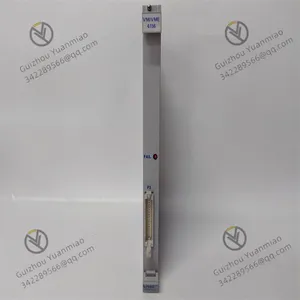
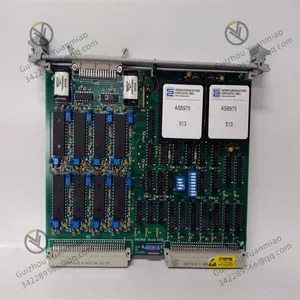
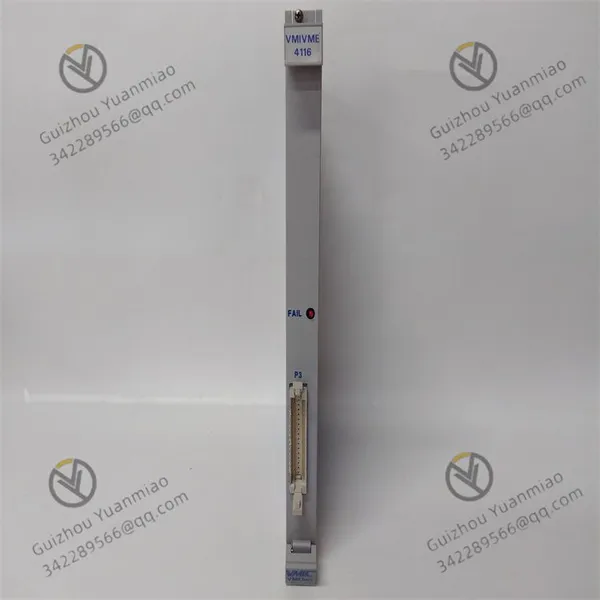
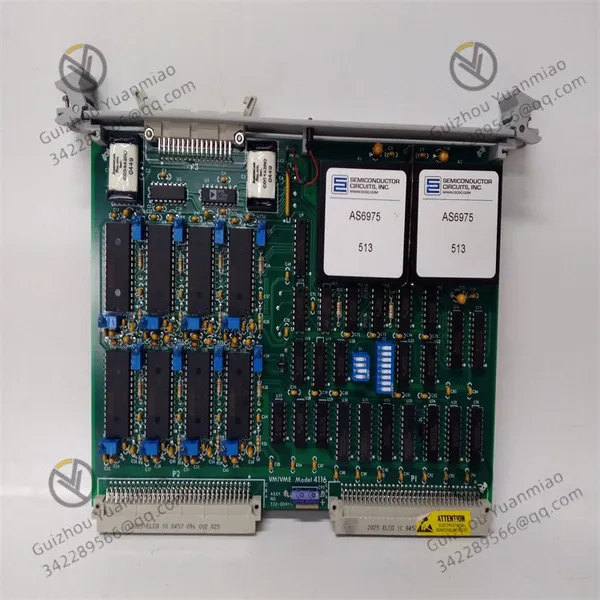
GE VMIVME-4116 Data Acquisition Control Board Card




Related Products
-
 GE VMIVME-4140 32-channel 12-bit Analog Output Circuit BoardNegotiableMOQ: 1 Piece
 -
GE VMIVME-5565-110000 Reflective Memory Node CardNegotiableMOQ: 1 Piece
-
GE VMIVME-7459 Storage ModuleNegotiableMOQ: 1 Piece
-
GE VMIVME-7486 VMEbus CPU ModuleNegotiableMOQ: 1 Piece
-
GE VMIVME-7658 Single-board ComputerNegotiableMOQ: 1 Piece
GE VMIVME-4116 Data acquisition control board card
I. Equipment Overview
VMIVME-4116 is a high-performance data acquisition and control board based on the VMEbus architecture. It is
often used in fields such as industrial automation and test measurement, and has the capability of multi-channel
analog/digital signal processing. Its core functions include signal acquisition, data processing and real-time control.
Therefore, a stable operating state is crucial to the overall performance of the system.
Ii. Key Points for Daily Maintenance
1. Environmental monitoring and cleaning
Working environment requirements:
Temperature: 0°C to 60°C (Avoid high or low temperature environments to prevent accelerated aging of components).
Humidity: 5% to 95% (non-condensing). When the humidity is too high, dehumidification equipment should be provided to prevent the circuit board from getting damp and short-circuiting.
Dust and impurities: Regularly clean the dust on the equipment casing and ventilation outlets (it is recommended to do so once every quarter). Use a lint-free cloth or compressed air to remove the accumulated dust on the fan and heat sink to prevent poor heat dissipation from causing the board card to overheat.
Cleaning tools: Do not use corrosive liquids such as alcohol or solvents. You can use a dry and lint-free cloth to gently wipe the surface to avoid static damage.
2. Electrical connection inspection
Power connection:
Regularly check if the power input cables are loose or damaged to ensure a stable supply voltage (usually 24VDC), with voltage fluctuations controlled within ±5% to prevent excessive power ripple from affecting the performance of the board card.
Check whether there is any false soldering or oxidation at the solder joints of the power interface. If necessary, use a multimeter to measure the voltage at the power output terminal.
Signal interface
Check whether the I/O connectors (such as DIN type interfaces) are firm and whether the pins are bent, oxidized or corroded (you can wipe the interfaces with a special cleaner).
For cables that are frequently plugged and unplugged, it is recommended to mark the interface positions to avoid interface damage caused by incorrect plugging.
3. Status monitoring and diagnosis
Hardware status indication:
Observe the LED indicator lights on the front panel of the board card (such as power light, operation light, and fault light) :
Power light (PWR) : A constant on indicates normal power supply; if it goes off, check the power connection.
RUN light: Flashing or constantly flashing indicates that the board is working properly. Going off or flashing abnormally may be due to firmware failure or hardware error.
FAULT light: When it is on, the error code needs to be read through the system diagnostic tool (such as obtaining the status register data through the VMEbus main control device) to locate the problem (such as memory errors, I/O channel faults, etc.).
System diagnostic tools:
Use the supporting software (such as GE's ControlST or third-party diagnostic programs) to regularly perform board self-checks, including memory tests, I/O channel tests, processor function tests, etc. Record the test results and compare them with historical data to detect potential faults in advance.
Iii. Common Fault Repair Plans
1. Power failure
Phenomenon: The board card is not powered and the power light does not light up.
Maintenance steps:
Check if the output of the external power adapter is normal and replace it with a power supply of the same specification for testing.
If the power input is normal, check whether the fuse of the power module of the board card has blown (some models are equipped with replaceable fuses). After replacing the fuse, conduct the test. If it still doesn't work, it might be that the power management chip is damaged and needs to be replaced by a professional.
2. Abnormal communication
Phenomenon: VMEbus communication is interrupted and the main control device fails to recognize the board card.
Maintenance steps:
Check whether the VME backplane slot is in good contact. Reinsert the board card or replace the slot for testing.
Measure the voltage of the VME interface pins of the board card (such as DTACK*, BERR* and other signals). If the voltage is abnormal, it may be a fault of the interface chip (such as the VME arbitration logic chip), and the chip needs to be replaced and re-soldered.
If the hardware connection is normal, try refreshing the firmware of the board card (please refer to the official manual for operation to avoid damage to the board card caused by incorrect firmware version).
3. I/O channel failure
Phenomenon: No signal in the analog input channel and no response in the digital output channel.
Maintenance steps:
Analog channel
Use a signal generator to input standard signals (such as 0-10V DC voltage), and read the data through diagnostic software. If the data is abnormal, check whether the input amplifier or ADC chip (such as AD7793, etc.) is damaged. After replacing the chip, recalibration is required.
Digital channel
Check if the TTL level output meets the standard (high level ≥2.4V, low level ≤0.4V). Use an oscilloscope to measure the output pins. If the level is abnormal, it may be a fault of the driver chip (such as 74HC245). Replacing the chip will solve the problem.
Iv. Preventive Maintenance Suggestions
Spare parts management: Stock commonly used vulnerable parts (such as power modules, interface connectors, fuses), and the same model of board cards as backups to shorten the time for replacement in case of failure.
Regular functional testing: Conduct a full functional test once a month (such as analog acquisition accuracy and digital input/output response speed), record data and establish maintenance files, and compare trends to determine the performance degradation of the equipment.
Anti-static measures: Wear anti-static wristbands when operating the board cards, and lay anti-static pads on the workbench to prevent static electricity from puncturing the chips (especially CMOS components).
Document recording: After each maintenance or repair, detailed records of the time, fault phenomenon, handling steps and replaced parts are made to facilitate subsequent traceability and analysis of the equipment's health status.
V. Professional Maintenance Precautions
Non-professionals are not allowed to disassemble the board cards or solder components without authorization to avoid expanding the fault.
When it comes to firmware upgrades or chip-level repairs, it is necessary to contact GE's official technical support or authorized repair center to ensure that the operation complies with the specifications.
If the board card frequently experiences similar faults (such as multiple power module damages), it is necessary to check whether there are problems such as surges and harmonics in the system power supply environment. If necessary, install a power filter or UPS voltage stabilizing device.
Through the above maintenance and repair measures, the service life of VMIVME-4116 can be effectively prolonged, the risk of downtime can be reduced, and the stable operation of the industrial control system can be guaranteed.

Send Inquiry to This Supplier


You May Also Like
-
GE VMIVME-7700 High-performance VMEbus Processor ModuleNegotiableMOQ: 1 Piece
-
GE VMIVME-7750 VME Bus ModuleNegotiableMOQ: 1 Piece
-
GE VMIVME-7807-D Single-board ComputerNegotiableMOQ: 1 Piece
-
GE VMIVME-7807RC Single-slot Single-board ComputerNegotiableMOQ: 1 Piece
-
GE V7768-322001 Embedded Single-board ComputerNegotiableMOQ: 1 Piece
-
GE VMIVME-7452 Controller ModuleNegotiableMOQ: 1 Piece
-
GE VMIVME-7455 Single-slot Drive ModuleNegotiableMOQ: 1 Piece
-
GE IC697CMM742 Ethernet Interface ModuleNegotiableMOQ: 1 Piece
-
GE IC697BEM713 RX7i Series Bus Transmitter ModuleNegotiableMOQ: 1 Piece
-
GE IC697MDL653 Positive/negative Logic Discrete Input ModuleNegotiableMOQ: 1 Piece


