Home > Electrical & Electronics > Electrical Control System > NI SCXI-1124 Analog Output Module

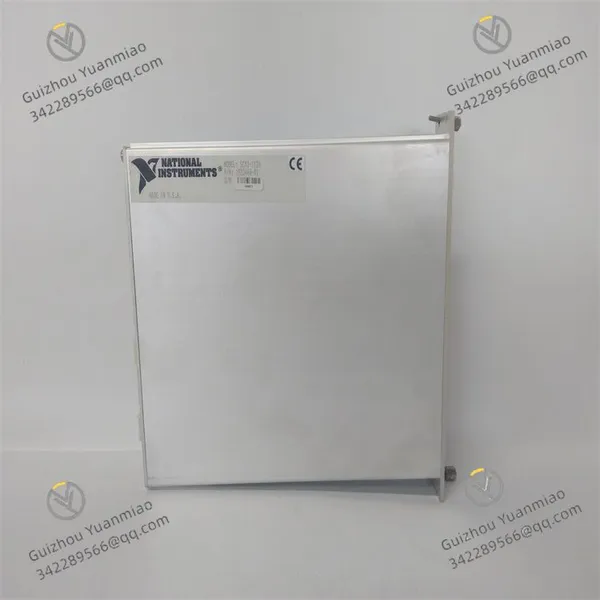
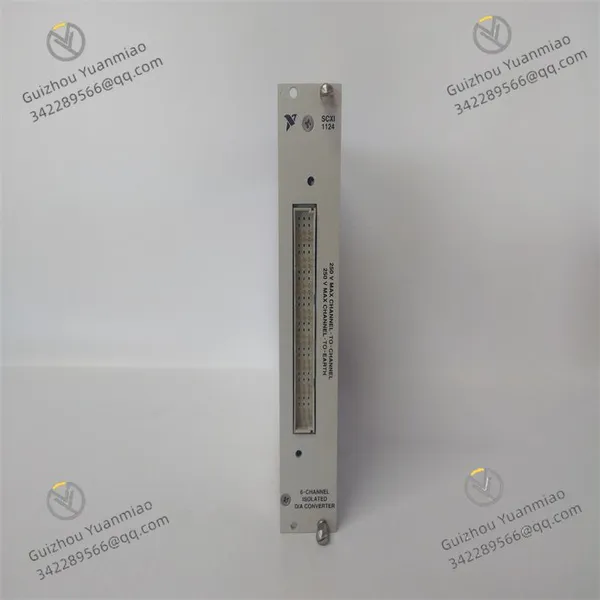
NI SCXI-1124 Analog Output Module

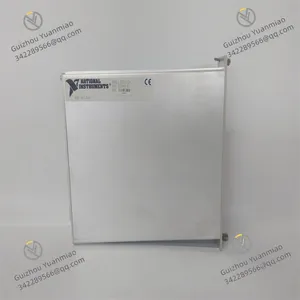
NI SCXI-1124 Analog Output Module photo-1
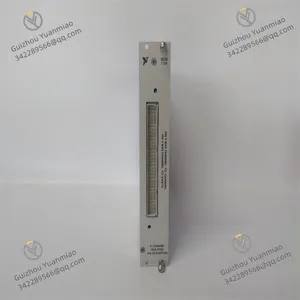
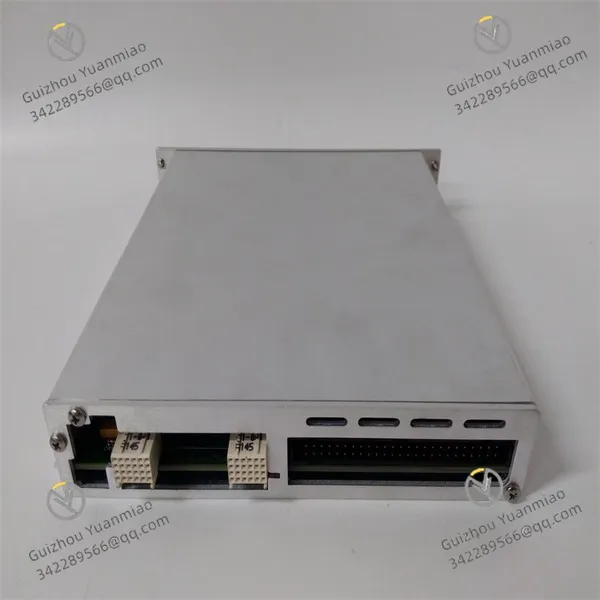
NI SCXI-1124 Analog Output Module photo-2
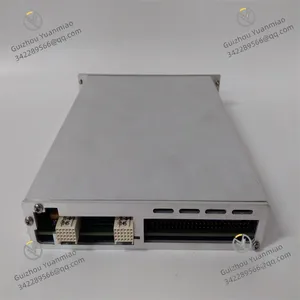
NI SCXI-1124 Analog Output Module photo-3
Negotiable MOQ: 1 Piece (Price negotiable depending on order volume and customization)
Key Specifications
Get Latest Price
Material:
Other, Global universal model
Condition:
Other, Global universal model
Task:
Other, Global universal model
Payment & Shipping
Payment Methods:
Port of Shipment:
guizhou
Delivery Detail:
Delivery time depends on order quantity.
Material Other, Global universal model
Condition Other, Global universal model
Task Other, Global universal model
Mathematical Model Other, Global universal model
Signal Other, Global universal model
Customized Non-Customized
Structure Other, Global universal model
Operating Temperature -20℃~+65℃
Relative Humidity 5%-95% (non-condensing)
Dimensions 3.05×17.27×20.32cm

I. Product Overview


National Instruments SCXI-1124 (Part Number: 776572-24) is a 6-channel isolated analog output module specifically designed for the SCXI signal conditioning system and compatible with PXI/SCXI hybrid chassis. Its core function is to convert digital signals into high-precision, isolated DC voltage or current analog signals, which are used to drive actuators, control industrial processes, or simulate sensor signals. Equipped with features including independent channel configuration, high isolation, low noise, and software programmability, this module seamlessly integrates with development environments such as LabVIEW and LabWindows/CVI via the NI-DAQmx driver software. It is widely applied in fields like industrial automation, test and measurement, scientific research experiments, medical device control, and manufacturing calibration and verification.


Adopting a 6U standard size design, the module supports multi-module expansion. A single DAQ device can control multiple SCXI-1124 modules through the SCXI bus. With its 12-bit resolution, flexible output range configuration, and relay service life of 10 million cycles, it serves as a core solution for scenarios requiring isolated signal output, ensuring the accuracy of signal transmission and the safety of system operation.


SCXI-1124 (2)


II. Functional Features


6-Channel Independent Isolation and Flexible Output Configuration

  • Equipped with 6 independently isolated 12-bit Digital-to-Analog Converters (DACs), each channel features high isolation from other channels and ground, effectively avoiding crosstalk between channels and external interference, and ensuring the purity of output signals.

  • Each channel can be independently configured as voltage or current output mode via software: the voltage output supports 3 unipolar ranges (0~1V, 0~5V, 0~10V) and 3 bipolar ranges (±1V, ±5V, ±10V); a single module can generate a maximum output of 60VDC by channel series connection. The current output is fixed at the 0~20mA range, meeting the driving requirements of mainstream actuators.

  • The voltage channel integrates a low-impedance output buffer with a maximum driving current of 5mA, which can be directly connected to small actuators or signal conditioning circuits without additional driving modules.


High Precision and High Stability Performance

  • The 12-bit DAC resolution combined with onboard EEPROM for storing calibration constants ensures long-term output accuracy and stability, suitable for precise control scenarios of static DC signals (e.g., industrial process parameter adjustment, equipment calibration).

  • The output signal features low noise and strong ripple suppression capability: the voltage output ripple is ≤1mVpp, and the current output ripple is ≤10μApp, ensuring the reliability of control signals.

  • The maximum update rate of a single channel reaches 555S/s, and the update rate per channel is 125S/s when 6 channels operate simultaneously, meeting the requirements of medium and low-speed analog signal output.


Flexible Expansion and System Integration Capability

  • Compatible with SCXI chassis such as SCXI-1000, SCXI-1001, SCXI-1000 DC, as well as PXI/SCXI hybrid chassis, it supports multi-module stacking to expand the number of channels, and can be combined with other SCXI signal conditioning I/O modules to build complex test and measurement systems.

  • Digital control is realized through the SCXI bus: a single DAQ device can control multiple SCXI-1124 modules, and only occupies 5 digital I/O lines of the DAQ device in multi-channel serial mode, saving hardware resources.

  • It supports the NI-DAQmx driver software and is compatible with development environments such as LabVIEW, LabWindows/CVI, and Measurement Studio, supporting graphical programming and text programming, which simplifies system configuration and control logic development.


Convenient Operation & Maintenance and Reliable Design

  • Adopting a modular plug-in design, it is equipped with a 48-pin DIN Type C front connector and a 50-pin ribbon cable rear connector, featuring convenient wiring and reliable contact.

  • It supports automatic detection and configuration by NI MAX (Measurement & Automation Explorer) software. The channel output mode, range, and calibration parameters can be modified via software without hardware jumper adjustment.

  • With an industrial-grade operating temperature range (-20℃~+65℃) and IP66 protection class, it is suitable for various environments such as laboratories and industrial sites; the overall power consumption of the module is only 5W, featuring low heat generation and high stability.


Full-Scenario Adaptability and Core Functions

  • Core functions cover: analog signal generation (voltage/current), industrial process control (actuator driving), equipment calibration and verification (standard signal output), and sensor signal simulation (test system calibration).

  • Suitable for multi-field applications: industrial automation (production line parameter adjustment), test and measurement (equipment performance verification), scientific research experiments (laboratory signal generation), medical care (medical device monitoring and control), and manufacturing (real-time production process monitoring).


SCXI-1124 (3)


III. Technical Parameters


CategorySpecific Parameters
Product Type6-channel isolated analog output module (compatible with SCXI system)
Core FunctionsDigital-to-analog signal conversion, isolated voltage/current output, high-precision signal generation, system expansion and integration
DAC Specifications12-bit resolution; Single-channel update rate: 555S/s (single channel), 125S/s (6 channels)
Output ConfigurationVoltage output: 0~1V/0~5V/0~10V (unipolar), ±1V/±5V/±10V (bipolar), maximum 60VDC via series connection; Current output: 0~20mA
Output PerformanceVoltage driving current: max. 5mA; Ripple: voltage ≤1mVpp, current ≤10μApp; Calibration constant storage: onboard EEPROM
Communication and ControlControl bus: SCXI bus; Driver software: NI-DAQmx; Compatible development environments: LabVIEW, LabWindows/CVI, etc.
Expansion CapabilitySupports multi-module stacking expansion; Compatible with SCXI/PXI hybrid chassis; A single DAQ device can control multiple modules
Power Supply ParametersSupply voltage: 24VDC; Power consumption: typical 5W
Physical ParametersDimensions: 3.05×17.27×20.32cm (1.2×6.8×8.0in); Installation method: slot mounting in SCXI/PXI chassis
ConnectorsFront end: 48-pin DIN Type C male connector; Rear end: 50-pin male ribbon cable connector
Environmental AdaptabilityOperating temperature: -20℃~+65℃; Storage temperature: -40℃~+85℃; Humidity: 5%-95% (non-condensing); Protection class: IP66
Compatible SystemsSCXI-1000/1001/1000 DC chassis; PXI/SCXI hybrid chassis; NI DAQ devices; Third-party SCXI-compatible devices
Application ScenariosIndustrial automation, test and measurement, scientific research experiments, medical device control, manufacturing calibration and verification, signal simulation generation


IV. Working Principle


The core working logic of the NI SCXI-1124 follows the sequence of "Digital Command Reception → Channel Configuration Parsing → DAC Conversion → Isolated Output → Status Feedback", with the specific process as follows:
  1. Digital Command Reception: Receive digital control commands from the DAQ device via the SCXI bus, including parameters such as channel output mode (voltage/current), output range, and target value. The command transmission complies with the NI-DAQmx protocol specification.


  2. Channel Configuration Parsing: After the built-in controller of the module parses the commands, it calls the calibration constants stored in the EEPROM and configures the DAC working mode, output range, and buffer parameters of the corresponding channel to ensure output accuracy.


  3. DAC Conversion: Convert the digital target value into the corresponding analog voltage or current signal, optimize the signal quality through the internal signal conditioning circuit (filtering, amplification), and suppress noise and ripple.


  4. Isolated Output: After processing by the channel-independent isolation circuit, the analog signal is output to actuators, sensors, or test systems through the front/rear connectors. The isolation circuit effectively blocks external interference and the impact of ground loops.


  5. Status Feedback: Real-time monitor the channel output status (e.g., whether the load is normal, whether the output exceeds the limit), and feed it back to the DAQ device and upper computer via the SCXI bus, facilitating system fault diagnosis and status monitoring.


SCXI-1124 (1)


V. Operation Guide


1. Installation StepsInstallation Environment

Install in the standard slot of an SCXI or PXI/SCXI hybrid chassis, away from strong electromagnetic interference sources (e.g., frequency converters, high-voltage cables); ensure the chassis is well-ventilated to prevent the ambient temperature from exceeding the range of -20℃~+65℃.


Mechanical Installation

  1. Turn off the chassis power supply, align the module with the chassis slot guide rail, push it in smoothly until the buckle locks, ensuring the module is in good contact with the chassis bus interface; when installing multiple modules, arrange them from left to right and reserve an appropriate heat dissipation gap.

  2. Confirm that the dust cover of the module's front connector has been removed, and the rear ribbon cable is connected firmly without looseness or pin bending.


Wiring Specifications

  1. Voltage Output Wiring: According to the module pin definition, connect the positive pole of the output signal to the positive pole of the load and the negative pole to the negative pole of the load; ground the shielding layer at one end (ground resistance ≤4Ω) to avoid signal interference.

  2. Current Output Wiring: Ensure the load impedance matches (recommended load range: 100Ω~500Ω), wire in "sourcing" mode, where the current flows out of the module output terminal and returns to the common terminal through the load.

  3. Communication Wiring: Connect the module to the DAQ device via the SCXI bus cable, ensure the shielding layer of the bus cable is reliably grounded, and the cable length does not exceed 5 meters to reduce signal attenuation.

  4. Notes: Confirm the chassis power supply is cut off before wiring to avoid module damage caused by live operation; the output voltage/current shall not exceed the rated range to prevent load overload.


2. Configuration and Debugging


Software Installation and Driver Configuration

  1. Install the NI-DAQmx driver software (compatible with Windows system), restart the computer, then open the NI MAX software to automatically detect the installed SCXI chassis and SCXI-1124 module.

  2. Right-click the SCXI chassis, select "Properties", configure the chassis ID (1~32767) and chassis address to ensure consistency with the actual hardware jumper settings; select "Yes" in the "SCXI Auto-Detection" dialog box to complete module auto-recognition.


Channel Parameter Configuration

  1. Expand the module node in NI MAX, select the target channel, configure the output type (voltage/current) and output range (e.g., ±10V, 0~20mA), and click "Apply" to save the configuration.

  2. Open the LabVIEW software, create a new project, call the "DAQmx Create Virtual Channel" function through the NI-DAQmx function library to define the output channel and parameters; use the "DAQmx Write" function to write the target output value to realize analog signal generation.


Power-On Debugging

  1. Turn on the chassis power supply (start in the order of "chassis → computer" with an interval of 3~5 seconds), observe whether the module power indicator is always on; the absence of fault alarms indicates normal power supply.

  2. Single-Channel Test: Set the channel to output a fixed value (e.g., 5V voltage, 10mA current) via software, measure the output signal with a multimeter or oscilloscope, and verify whether the accuracy and stability meet the requirements.

  3. Multi-Channel Synchronous Test: Configure 6 channels to output different target values simultaneously, check the update response speed and signal independence of each channel; the absence of crosstalk indicates normal system operation.

  4. Communication Test: Disconnect/connect the SCXI bus to verify whether the system can accurately feedback communication faults; modify the control parameters of the DAQ device to confirm whether the module responds in a timely manner.


3. Operation and MaintenanceStatus Monitoring


Real-time monitoring via NI MAX or upper computer software:
  • Normal Status: Power indicator is always on, no fault alarms, output signal is stable at the set value, and the communication link is unobstructed.

  • Fault Status: Power indicator flashes or turns off, the upper computer displays alarms such as communication failure and output overlimit; troubleshooting shall be performed according to the fault diagnosis procedure.


Regular Maintenance

  1. Monthly: Clean dust on the module connector with dry compressed air, check whether the wiring terminals are loose or oxidized; perform calibration verification via NI MAX software to ensure output accuracy.

  2. Every 6 Months: Back up the calibration constants and system configuration parameters in the EEPROM; check whether the bus cable and connector are damaged, and replace aging cables.

  3. Annually: Perform comprehensive calibration, recalibrate the output accuracy of each channel via the NI-DAQmx calibration tool; check whether the internal components of the module have signs of aging (e.g., swollen capacitors), and contact NI after-sales service for maintenance if necessary.


4. Common Fault Troubleshooting


Fault PhenomenonPossible CausesTroubleshooting Methods
NI MAX fails to recognize the moduleAbnormal chassis power supply startup, loose bus connection, driver not installedRestart the power supply in the order of "chassis → computer"; re-plug the SCXI bus cable; install the latest version of NI-DAQmx driver
Large deviation in output signal accuracyLost calibration constants, mismatched load, excessive ambient temperatureRecalibrate the module via NI-DAQmx; check whether the load impedance is within the recommended range; improve the installation ambient temperature
Communication failure (no error code)Incorrect chassis ID/address configuration, bus interferenceUnify the chassis ID and software configuration; check the grounding of the bus cable shielding layer; keep away from strong electromagnetic interference sources
No output signalIncorrect channel configuration, load short circuit, output disabledReconfigure the channel output mode and range; troubleshoot whether the load is short-circuited; enable the channel output function in software
Module overheating alarmExcessively high ambient temperature, poor heat dissipation, module faultImprove chassis ventilation and heat dissipation; remove obstacles around the module; if overheating persists, contact NI after-sales service to inspect the internal circuit
Product Tags: SCXI-1124

Send Inquiry to This Supplier

Message
0/5000

Want the best price? Post an RFQ now!
Gold Verified Supplier
1Yr
Verified Business License
Business Type
Trading Company
Year Established
2014
Factory Size
1,000-3,000 square meters
Product Certifications
SA8000