Home > Electrical & Electronics > Electrical Control System > NI GPIB-140A GPIB Interface Device
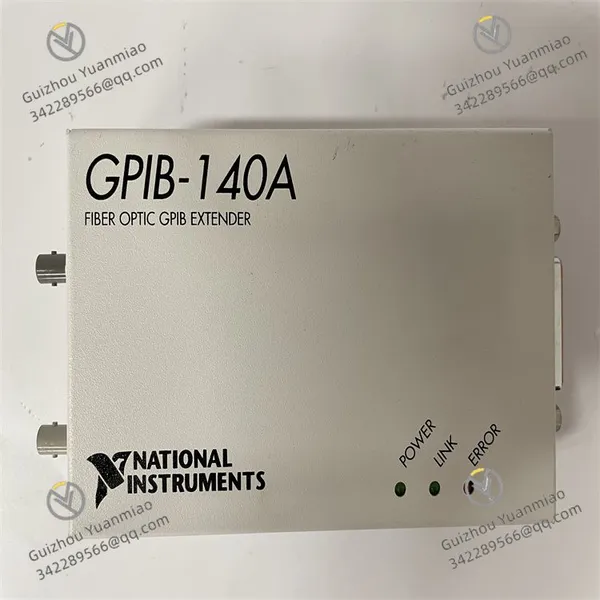
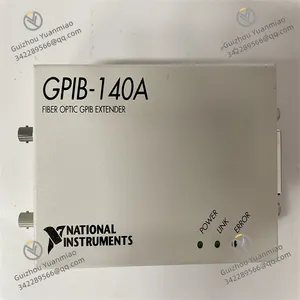
NI GPIB-140A GPIB Interface Device
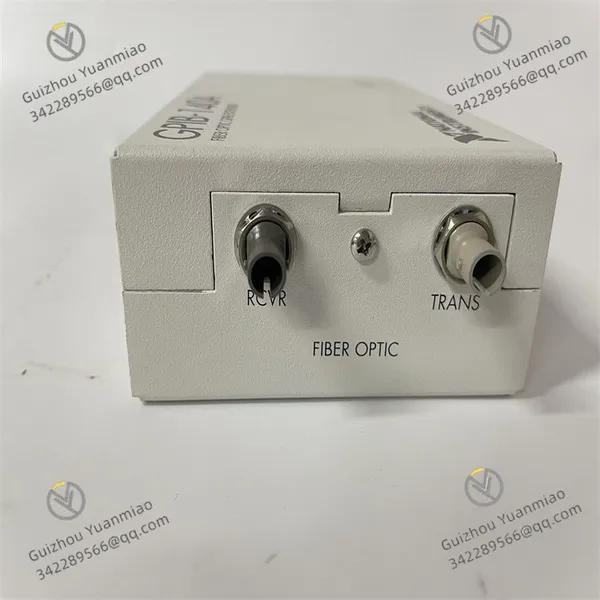
NI GPIB-140A GPIB Interface Device photo-1
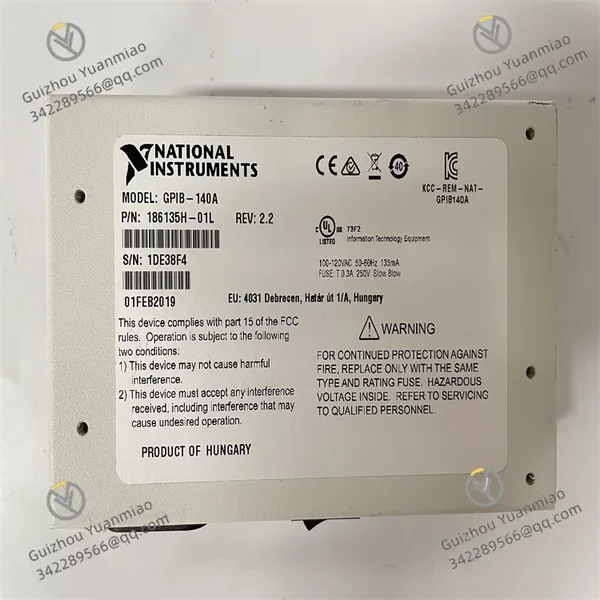
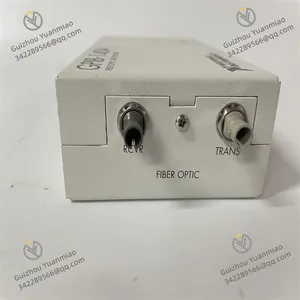
NI GPIB-140A GPIB Interface Device photo-2
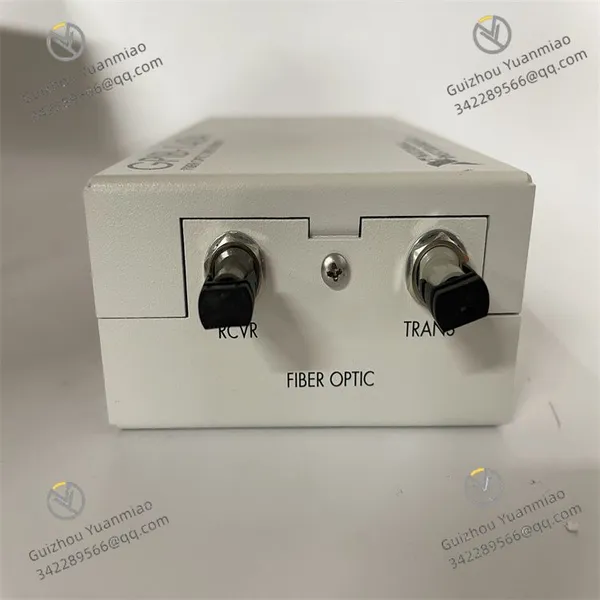
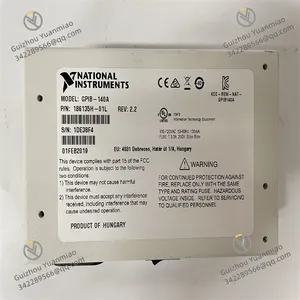
NI GPIB-140A GPIB Interface Device photo-3
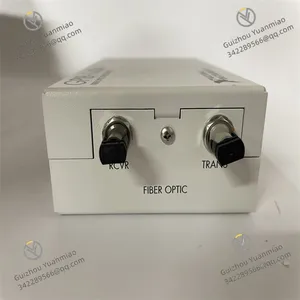
NI GPIB-140A GPIB Interface Device photo-4
Negotiable MOQ: 1 Piece (Price negotiable depending on order volume and customization)
Key Specifications
Get Latest Price
Material:
Other, Global universal model
Condition:
Other, Global universal model
Task:
Other, Global universal model

Payment & Shipping
Payment Methods:
Port of Shipment:
China
Delivery Detail:
Delivery time depends on order quantity.
Material Other, Global universal model
Condition Other, Global universal model
Task Other, Global universal model
Mathematical Model Other, Global universal model
Signal Other, Global universal model
Customized Non-Customized
Structure Other, Global universal model
Operating temperature range 0℃ to 55℃
Power supply + 5VDC

NI GPIB-140A

Interface & Protocols:
Provides a standard GPIB interface compliant with IEEE 488.1 and IEEE 488.2 standards. Connects computers to various GPIB-compatible instruments such as oscilloscopes, signal generators, and digital multimeters. Supports standard GPIB communication protocols for data transmission and control command exchange between computers and instruments.


Performance Parameters:
  • Maximum data transfer rate: 1.5 MB/s.

  • Supports multiple trigger modes: software trigger, hardware trigger, external trigger.

  • Operating temperature range: 0°C to 55°C.

  • Power requirement: +5VDC, max 500mA.


Functional Features:
  • Compact design for easy installation and portability.

  • Multi-device support: Manages and controls up to 15 GPIB devices simultaneously.

  • Flexible control capabilities: Sends commands, configures parameters, and receives data for precise control and monitoring.

  • High-speed data transfer: Enables fast read/write operations on the GPIB bus, ideal for high-bandwidth and real-time applications.


Software Support:
Comes with dedicated drivers and software tools. Integrates seamlessly with NI's software platforms (e.g., LabVIEW) for programming control and data processing.


Application Areas:
Widely used in electronic testing, automated test systems, instrument control, data acquisition, industrial automation, aerospace, defense, telecommunications, automotive, semiconductor, medical, education, and scientific research.

GPIB-140A (4)

GPIB-140A (1)

How to Use NI GPIB-140A for Data Acquisition?1. Hardware Connection & Preparation

Device Connection:
  • Insert the NI GPIB-140A interface card into the computer's PCI or PCIe slot (model-dependent). Ensure good contact with the motherboard.

  • Connect the GPIB interface of GPIB-140A to the instrument (e.g., oscilloscope, multimeter) using a standard GPIB cable (IEEE 488). Tighten both ends for stable contact.

  • For fiber optic extenders (e.g., NI GPIB-140A Fiber Optic version), use fiber optic jumpers to connect the main device and extender, ensuring unobstructed optical signal transmission.


Power & Grounding:
  • Supply stable power to GPIB-140A and instruments (GPIB-140A typically requires +5VDC, max 500mA; refer to device manual).

  • Ensure all devices share a common ground to avoid signal interference from ground loops (achievable via the GPIB cable's grounding pin).


Instrument Address Setup:
  • Assign a unique address (0–30) to each GPIB device via the instrument's front panel or menu (e.g., set oscilloscope GPIB address to "10").

  • Record all device addresses for later software configuration.

2. Software Installation & Configuration

Driver & Tool Installation:
  • Install NI official drivers: Download and install NI-488.2 Driver (GPIB universal driver) and NI-DAQmx (if working with data acquisition cards).

  • Install Measurement & Automation Explorer (MAX) for device detection and parameter configuration.


Device Detection in MAX:
  • Open MAX, expand "Devices and Interfaces" → "GPIB". Check if GPIB-140A is recognized (e.g., "GPIB0::140A").

  • Click "Scan for Instruments". MAX will automatically detect GPIB devices on the bus, displaying their addresses (e.g., "GPIB0::10::INSTR" for address 10).

  • Right-click the instrument and select "Test Resource" to verify connectivity (send commands like "*IDN?" to query the instrument model).

GPIB-140A (2)

GPIB-140A (3)

3. Data Acquisition Program Development

1. Programming with LabVIEW (Recommended):
LabVIEW, NI's graphical programming tool, offers excellent GPIB device compatibility:
  • Create a New Project: Open LabVIEW, create a "VI", and locate the "Instrument I/O" → "GPIB" module in the "Function Palette".

  • Configure GPIB Session:

    • Use the "GPIB Write" node to send commands (e.g., ":READ?" to acquire data) following the instrument's SCPI protocol.

    • Use the "GPIB Read" node to receive data, setting the byte count (e.g., 1024 bytes).

  • Data Processing & Display:

    • Parse the received string data according to the instrument's output format (e.g., split CSV data with "Split String").

    • Visualize data in real-time using charts (e.g., Waveform Graph) or save it locally via file I/O nodes.

  • Example Code Logic:

    plaintext
    [Initialize GPIB Session] → [Send Command (e.g., configure parameters)] → [Loop Read Data] → [Parse & Display/Store Data] → [Close Session]


2. Programming with C (LabWindows/CVI):
Call NI's GPIB API functions (e.g., ibdev() to open device, ibwrite() to send commands, ibread() to read data):
c
Run
#include "cvirte.h"#include "userint.h"#include "gpib.h"int main() {     int GPIB_Handle = ibdev(0, 10, 0, 1000, 0, 0); // Open device at GPIB0, address 10     if (GPIB_Handle  0) {         printf("Acquired data: %sn", data);         // Parse data (e.g., convert to numerical values)     }          ibclose(GPIB_Handle); // Close device     return 0;}


3. Programming with Python (via PyVISA Library):
Install dependencies: pip install pyvisa pyvisa-py.
python
Run
import pyvisa# Initialize VISA resource managerrm = pyvisa.ResourceManager()# Connect to GPIB device (address 10)instrument = rm.open_resource("GPIB0::10::INSTR")# Set timeout (milliseconds)instrument.timeout = 5000# Send command and read datainstrument.write(":VOLT:DC? CH1")  # Example: Read DC voltage on Channel 1data = instrument.read()print(f"Acquired data: {data}")# Parse data (e.g., convert to float)try:     voltage = float(data.strip())     print(f"Voltage: {voltage} V")except ValueError:     print("Data parsing failed")# Close connectioninstrument.close()

4. Data Acquisition Process & Precautions

Standard Process:
  1. Configure Instrument Parameters: Send commands via GPIB to set acquisition mode (e.g., oscilloscope sample rate, range), trigger conditions, etc.

  2. Start Acquisition: Send a read command (e.g., :READ?). The instrument returns data via the GPIB bus.

  3. Data Processing: Parse the data (e.g., ASCII, binary) into usable values or waveforms.


Key Precautions:
  • Command Format: Adhere strictly to the instrument's SCPI protocol (e.g., terminate commands with "n" or "rn"; refer to the instrument manual).

  • Transfer Rate Optimization: For large data volumes, enable GPIB's "block transfer" mode (e.g., "GPIB Block Read" in LabVIEW) to reduce communication overhead.

  • Error Handling: Implement error-catching mechanisms (e.g., timeout handling, reconnection on communication failure) to prevent crashes.

  • Anti-Interference: Keep GPIB cables under 20 meters (except fiber optic versions) and avoid strong electromagnetic environments.

5. Typical Application Scenarios

  • Oscilloscope Data Acquisition: Connect an oscilloscope via GPIB-140A to capture real-time waveform data on a PC for signal analysis or automated testing.
  • Multimeter Batch Measurement: Control multiple multimeters (with unique GPIB addresses) to periodically acquire voltage/current data and generate reports.
  • Automated Test Systems: Integrate with other test equipment (e.g., signal generators, power supplies) for unified control via GPIB-140A, automating batch testing workflows.
Product Tags: GPIB-140A

Send Inquiry to This Supplier

Message
0/5000

Want the best price? Post an RFQ now!
Gold Verified Supplier
1Yr
Verified Business License
Business Type
Trading Company
Year Established
2014
Factory Size
1,000-3,000 square meters
Product Certifications
SA8000