








 Contact Platform Support
 Help Center
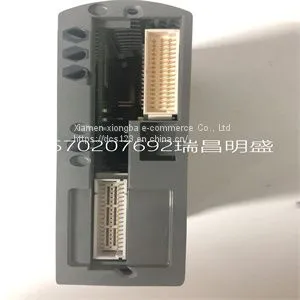
Module Spare Parts T9451



Related Products
-
 Module Spare Parts T9481US$ 1 - 100000MOQ: 1 Piece
 -
Module Spare Parts 1336F-BRF50-AA-EN-HASUS$ 1 - 100000MOQ: 1 Piece
-
Module Spare Parts 1336F-BRF50-AA-EN-HAS2US$ 1 - 100000MOQ: 1 Piece
-
Module Spare Parts 1407-CGCMCUS$ 1 - 100000MOQ: 1 Piece
-
Module Spare Parts 1715-OB8DEUS$ 1 - 100000MOQ: 1 Piece
Focus on DCS, PLC, robot control system and large servo system.
Main products: various modules / cards, controllers, touch screens, servo drivers.
Advantages: supply of imported original products, professional production parts,
Fast delivery, accurate delivery time,
The main brands include ABB Bailey, Ge / fuanc, Foxboro, Invensys Triconex, Bently, A-B Rockwell, Emerson, ovation, Motorola, xyvom, Honeywell, Rexroth, KUKA, Ni, Deif, Yokogawa, Woodward, Ryan, Schneider, Yaskawa, Moog, prosoft and other brands
| T9451 |
If you are creating a task, you can select a range of channels by holding down thekey while selecting the channels. You can select multiple individual channels by holding down thekey while selecting channels. If you are creating a channel, you can only select one channel. Click Next. 7. Name the task or channel and click Finish. 8. Select the channel(s) you want to configure. You can select a range of channels by holding down thekey while selecting the channels. You can select multiple individual channels by holding down thekey while selecting channels. Note If you want to add channels of various measurement types to the same task, click the Add Channels button to select the measurement type for the additional channels. 9. Enter the specific values for your application in the Settings tab. Context help information for each setting is provided on the right side of the screen. Configure the input signal range using either NI-DAQmx Task or NI-DAQmx Global Channel. When you set the minimum and maximum range of NI-DAQmx Task or NI-DAQmx Global Channel, the driver selects the best gain for the measurement. You also can set it through your application. 10. If you are creating a task and want to set timing or triggering controls, enter the values in the Task Timing and Task Triggering tabs. 11. Click Device and select Auto Zero mode if desired. Verifying the Signal This section describes how to take measurements using test panels in order to verify signal, and configuring and installing a system in NI-DAQmx. Verifying the Signal in NI-DAQmx Using a Task or Global Channel You can verify the signals on the SCXI-1141/1142/1143 using NI-DAQmx by completing the following steps: 1. Expand Data Neighborhood. 2. Expand NI-DAQmx Tasks. 3. Click the task you created in

Send Inquiry to This Supplier


You May Also Like
-
Module Spare Parts 1746SC-IN04IUS$ 1 - 100000MOQ: 1 Piece
-
Module Spare Parts 1747-ASBUS$ 1 - 100000MOQ: 1 Piece
-
Module Spare Parts 1747-L552US$ 1 - 100000MOQ: 1 Piece
-
Module Spare Parts 1747-L553US$ 1 - 100000MOQ: 1 Piece
-
Module Spare Parts 1756-CNBUS$ 1 - 100000MOQ: 1 Piece
-
Module Spare Parts 1756-EN2TXTUS$ 1 - 100000MOQ: 1 Piece
-
Module Spare Parts 1756-EWEBUS$ 1 - 100000MOQ: 1 Piece
-
Module Spare Parts 1756-IF16US$ 1 - 100000MOQ: 1 Piece
-
Module Spare Parts 1756-RM AUS$ 1 - 100000MOQ: 1 Piece
-
Module Spare Parts 1786-RPFPXLBUS$ 1 - 100000MOQ: 1 Piece


