Home > Electrical & Electronics > Electrical Control System > Foxboro P0916AE Compression Terminal Base

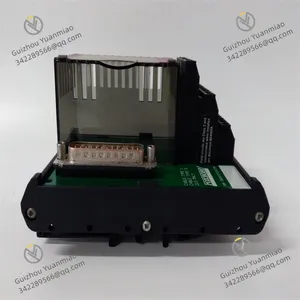
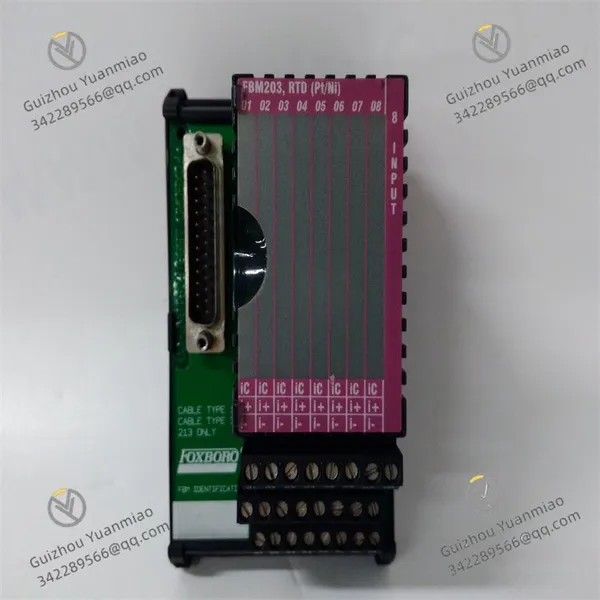
Foxboro P0916AE Compression Terminal Base
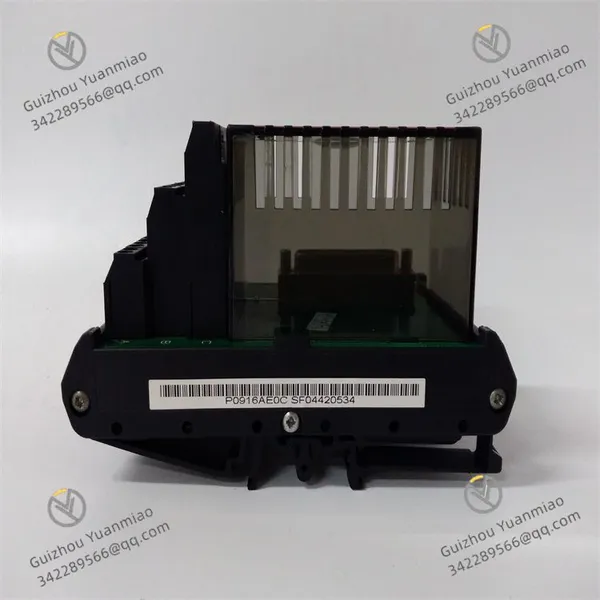
Foxboro P0916AE Compression Terminal Base photo-1
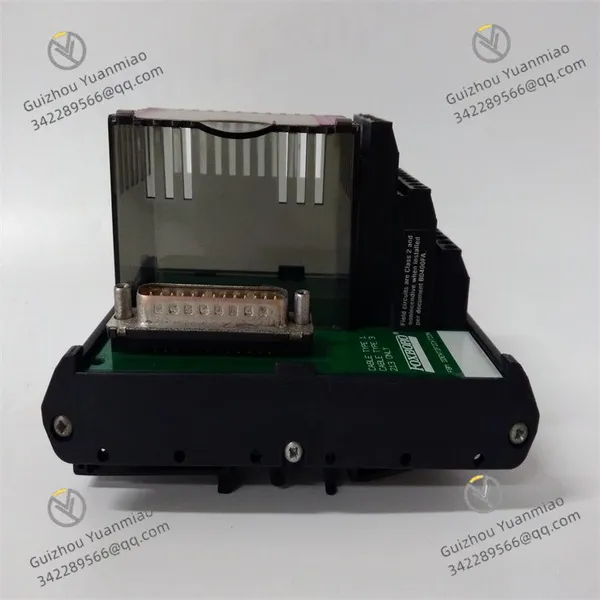
Foxboro P0916AE Compression Terminal Base photo-2
Foxboro P0916AE Compression Terminal Base photo-3
Negotiable MOQ: 1 Piece (Price negotiable depending on order volume and customization)
Key Specifications
Get Latest Price
Material:
Other, Global universal model
Condition:
Other, Global universal model
Task:
Other, Global universal model

Payment & Shipping
Payment Methods:
Port of Shipment:
China
Delivery Detail:
Delivery time depends on order quantity.
Material Other, Global universal model
Condition Other, Global universal model
Task Other, Global universal model
Mathematical Model Other, Global universal model
Signal Other, Global universal model
Customized Non-Customized
Structure Other, Global universal model
Foxboro P0916AE
Basic Information
  • Category: A Fieldbus Module (FBM) of the I/A Series system.

  • Application Scenarios: Designed for hazardous locations, suitable for Class I, Division 2, Groups A, B, C, and D hazardous environments.

  • Number of Channels: 8 channels.

  • Input Range: Temperature input range is -40 to 800°C (-40 to 1472°F), compatible with various RTD (Resistance Temperature Detector) sensors such as platinum, nickel, and copper.

Functional Features
  • Signal Processing: Converts analog signals from field devices into digital signals for processing and analysis by the control system. It performs conditioning operations such as filtering, amplification, and isolation on input signals to ensure stability and accuracy. With high-precision signal conversion capability, it provides safe and reliable connections between field instruments and the control system.

  • Communication Capability: Equipped with communication interfaces (e.g., serial port, Ethernet, Modbus) to enable data exchange and communication with other control devices, monitoring systems, or networks for data sharing and collaborative operation.

  • Data Acquisition and Monitoring: Collects data related to industrial processes and monitors various parameters (e.g., temperature, pressure, flow, liquid level). The data supports real-time monitoring, data logging, and alarming.

  • Compact Design: Features a space-saving design for control panels, easy installation and use, and rugged durability to adapt to harsh industrial environments (e.g., chemical processing, oil & gas production, and power generation).

Working Principle
  • Signal Access and Conditioning: Signals from field RTD sensors are connected to the P0916AE module via terminals. The internal signal conditioning circuit processes input signals to avoid interference and ensure stability.

  • Analog-to-Digital Conversion: The resistance signal of the RTD sensor is converted into a corresponding voltage signal through internal circuits, then transformed into a digital signal by an Analog-to-Digital Converter (ADC).

  • Fieldbus Communication: Processed digital signals are transmitted to the control processor via fieldbus. The fieldbus uses specific communication protocols to support multi-node data transmission, and the module uniquely identifies and communicates with the control system through address coding.

  • Data Interaction and Control Command Execution: The control processor receives data from the module, performs logical operations and control algorithm processing, returns control commands to P0916AE via fieldbus, and the module outputs them to field actuators to achieve closed-loop control.

P0916AE (3)

P0916AE (2)

Common Faults and SolutionsI. Communication Faults
  • Fault Symptoms

    • Communication interruption between the module and the control system (e.g., control processor), with abnormal status indicator lights (LED) (e.g., communication light off or flashing abnormally).

    • System logs show errors like "communication timeout" or "node lost".

  • Possible Causes

    • Fieldbus connection issues: Loose, damaged bus cables, or poor terminal contact.

    • Address conflict: The module's address code (Node ID) duplicates with other devices.

    • Incorrect communication protocol configuration: Improper settings for bus protocols (e.g., baud rate, data bits, parity).

    • Bus power failure: Abnormal fieldbus supply voltage (e.g., too low or fluctuating).

  • Solutions

    • Check hardware connections: Re-plug bus cables, use a multimeter to test cable continuity, replace damaged cables, and tighten terminals for good contact.

    • Verify address coding: Confirm unique addressing via module DIP switches or software configuration to avoid conflicts.

    • Reset communication parameters: Reconfigure communication protocol parameters (e.g., baud rate to 9600bps, parity to none) according to the control system manual, then reboot the module.

    • Test power supply: Measure bus voltage (typically 24VDC) with a multimeter. If abnormal, check the power module or voltage regulator.

II. Abnormal Signal Acquisition
  • Fault Symptoms

    • Abnormal displayed values for input signals (e.g., RTD temperature signals) (e.g., fixed at max/min or fluctuating).

    • Module channel indicator lights (e.g., input channel lights) off or flashing.

  • Possible Causes

    • Sensor failure: Open circuit, short circuit, or aging of RTD sensor, leading to abnormal resistance.

    • Wiring errors: Reversed or shorted sensor cables, or incorrect wiring for three-wire/four-wire systems.

    • Signal conditioning circuit failure: Damaged components (e.g., capacitor breakdown, resistor burnout) in internal filtering/amplifying circuits.

    • Electromagnetic interference: Interference from strong electromagnetic devices (e.g., motors, variable frequency drives) affecting signal transmission.

  • Solutions

    • Test the sensor: Measure RTD sensor resistance with a multimeter and compare it to standard resistance tables (e.g., PT100 is ~100Ω at 0°C). Replace the sensor if resistance is abnormal.

    • Check wiring: Confirm correct sensor cable connections (e.g., three wires for three-wire systems) against the wiring diagram to avoid ground loops. Use shielded cables and proper grounding to reduce interference.

    • Inspect module hardware: Check for obvious component damage (e.g., burn marks) inside the module. If found, contact the manufacturer for replacement. If components appear normal, test with a spare module.

    • Anti-interference measures: Add shielding to signal cables, route them separately from power cables, and install signal isolators at the module input.

III. Output Control Failure
  • Fault Symptoms

    • Control commands cannot be output from the module to actuators (e.g., valves, motors), and actuators do not operate.

    • Module output channel indicator lights are off, or system-displayed output values mismatch actual values.

  • Possible Causes

    • Output circuit failure: Damaged Digital-to-Analog Converter (DAC) or drive circuit, preventing conversion of digital signals to analog quantities (e.g., 4-20mA current).

    • Actuator issues: Actuator power failure, coil burnout, or mechanical jamming.

    • Output wiring faults: Open/short circuits in output cables, or poor terminal block contact.

  • Solutions

    • Test the actuator: Directly power the actuator (e.g., 24VDC) to check operation. Measure actuator coil resistance with a multimeter; replace the actuator if resistance is infinite (coil burnout).

    • Check output wiring: Test output cable continuity with a multimeter, re-crimp terminals or replace cables, and confirm normal power supply to the output terminal block (e.g., 24VDC input).

    • Module function test: Send a test signal (e.g., 10mA output) via the control system and measure the module's output terminals with a multimeter. If no current is detected, the module's output circuit is faulty and needs repair/replacement.

IV. Power Supply Faults
  • Fault Symptoms

    • Module power indicator (Power LED) is off, and the module is unresponsive.

    • Power indicator flashes, and the module restarts frequently.

  • Possible Causes

    • Abnormal external power supply: Input voltage too low/high or power outage.

    • Module power interface failure: Loose/oxidized power terminals, or damaged internal power chips.

    • Overload or short circuit: Excessive module load or internal circuit short causing power protection.

  • Solutions

    • Check external power supply: Measure input voltage (typically 24VDC±10%) with a multimeter. If abnormal, inspect the upstream power module or distribution box.

    • Troubleshoot power interface: Clean oxidized power terminals and retighten them. Replace the module's power interface if terminals are damaged.

    • Investigate overload/short circuit: Disconnect all external wiring from the module, connect only the power supply, and observe the indicator light. If normal, restore wiring step-by-step to locate the faulty load (e.g., sensor or actuator) and replace it.

Product Tags: P0916AE

Send Inquiry to This Supplier

Message
0/5000
Want the best price? Post an RFQ now!
1Yr
Business Type
Trading Company
Year Established
2014
Factory Size
1,000-3,000 square meters
Product Certifications
SA8000