








 Contact Platform Support
 Help Center
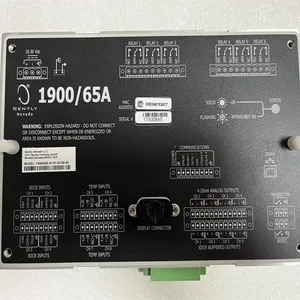
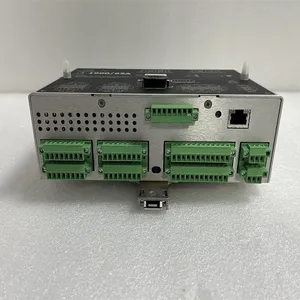
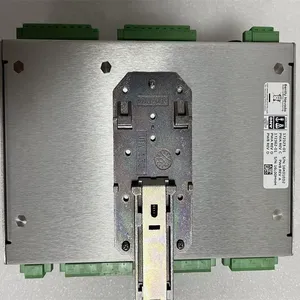
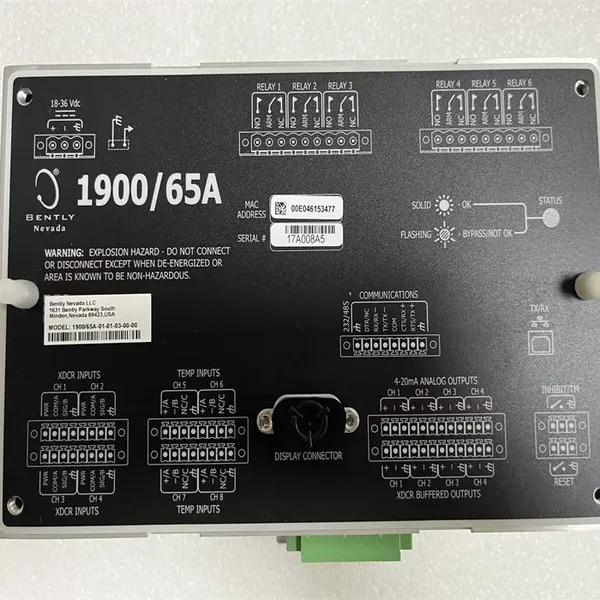
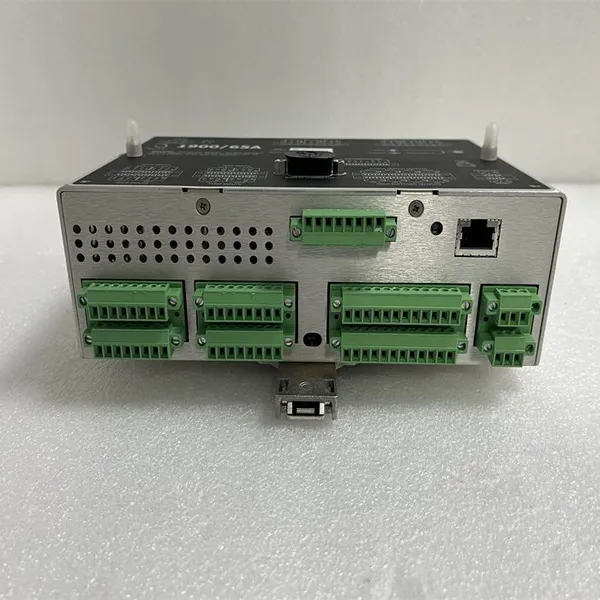
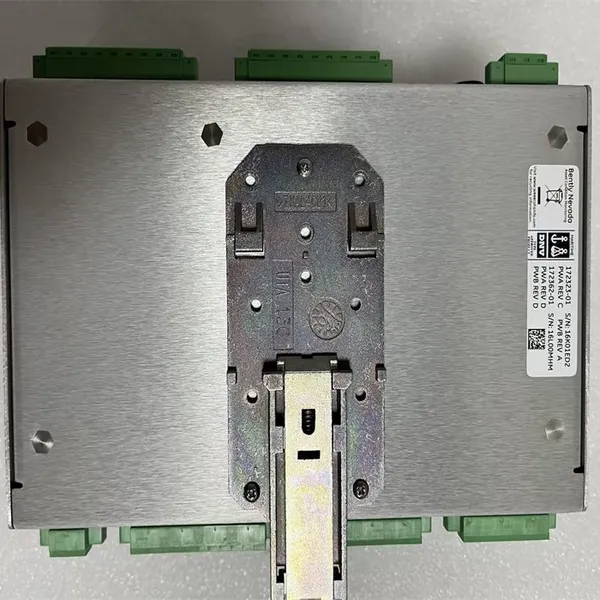
Bently Nevada 1900/65A-01-01-03-00-00 General Purpose Equipment Monitor



Related Products
-
 Bently Nevada 3500/05-01-02-00-00-01 System RackUS$ 500 - 3400MOQ: 1 Unit
 -
Bently Nevada 3500/15 106M1079-01 Universal AC Power SupplyUS$ 800 - 3200MOQ: 1 Unit
-
Bently Nevada 3500/22M 288055-01 Transient Data Interface ModuleUS$ 300 - 2600MOQ: 1 Unit
-
Bently Nevada 3500/42M 176449-02 Proximitor/Seismic MonitorUS$ 800 - 1300MOQ: 1 Unit
-
Bently Nevada 3500/50M 288062-02 Tachometer ModuleUS$ 800 - 1800MOQ: 1 Unit
Features Multiple Input Types: It provides four sensor inputs and four temperature inputs. The sensor inputs can be configured to support 2-wire and 3-wire accelerometers, velocity sensors, or proximity sensors; the temperature inputs support Type E, J, K, and T thermocouples, as well as 2-wire or 3-wire RTDs. High-precision Conversion: It adopts 24-bit ADC conversion with a bandwidth of 25kHz, enabling accurate measurement and conversion of input signals. Configurable Parameters: It has configurable scale factors and full-scale ranges, which can be set by users according to actual needs. Each channel has independent alarm setpoints, including two levels of alarms: Alert and Danger, and also has an internal status check function. Rich Output Functions: It provides six relay outputs, and their operations can be configured through software programming; there are four configurable 4-20mA recorder outputs, which can be used to transmit measurement data to other devices for recording or further processing; in addition, there are buffered outputs that can provide signals for each sensor channel. Communication Function: It supports the Modbus communication protocol and realizes communication with other devices through Ethernet and a software-configurable RS232/485 serial port. The monitoring data can be transmitted to DCS, SCADA systems, PLCs, or other monitoring software.
Installation Steps Preparation before Installation: Confirm that the device is in good condition and all accessories are complete. Prepare installation tools such as a screwdriver. Select a suitable installation location, ensure that there is no strong electromagnetic interference around, the environmental temperature, humidity, etc. meet the requirements of the device, and cut off the relevant power supply. Install the Device: Install the monitor in the control cabinet or a suitable fixed position, and use fixing devices such as screws or buckles to ensure its stability. Connect the sensors, temperature probes, power supply, and communication cables, etc. according to the instruction manual. Pay attention to the types of cable interfaces and pin definitions to ensure correct connections, and tighten the connectors to prevent loosening. At the same time, connect the grounding terminal of the device to a reliable grounding wire to ensure good grounding. Inspection after Installation: Check again whether all connection parts are firm and whether the cable connections are correct. After turning on the power supply, check whether the power indicator light of the device is normally on, and check whether the device can start normally and perform a self-check.
Configuration Method Preparation before Configuration: Download the configuration software applicable to the 1900/65A from the official Bently Nevada website and install it on the computer. Connect the computer to the monitor using a communication cable to ensure normal communication, and a preliminary test can be carried out through relevant commands. Configuration Process: Launch the configuration software, and search for and identify the connected 1900/65A monitor through the software. According to actual application requirements, set parameters such as the sensor input type, range, filtering parameters, as well as the type and range of the temperature input. Configure the alarm setpoints, including the values corresponding to the Alert and Danger levels. Set the action logic of the relay outputs, as well as the measurement variables and ranges corresponding to the 4-20mA recorder outputs. According to the requirements of the communication network, configure the Modbus communication parameters of the monitor, such as the IP address, port number, communication protocol, etc. After completing all the configurations, save the configuration parameters and download them to the monitor. Testing after Configuration: Input a known standard signal to the sensor, and check whether the measurement results of the monitor are accurate and whether it can correctly display and record the measurement data. Trigger the alarm conditions, and check whether the relays act according to the configured logic and whether the alarm information can be sent correctly. Interact with other devices through Modbus communication to test whether the communication is normal and whether the data transmission is accurate.
Main Products:
Covering world-renowned brands:
Bently Nevada、Triconex、Woodward、Foxboro、Westinghouse、Reliance、Schneider Modicon、ABB、Allen-Bradley、Motorola、GE Fanuc、Yaskawa、ACSO、YOKOGAWA、Rexroth、NI、Bosch Rexroth、ICS Triplex、Kollmorgen、Mitsubishi、MOOG、Emerson、B&R、SST、ALSTOM、EPRO、HIMA、HONEYWELL、prosoft、AMAT 、SIEMENS、KUKA、LAM
Product categories include: DCS system parts, robot system spare parts, large-scale servo system components, widely applied in power, chemical, metallurgy, smart manufacturing, and other industries.
Service Advantages:
✅ Original imports with quality assurance
✅ Ample stock for rapid delivery
✅ Professional team for technical support
✅ Global logistics for worry-free coverage

Send Inquiry to This Supplier


You May Also Like
-
Bently Nevada 3500/92 136180-01 Communication Gateway ModuleUS$ 780 - 1600MOQ: 1 Unit
-
Bently Nevada 3500/32M 149986-01 4-Channel Relay ModuleUS$ 850 - 1840MOQ: 1 Unit
-
Bently Nevada 3500/25 184684-01 Enhanced Keyphasor ModuleUS$ 560 - 1100MOQ: 1 Unit
-
Bently Nevada 3500/93 135785-02 System DisplayUS$ 600 - 1400MOQ: 1 Unit
-
Bently Nevada 125720-01 Channel Relay Module 3500/32MUS$ 100 - 600MOQ: 1 Unit
-
Bently Nevada 135489-01 Barrier Proximitor I/O Module 3500/42MUS$ 100 - 600MOQ: 1 Unit
-
ICS Triplex T8110B Trusted TMR ProcessorUS$ 560 - 1700MOQ: 1 Unit
-
ICS Triplex T8461 Digital Output ModuleUS$ 460 - 1680MOQ: 1 Unit
-
ICS Triplex T8231 Power Pack 24 VdcUS$ 640 - 1750MOQ: 1 Unit
-
ICS Triplex 9300 9832 9802 Analog Input ModuleUS$ 200 - 1100MOQ: 1 Unit


