Home > Electrical & Electronics > Electrical Control System > ABB PP845 3BSE042235R1 Operator Panel
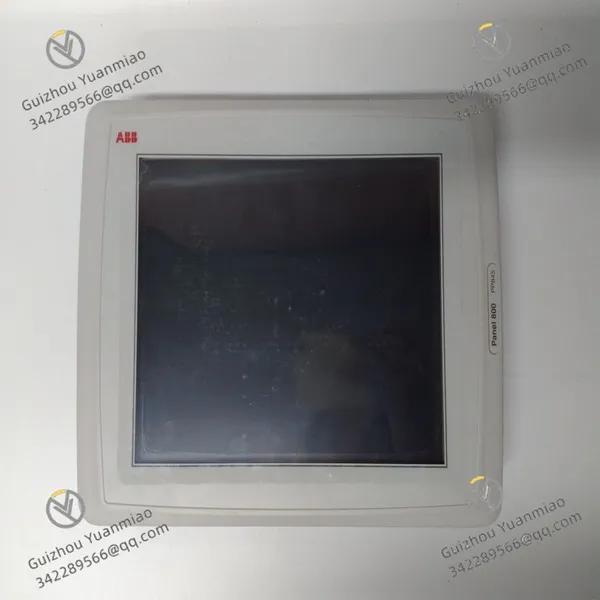
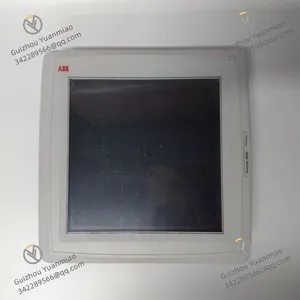
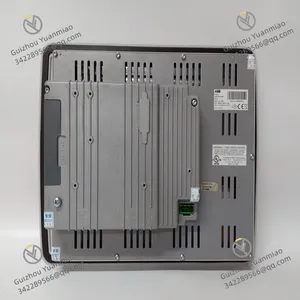
ABB PP845 3BSE042235R1 Operator Panel
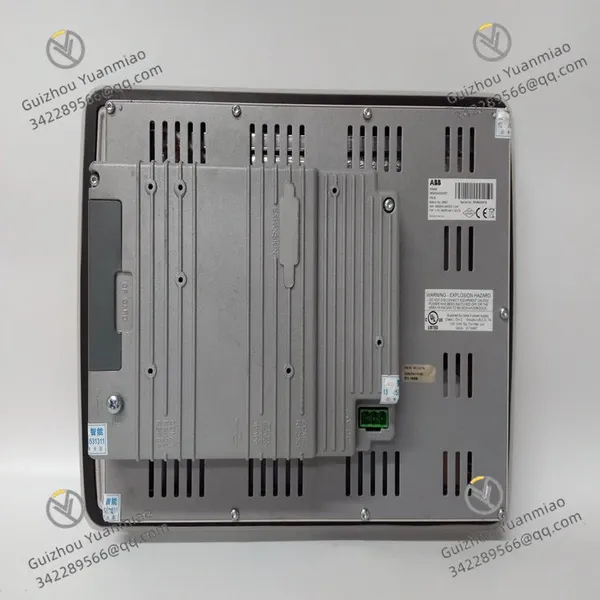
ABB PP845 3BSE042235R1 Operator Panel photo-1
ABB PP845 3BSE042235R1 Operator Panel photo-2
Negotiable MOQ: 1 Piece (Price negotiable depending on order volume and customization)
Key Specifications
Get Latest Price
Material:
Other, Global universal model
Condition:
Other, Global universal model
Task:
Other, Global universal model

Payment & Shipping
Payment Methods:
Port of Shipment:
China
Delivery Detail:
Delivery time depends on order quantity.
Material Other, Global universal model
Condition Other, Global universal model
Task Other, Global universal model
Mathematical Model Other, Global universal model
Signal Other, Global universal model
Customized Non-Customized
Structure Other, Global universal model
Input voltage 24V DC
Power consumption 21.6 watts
Operating temperature -10 °C to 60°C
Net weight 2.7 kg
The ABB PP845 3BSE042235R1 is a high-performance operator panel for industrial automation.
Technical Parameters
  • Display: Equipped with a 10.4-inch TFT display with a resolution of 800×600 pixels, enabling clear display of graphics, text, and other information. It supports graphic, text, and touch operations.

  • Power Supply: Input voltage is 24V DC, with a power consumption of 21.6W.

  • Communication Interfaces: Features 2 USB 2.0 500 mA ports, 1 RS232 port, 1 RS422/485 port, and 1 RS485 port (only when COM 2 is set to RS485), as well as 2 Ethernet (shielded RJ 45) 10/100BASE-T interfaces for convenient communication with various devices.

  • Operating Temperature: The working temperature range is -10°C to 60°C.

  • Weight: The net weight of the product is 2.7 kg.

  • Other Specifications: Relative working humidity is 5%-85% (non-condensing), storage temperature is -20°C to +70°C. It adopts a white powder-coated aluminum shell, with a front protection rating of IP65, NEMA 4X/12, and UL 4X/12 types, and the rear is IP20.

Functional Features
  • High-Resolution Display: Provides clear and delicate image quality, facilitating operators to read information and monitor data.

  • Multi-Language Support: Supports multiple languages and character sets to meet the needs of users in different countries and regions.

  • High-Speed Data Processing: Equipped with a high-speed processor and large-capacity memory, enabling fast processing of various applications and data.

  • Multiple Communication Protocols: Supports multiple communication protocols such as PROFIBUS and Ethernet, enabling seamless communication and integration with various industrial automation devices.

  • User-Friendly Interface: The operation interface is simple and easy to use, with rich functions. It supports multiple input methods such as touchscreen and keyboard, and provides various predefined user interfaces and custom setting options.

  • Advanced Functions: Features functions such as alarm, historical records, and trend analysis, helping operators better monitor and control industrial processes.

  • High Reliability: Adopts high-quality components and materials, capable of operating normally in harsh industrial environments to ensure long-term stable operation.

PP845 3BSE042235R1 (2)

Common Faults and Solutions for ABB PP836/PP836A/PP845 Series Operator PanelsI. Display-Related FaultsScreen No Display or Black Screen
  • Possible Causes:

    • Power not connected or voltage abnormal (working voltage is 24V DC).

    • Power adapter or cable damaged.

    • Hardware failure of the main board or display.

  • Solutions:

    • Check the power connection and use a multimeter to measure whether the input voltage is stable within the range of 24V±10%.

    • Replace the power adapter or cable and ensure the connection port is not loose.

    • If hardware is damaged, contact ABB after-sales service to replace the main board or display (non-professionals should not disassemble it by themselves).

Blurred Display, Flower Screen, or Abnormal Color
  • Possible Causes:

    • Poor contact of the display cable.

    • Resolution setting does not match the hardware (standard resolution is 640×480).

    • Display aging or electromagnetic interference.

  • Solutions:

    • Disconnect the power and re-plug the display cable to ensure firm contact.

    • Check and reset the resolution settings through Panel Builder 800 software.

    • Keep away from strong electromagnetic devices (such as frequency converters, motors) or add shielding measures.

II. Touch Operation FaultsTouchscreen Unresponsive or Partial Area Malfunctioning
  • Possible Causes:

    • Stains, water vapor, or static electricity interference on the touchscreen surface.

    • Touch calibration data lost or offset.

    • Touchscreen hardware damage (such as capacitor layer, controller failure).

  • Solutions:

    • Wipe the screen with a clean soft cloth, avoiding corrosive liquids like alcohol.

    • Enter the panel system menu (usually by long-pressing the power button or specific combination keys) and re-calibrate the touch.

    • If calibration is invalid, it may be necessary to replace the touchscreen; contact the manufacturer for accessories.

Touch Delay or False Touch
  • Possible Causes:

    • Insufficient system operating memory, slow processing speed.

    • Outdated software version or configuration program conflict.

  • Solutions:

    • Close unnecessary background programs (if there is a multi-tasking function) and restart the panel to release memory.

    • Upgrade the panel firmware to the latest version through Panel Builder 800, or re-download the configuration project.

PP845 3BSE042235R1 (1)

III. Communication Connection FaultsInability to Communicate with PLC or Devices
  • Possible Causes:

    • Communication interface (such as Ethernet, RS232) cable loose or damaged.

    • Incorrect communication parameter settings (IP address, port, protocol mismatch).

    • Interface chip or main board communication module failure.

  • Solutions:

    • Check the interfaces at both ends of the cable and replace with a spare cable for testing.

    • Confirm the communication parameters in Panel Builder 800 (e.g., IP address needs to be in the same network segment as the PLC), and retry after restarting the device.

    • If hardware fails, replace the communication module (such as the Ethernet module); it is recommended to be operated by a professional engineer.

Communication Interruption or Abnormal Data Transmission
  • Possible Causes:

    • Network signal interference (such as too long network cable, unshielded cable).

    • Excessive device load, insufficient communication bandwidth.

  • Solutions:

    • Use shielded network cable and ground it, shorten the communication distance (Ethernet is recommended to be ≤100 meters).

    • Optimize the configuration program, reduce the real-time data refresh frequency, or increase the communication buffer setting.

IV. Power and Hardware FaultsPower Indicator Not On or Flashing
  • Possible Causes:

    • Unstable input power or reverse polarity.

    • Fuse inside the power module blown.

  • Solutions:

    • Check the power polarity (positive and negative of DC 24V) and use a regulated power supply.

    • Open the rear cover of the panel (need to power off and refer to the manual), replace the fuse of the same specification (if any), and replace the power module if Invalid.

Abnormal Heating or Unusual Noise of the Panel
  • Possible Causes:

    • Cooling holes blocked, excessive internal temperature.

    • Hardware components (such as capacitors, chips) aging or short-circuiting.

  • Solutions:

    • Clean the dust from the cooling holes of the panel shell to ensure good ventilation in the installation environment (operating temperature 0℃~50℃).

    • If heating is accompanied by peculiar smell or abnormal noise, power off immediately and contact ABB technical support to detect the main board components.

V. Software and Configuration FaultsSystem Crash or Inability to Load Configuration After Booting
  • Possible Causes:

    • Configuration project file damaged or storage medium (such as flash memory) failure.

    • Firmware version incompatible with the project.

  • Solutions:

    • Re-download the complete configuration project through Panel Builder 800, ensuring no interruption in the file transfer process.

    • If the storage medium fails, format the panel memory (need to back up the project) or contact the manufacturer to replace the storage module.

Abnormal Alarm Function or Incorrect Data Display
  • Possible Causes:

    • Variable binding error or configuration logic setting problem.

    • Sensor or field device failure, resulting in abnormal data.

  • Solutions:

    • Check the mapping relationship between variables and hardware addresses in Panel Builder 800, rebind and download.

    • Test the sensor signal (such as analog input) through the panel's diagnostic function to troubleshoot field device problems.

Product Tags: PP845 , 3BSE042235R1 , Operator Panel

Send Inquiry to This Supplier

* Message
0/5000

Want the best price? Post an RFQ now!
Verified Business License
Business Type
Trading Company
Year Established
2014
Factory Size
1,000-3,000 square meters
Product Certifications
SA8000