








 Contact Platform Support
 Help Center
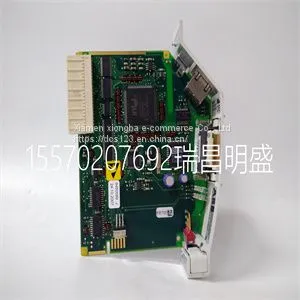
Module Spare Parts EI813F 3BDH000022R1



Related Products
-
 Module Spare Parts EL3040 02402893521100US$ 1 - 100000MOQ: 1 Piece
 -
Module Spare Parts SCM-1US$ 1 - 100000MOQ: 1 Piece
-
Module Spare Parts SUITE T940X,XAPMM,BATT,ENGUS$ 1 - 100000MOQ: 1 Piece
-
Module Spare Parts N.104-19N.143-18 IB3110050US$ 1 - 100000MOQ: 1 Piece
-
Module Spare Parts N.132-18N.143-18 IB3110050US$ 1 - 100000MOQ: 1 Piece
Focus on DCS, PLC, robot control system and large servo system.
Main products: various modules / cards, controllers, touch screens, servo drivers.
Advantages: supply of imported original products, professional production parts,
Fast delivery, accurate delivery time,
The main brands include ABB Bailey, Ge / fuanc, Foxboro, Invensys Triconex, Bently, A-B Rockwell, Emerson, ovation, Motorola, xyvom, Honeywell, Rexroth, KUKA, Ni, Deif, Yokogawa, Woodward, Ryan, Schneider, Yaskawa, Moog, prosoft and other brands
| EI813F 3BDH000022R1 |
The RPS LED indicates the state of the internal power supply and whether a redundant power supply is providing power, as described in Table 3‐2. UP LED The STACK UP LED indicates the state of the connection to the switch stack down connector, as described in Table 3‐3. Table 3-2 RPS LED Definitions Color State Recommended Action Off Connected RPS not in use. None. Internal power supply failed. If an RPS is connected to the switch, it should be providing power. Perform the following: 1. Ensure the RPS is powered on. 2. Ensure that the AC power cord to the RPS is plugged in correctly and that there is power at the AC power source. 3. Replace the power cord with a known good one. 4. Ensure the DC power cord from the RPS to the switch is plugged in correctly. 5. If the problem persists, contact Enterasys Networks for technical support. Amber Solid. The switch internal power supply failed, and the RPS is providing the proper power to the switch. None. Table 3-3 UP LED Definitions Color State Recommended Action Off No valid connection to switch stack down connector. 1. Make sure the switch connected to the stack down connector is powered on. 2. Replace cable with a known good one. 3. If the problem still exists, contact Enterasys Networks for technical support. Green Solid. Valid connection to switch stack down connector. None. Blinking. Information is being transferred through the stacking cable.

Send Inquiry to This Supplier


You May Also Like
-
Module Spare Parts N.145-18N.105-19 IB3110050US$ 1 - 100000MOQ: 1 Piece
-
Module Spare Parts 7AO352.70US$ 1 - 100000MOQ: 1 Piece
-
Module Spare Parts 7AT664.70US$ 1 - 100000MOQ: 1 Piece
-
Module Spare Parts 7DO135.70US$ 1 - 100000MOQ: 1 Piece
-
Module Spare Parts 7EX470.50-1US$ 1 - 100000MOQ: 1 Piece
-
Module Spare Parts 80190-580-51US$ 1 - 100000MOQ: 1 Piece
-
Module Spare Parts A402KCUS$ 1 - 100000MOQ: 1 Piece
-
Module Spare Parts A4H124-24FX P0973JNUS$ 1 - 100000MOQ: 1 Piece
-
Module Spare Parts AUE-1108US$ 1 - 100000MOQ: 1 Piece
-
Module Spare Parts CS-1000 UTX1700PTFEUS$ 1 - 100000MOQ: 1 Piece


