








 Contact Platform Support
 Help Center
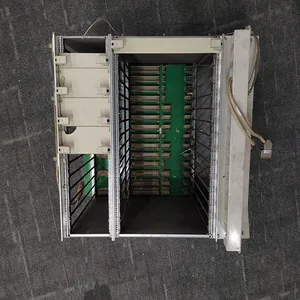
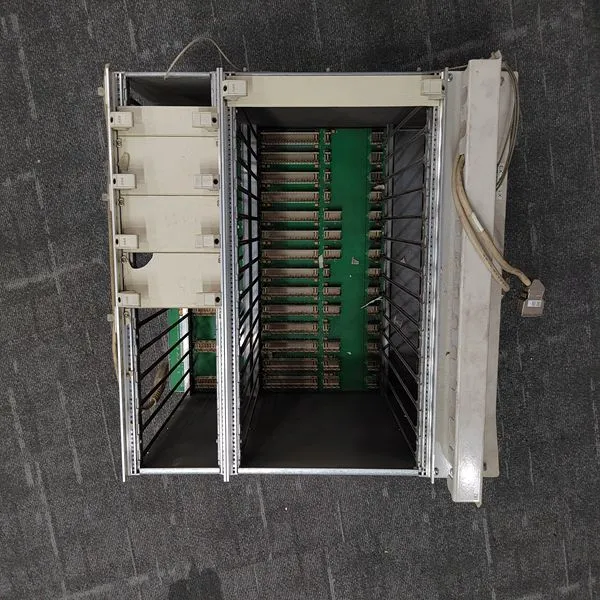
RF522 3BSE000743R1


Related Products
Brand: ABB
Type: RF522 3BSE000743R1
Origin: the Swiss
Warranty: 365 days
Colour: new/used
Shipping method: Courier delivery
Module of PLC, DCS, ESD system card, the card is a vibration monitoring system, steam turbine control system module, the advantages of the gas generator spare parts brand: Allen Bradley, BentlyNevada, ABB, Emerson Ovation, Honeywell DCS, Rockwell ICS Triplex, FOXBORO, Schneider PLC, GE Fanuc, Motorola, HIMA, TRICONEX, Prosoft etc. Various kinds of imported industrial parts of our products are widely used in metallurgy, petroleum, glass, aluminum manufacturing, petrochemical industry, coal mine, papermaking, printing, textile printing and dyeing, mechanical, electronic manufacturing, automobile manufacturing, plastic machinery, electric power, water conservancy, water treatment/environmental protection, boiler heating, energy, power transmission and distribution and so on.
Remote EXTR/ADM Setpoint The Extr/Adm control setpoint can be remotely positioned by an analog input (if programmed). The Remote Extr/Adm Setpoint input can be enabled by pressing the front panel YES key from the Remote Extr/Adm Status screen (screen 4), closing the Remote Extr/Adm Setpoint Enable/Disable contact (if programmed), or selecting Remote Extr/Adm Enable from either Modbus communications link.
Remote Extr/Adm Setpoint input is disabled by pressing the front panel NO key from the Remote Extr/Adm Status screen (screen 4), opening the Remote Extr/Adm Enable/Disable contact (if programmed), or selecting Remote Extr/Adm Disable from either Modbus communications link. See Table 5-14 for all possible Remote Extr/Adm control messages. MESSAGE 4 MEANING Rmt Extraction Disabled Remote Extraction is not selected Rmt Extraction Inhibitd Remote Extraction is inhibited and cannot be enabled Rmt Extraction Enabled Remote Extraction is enabled but not in control of the Setpt Remote Extract Active Remote Extraction is in control of the Setpt but not in control of the actuator output Remote Extr In Control Remote Extraction is in control of the Setpt and in control of the actuator output Remote Ext/Adm Disabled Remote Extr/Adm is not selected Rmt Extr/Adm Inhibited Remote Extr/Adm is inhibited and cannot be enabled Remote Extr/Adm Enabled Remote Extr/Adm is enabled but not in control of the Setpt Remote Extr/Adm Active Remote Extr/Adm is in control of the Setpt but not in control of the actuator output Rmt Extr/Adm In Control Remote Extr/Adm is in control of the Setpt and in control of the actuator output Rmt Admission Disabled Remote Admission is not selected Rmt Admission Inhibited Remote Admission is inhibited and cannot be enabled Rmt Admission Enabled Remote Admission is enabled but not in control of the Setpt Remote Admission Active Remote Admission is in control of the Setpt but not in control of the actuator output Remote Adm In Control Remote Admission is in control of the Setpt and in control of the actuator output Table 5-14. Remote Extr/Adm Messages The remote Extr/Adm control indications shown in Table 5-14 are available through the Modbus links: Remote Extr/Adm is Enabled, Remote Extr/Adm is Active, Remote Extr/Adm is In Control, Remote Extr/Adm is Inhibited, and Remote Extr/Adm Input Failed Alarm. In addition to these indications, the Remote Extr/Adm Input Setpoint is also available. Relay indications can be programmed to indicate Remote Extr/Adm Control Active and Remote Extr/Adm Control Enabled states. Alarms The ALARM key is always active in the RUN mode.
 Figure 5-17 shows the screen that appears when this key is pressed. If there are no alarms detected, the screen will display the ‘Alarms Cleared’ message. When an alarm is detected, the Alarm relay is energized and the front panel Alarm key illuminates. In addition, the screen will automatically “jump” to the ALARM screen (as defaulted in the Service mode) and display the alarm condition. Table 5-15 lists all the potential alarm conditions and their cause. If more than one alarm condition is present, pressing the Down Arrow key will scroll through all active alarms. To view the most recent alarm, select the ALARM key. To clear any alarms that are no longer present, press the front panel RESET key, close the Reset contact input, or select Reset from either Modbus communications link.

Send Inquiry to This Supplier


You May Also Like
-
5SHX1445H0001 3BHL000391P0101US$ 1070 - 2061MOQ: 1 Piece
-
3BHB003230R0101 5SXE05-0152US$ 1070 - 2061MOQ: 1 Piece
-
REF615C_C HCFFAEAGANB2BAN1XCUS$ 1070 - 2061MOQ: 1 Piece
-
SK827005 SK827100-ASUS$ 1070 - 2061MOQ: 1 Piece
-
AIM0006 2RCA021397A0001FUS$ 1074 - 2065MOQ: 1 Piece
-
COM0003 2RAA005844A0006AUS$ 1074 - 2065MOQ: 1 Piece
-
PPD512 A10-15000 3BHE040375R1023US$ 1075 - 2066MOQ: 1 Piece
-
SPASI23US$ 1075 - 2066MOQ: 1 Piece
-
PCD231B101 3BHE025541R0101US$ 1075 - 2066MOQ: 1 Piece
-
PM866K01 3BE050198R1US$ 1077 - 2068MOQ: 1 Piece


