








 Contact Platform Support
 Help Center
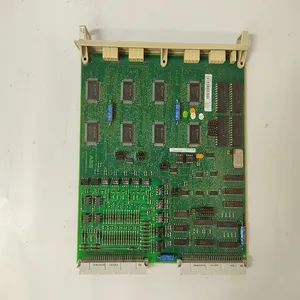
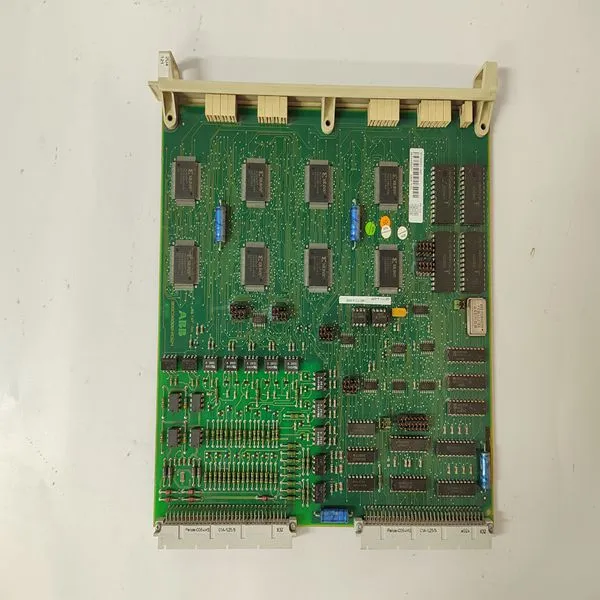
DSDP170 57160001-ADF

Related Products
Brand: ABB
Type:DSDP170 57160001-ADF
Origin: the Swiss
Warranty: 365 days
Colour: new/used
Shipping method: Courier delivery
Module of PLC, DCS, ESD system card, the card is a vibration monitoring system, steam turbine control system module, the advantages of the gas generator spare parts brand: Allen Bradley, BentlyNevada, ABB, Emerson Ovation, Honeywell DCS, Rockwell ICS Triplex, FOXBORO, Schneider PLC, GE Fanuc, Motorola, HIMA, TRICONEX, Prosoft etc. Various kinds of imported industrial parts of our products are widely used in metallurgy, petroleum, glass, aluminum manufacturing, petrochemical industry, coal mine, papermaking, printing, textile printing and dyeing, mechanical, electronic manufacturing, automobile manufacturing, plastic machinery, electric power, water conservancy, water treatment/environmental protection, boiler heating, energy, power transmission and distribution and so on.
The Load Setpoint can be changed when the unit is On-Line from screens 1, 2, or 3 by selecting the ADJUST UP or DOWN. In addition, the Load Setpt can be adjusted by closing a Speed Setpoint Raise/Lower contact inputs or selecting Speed Setpoint Raise or Lower commands from either Modbus communications link. In addition, the Load setpoint can be directly set to a value by pressing the ENTER key from the SPEED screen and entering a speed setpoint value, or Entering a new Speed/Load Setpoint through either Modbus communications link.
Cascade (CAS) Key Screens For this key to be active, the Cascade function must be programmed. Figure 5- 15 shows the possible screens that may appear if the CAS key is pressed. Only the screens related to the Cascade functionality programmed will be displayed. Only when the Remote Cascade Setpoint is programmed, will screen 3 appear. The Cascade PID dynamic and droop values can be adjusted from these screens. Cascade control can be enabled by pressing the front panel YES key from the Status screen (screen 2), closing the Cascade Control Enable/Disable contact (if programmed), or selecting Cascade Enable from either Modbus communications link.
Cascade control is disabled by pressing the front panel NO key from the Cascade Status screen (screen 2), opening the Cascade Control Enable/Disable contact (if programmed), or selecting Cascade Disable from either Modbus communications link. Cascade control is also disabled if Auxiliary control is enabled or Remote Speed Setpoint input is enabled. Cascade control is disabled and ‘inhibited’ if a controlled shutdown is selected, the cascade input fails, or the unit shuts down. Cascade control can be ‘enabled but not active’ if the generator and/or utility tie breaker are open. Since the Cascade PID controls through the Speed setpoint and Speed PID, Cascade will only be “In Control” when the Speed PID is “In Control” of the actuator output.
 See Table 5-11 for all possible cascade control messages. Figure 5-15. CAS Key Screens The Cascade setpoint can be configured to either track the input for bumpless transfer into control or remain at the last setting. When using the tracking option, the cascade setpoint cannot be changed until Cascade control is enabled. The Cascade setpoint can be changed by pressing the ADJUST UP or DOWN keys from the Cascade setpoint screen (screen 1), closing a cascade Setpt Raise/Lower contact input, or selecting Cascade Setpoint Raise or Lower commands from either Modbus communications link. In addition, the Cascade setpoint can be directly set to a value by pressing the front panel ENTER key from the Cascade Setpt screen or by Entering a new Cascade Setpt through either Modbus communications link.

Send Inquiry to This Supplier


You May Also Like
-
TK803V018US$ 1067 - 2058MOQ: 1 Piece
-
5SHX2645L0004 3BHL000389P0104US$ 1067 - 2058MOQ: 1 Piece
-
UNITROL 1020 UNS0119A-Z,V1 3BHE030579R0003US$ 1067 - 2058MOQ: 1 Piece
-
TP830 3BSE018114R1US$ 1070 - 2061MOQ: 1 Piece
-
5SHX1445H0001 3BHL000391P0101US$ 1070 - 2061MOQ: 1 Piece
-
3BHB003230R0101 5SXE05-0152US$ 1070 - 2061MOQ: 1 Piece
-
REF615C_C HCFFAEAGANB2BAN1XCUS$ 1070 - 2061MOQ: 1 Piece
-
SK827005 SK827100-ASUS$ 1070 - 2061MOQ: 1 Piece
-
AIM0006 2RCA021397A0001FUS$ 1074 - 2065MOQ: 1 Piece
-
COM0003 2RAA005844A0006AUS$ 1074 - 2065MOQ: 1 Piece


