








 Contact Platform Support
 Help Center
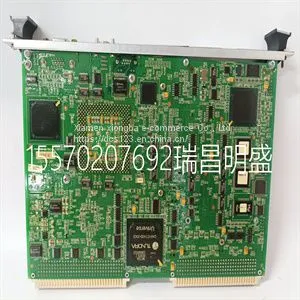
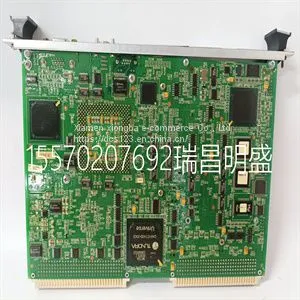
Module Spare Parts VMIVME-7614-132350-017614-132 D IS215UCVEH2AE



Related Products
-
 Module Spare Parts VMIVME-7750-744000US$ 1 - 100000MOQ: 1 Piece
 -
Module Spare Parts VMIVME-7807 VMIVME-017807-413000 350-0001007807-413000 DUS$ 1 - 100000MOQ: 1 Piece
-
Module Spare Parts VMIVME-7807RC VME-7807RC-424001 350-93007807-424001 KUS$ 1 - 100000MOQ: 1 Piece
-
Module Spare Parts VT2000-52US$ 1 - 100000MOQ: 1 Piece
-
Module Spare Parts WES13-3US$ 1 - 100000MOQ: 1 Piece
Focus on DCS, PLC, robot control system and large servo system.
Main products: various modules / cards, controllers, touch screens, servo drivers.
Advantages: supply of imported original products, professional production parts,
Fast delivery, accurate delivery time,
The main brands include ABB Bailey, Ge / fuanc, Foxboro, Invensys Triconex, Bently, A-B Rockwell, Emerson, ovation, Motorola, xyvom, Honeywell, Rexroth, KUKA, Ni, Deif, Yokogawa, Woodward, Ryan, Schneider, Yaskawa, Moog, prosoft and other brands
| VMIVME-7614-132350-017614-132 D IS215UCVEH2AE |
Use the Lung Mechanics menu to access the Assign Favorites menu and the following procedures: P0.1, Negative Inspiratory Force (NIF), and Vital Capacity. See "Setting Favorites" in the "Operation" section. 4. Nebulizer Use the Nebulizer menu to access the Aerogen and Pneumatic Nebulizer procedures. See "Setting Favorites" section in the "Operation" section. 5. Suction Use the Suction menu to access the Assign Favorites menu and the Suction procedure. See "Setting Favorites" in the "Operation" section. System menu The System menu contains settings for data source selection, calibration options, display brightness, and system information. 1. Select Menu > System. CARESCAPE™ R860 3-8 2065490-001 The Airway Module type and software version number are shown under data source. 2. Select Data Source (Ventilator or Airway Module). • For Neonatal; select Ventilator or NFS. See "System menu" in the "Neonatal Operation" section. 3. Select Calibrations (Airway Module, Paux Zero, or Purge Flow). • Select Airway Module to calibrate the airway module. • Select Paux Zero. A green check mark indicates Paux Zeroing calibration was successful. • Select Purge Flow. The Purge Flow check box may be checked or unchecked when performing a Paux Zero. Continuous purge flow will come from the Paux outlet when the Purge Flow check box is selected. A white check mark indicates Purge Flow is active. See "Purging the auxiliary pressure tubing" and "Zeroing auxiliary pressure" in the "Setup and connections" section. 4. Select Display Brightness to adjust the brightness level of the user interface. Select brightness level of 1 (low) to 5 (high). 5. View system information: software version, service packet version, running hours, altitude, O2 supply pressure, air supply pressure, and battery status. Changing a setting 1. Touch the setting. 2. Change the value by turning the Trim Knob or selecting a menu item. 3. Touch the setting or push the Trim Knob to confirm the setting.

Send Inquiry to This Supplier


You May Also Like
-
Module Spare Parts WES5302 WES5302-111US$ 1 - 100000MOQ: 1 Piece
-
Module Spare Parts WES5302-150US$ 1 - 100000MOQ: 1 Piece
-
Module Spare Parts WESCOM D200 VME D20US$ 1 - 100000MOQ: 1 Piece
-
Module Spare Parts 04220FL11232AUS$ 1 - 100000MOQ: 1 Piece
-
Module Spare Parts 1C31122G01US$ 1 - 100000MOQ: 1 Piece
-
Module Spare Parts 1C31125G02US$ 1 - 100000MOQ: 1 Piece
-
Module Spare Parts 1C31129G03US$ 1 - 100000MOQ: 1 Piece
-
Module Spare Parts 1C31166G01US$ 1 - 100000MOQ: 1 Piece
-
Module Spare Parts 1C31166G02US$ 1 - 100000MOQ: 1 Piece
-
Module Spare Parts 1C31179G02US$ 1 - 100000MOQ: 1 Piece


