








 Contact Platform Support
 Help Center
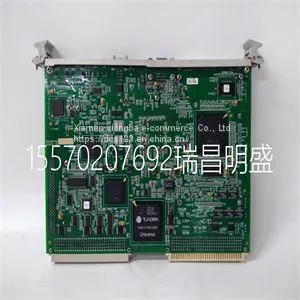
Module Spare Parts VMIVME-7750-744000



Related Products
-
 Module Spare Parts VMIVME-7807 VMIVME-017807-413000 350-0001007807-413000 DUS$ 1 - 100000MOQ: 1 Piece
 -
Module Spare Parts VMIVME-7807RC VME-7807RC-424001 350-93007807-424001 KUS$ 1 - 100000MOQ: 1 Piece
-
Module Spare Parts VT2000-52US$ 1 - 100000MOQ: 1 Piece
-
Module Spare Parts WES13-3US$ 1 - 100000MOQ: 1 Piece
-
Module Spare Parts WES5302 WES5302-111US$ 1 - 100000MOQ: 1 Piece
Focus on DCS, PLC, robot control system and large servo system.
Main products: various modules / cards, controllers, touch screens, servo drivers.
Advantages: supply of imported original products, professional production parts,
Fast delivery, accurate delivery time,
The main brands include ABB Bailey, Ge / fuanc, Foxboro, Invensys Triconex, Bently, A-B Rockwell, Emerson, ovation, Motorola, xyvom, Honeywell, Rexroth, KUKA, Ni, Deif, Yokogawa, Woodward, Ryan, Schneider, Yaskawa, Moog, prosoft and other brands
| VMIVME-7614-132350-017614-132 D IS215UCVEH2AE |
The ventilator user interface uses three different workspaces: Past/ Historical trends, Present/Patient status, and Future/Clinical decision support. Each workspace (rectangle icon) contains views (circle icons) that contain different configurations of data and functions. When a workspace is selected, the correlating view icons are displayed. • Use a swipe gesture or touch a workspace icon to go to a new workspace (swipe gesture: touch display and move finger tip left or right). • When you navigate away from a workspace and then navigate back, the display will show the last view that was displayed from the workspace. • If a view is not supported by the current patient type or software is not installed, it will not display. AB.100.185 Figure 3-7 • Navigation example; select a workspace (rectangle) to see correlating views (circle). 3 Navigation 2065490-001 3-11 Present/Patient Status workspace and views The Present/Patient Status workspace shows the following views: Basic, Basic Waveform, Advanced Waveform, Splitscreen, and Charting. This workspace allows the user to choose the view in which they would like to see patient data displayed. See "Measured data definitions" in the "Patient monitoring" section for information on the numerics displayed in the Present views. See "Neonatal measured data definitions" in the "Neonatal patient monitoring" section for information on the numerics displayed in the Present views for a neonatal patient type. • Touch the icon to display the corresponding view. • Use a swipe gesture to view and move to Past (Historical trends) and Future (Clinical decision support) workspaces. Present/Patient Status Workspace Basic View AB.100.129 Use the Basic view to see measured data in a large format that can be easily viewed from a distance. Note: The patient status (airway pressure) bar is permanently displayed to easily view patient airway pressure, tidal volume, and FiO2. CARESCAPE™ R860 3-12 2065490-001 Basic Waveform View AB.100.119 Use the Basic Waveform view to see patient waveforms and measured data. Note: the airway pressure bar may be collapsed to expand the monitoring area when the Paw and Flow waveforms are displayed. Advanced Waveform View AB.100.120 Use the Advanced Waveform view to see additional measured data associated with the patient waveforms. Note: The airway pressure bar may be collapsed to expand the monitoring area when the Paw and Flow waveforms are displayed. Splitscreen View AB.100.121 Use the Splitscreen view to see spirometry, measured data, and waveforms. Select the upper right corner of the spirometry waveform to change settings. Note: The airway pressure bar may be collapsed to expand the monitoring area when the Paw and Flow waveforms are displayed.

Send Inquiry to This Supplier


You May Also Like
-
Module Spare Parts WES5302-150US$ 1 - 100000MOQ: 1 Piece
-
Module Spare Parts WESCOM D200 VME D20US$ 1 - 100000MOQ: 1 Piece
-
Module Spare Parts 04220FL11232AUS$ 1 - 100000MOQ: 1 Piece
-
Module Spare Parts 1C31122G01US$ 1 - 100000MOQ: 1 Piece
-
Module Spare Parts 1C31125G02US$ 1 - 100000MOQ: 1 Piece
-
Module Spare Parts 1C31129G03US$ 1 - 100000MOQ: 1 Piece
-
Module Spare Parts 1C31166G01US$ 1 - 100000MOQ: 1 Piece
-
Module Spare Parts 1C31166G02US$ 1 - 100000MOQ: 1 Piece
-
Module Spare Parts 1C31179G02US$ 1 - 100000MOQ: 1 Piece
-
Module Spare Parts 1C31203G01US$ 1 - 100000MOQ: 1 Piece


