








 Contact Platform Support
 Help Center
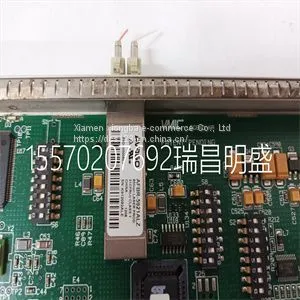
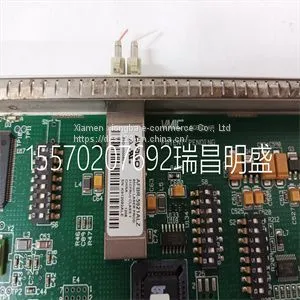
Module Spare Parts VMIVME-5565-110000332-015565-110000 P VME-5565



Related Products
-
 Module Spare Parts VMIVME-7452US$ 1 - 100000MOQ: 1 Piece
 -
Module Spare Parts VMIVME-7614-132350-017614-132 D IS215UCVEH2AEUS$ 1 - 100000MOQ: 1 Piece
-
Module Spare Parts VMIVME-7750-744000US$ 1 - 100000MOQ: 1 Piece
-
Module Spare Parts VMIVME-7807 VMIVME-017807-413000 350-0001007807-413000 DUS$ 1 - 100000MOQ: 1 Piece
-
Module Spare Parts VMIVME-7807RC VME-7807RC-424001 350-93007807-424001 KUS$ 1 - 100000MOQ: 1 Piece
Focus on DCS, PLC, robot control system and large servo system.
Main products: various modules / cards, controllers, touch screens, servo drivers.
Advantages: supply of imported original products, professional production parts,
Fast delivery, accurate delivery time,
The main brands include ABB Bailey, Ge / fuanc, Foxboro, Invensys Triconex, Bently, A-B Rockwell, Emerson, ovation, Motorola, xyvom, Honeywell, Rexroth, KUKA, Ni, Deif, Yokogawa, Woodward, Ryan, Schneider, Yaskawa, Moog, prosoft and other brands
| VMIVME-5565-110000332-015565-110000 P VME-5565 |
. Navigation Select an icon to open the corresponding view. See "Navigating the user interface" for detailed information. 4. Additional Information Shows current time and additional setting information. 5. Main power Indicates whether the ventilator is connected to the main power supply or is running on battery. Also shows battery status when running on battery. 6. Standby Select the Standby quick key to go into Standby (pause/stop ventilation). See "Standby" in the "Operation" section. 7. Quick Keys Select to change the corresponding ventilator setting. Turn the Trim Knob to make a change. Select the quick key or press the Trim Knob to activate the change. When a quick key setting is selected, a Trim Knob visual cue indicates the change may be made by turning the Trim Knob and pressing to confirm the setting. 8. Current Mode and Mode Settings Shows the active ventilation mode. Select to access ventilation modes, and change mode settings. 9. General Messages Shows notices, procedure status, and system status information to the user. See "General messages" in the "Alarms and troubleshooting" section. 10. Monitoring This area is used to view waveforms, measured data, and settings. 11. Menu Select to quickly access options such as: System menu, Procedures, Lung Mechanics, Suction, and Nebulizer. See "Main menu" in the "Navigation" section. 12. Current Patient menu Select to enter the Current Patient menu. This menu allows entry of the patient ID using an alpha-numeric keyboard. Entered values for patient gender, height, and weight are used to calculate BSA (body surface area), and IBW (ideal body weight). This menu also allows the selection of tube type and diameter. See"New Patient" and "Current Patient" in the "Operation" section. 13. Alarm management Select to view alarms, alarm history, alarm setup, and alarm help. See "Alarms and troubleshooting" section. Navigating active alarms When an alarm occurs for measured data, the number and alarm limits are shown with a border around them. The color of the border and the alarm limit shows the priority of the alarm. Select within the border of the active alarm to open the Alarm Setup menu. Select the alarm limit that needs adjustment, then use the Trim Knob to adjust the setting and confirm changes. See "Alarm management" in the "Alarms and troubleshooting" section for additional information.

Send Inquiry to This Supplier


You May Also Like
-
Module Spare Parts VT2000-52US$ 1 - 100000MOQ: 1 Piece
-
Module Spare Parts WES13-3US$ 1 - 100000MOQ: 1 Piece
-
Module Spare Parts WES5302 WES5302-111US$ 1 - 100000MOQ: 1 Piece
-
Module Spare Parts WES5302-150US$ 1 - 100000MOQ: 1 Piece
-
Module Spare Parts WESCOM D200 VME D20US$ 1 - 100000MOQ: 1 Piece
-
Module Spare Parts 04220FL11232AUS$ 1 - 100000MOQ: 1 Piece
-
Module Spare Parts 1C31122G01US$ 1 - 100000MOQ: 1 Piece
-
Module Spare Parts 1C31125G02US$ 1 - 100000MOQ: 1 Piece
-
Module Spare Parts 1C31129G03US$ 1 - 100000MOQ: 1 Piece
-
Module Spare Parts 1C31166G01US$ 1 - 100000MOQ: 1 Piece


