








 Contact Platform Support
 Help Center
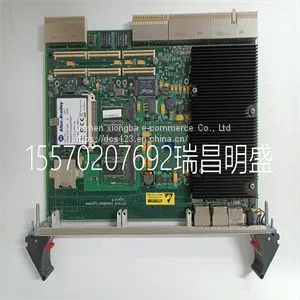
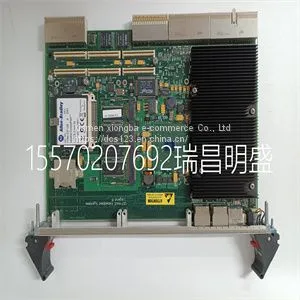
Module Spare PartsVMICPCI-7806-211000 350-657806-211000L



Related Products
-
 Module Spare Parts VMIVME-5565-110000332-015565-110000 P VME-5565US$ 1 - 100000MOQ: 1 Piece
 -
Module Spare Parts VMIVME-7452US$ 1 - 100000MOQ: 1 Piece
-
Module Spare Parts VMIVME-7614-132350-017614-132 D IS215UCVEH2AEUS$ 1 - 100000MOQ: 1 Piece
-
Module Spare Parts VMIVME-7750-744000US$ 1 - 100000MOQ: 1 Piece
-
Module Spare Parts VMIVME-7807 VMIVME-017807-413000 350-0001007807-413000 DUS$ 1 - 100000MOQ: 1 Piece
Focus on DCS, PLC, robot control system and large servo system.
Main products: various modules / cards, controllers, touch screens, servo drivers.
Advantages: supply of imported original products, professional production parts,
Fast delivery, accurate delivery time,
The main brands include ABB Bailey, Ge / fuanc, Foxboro, Invensys Triconex, Bently, A-B Rockwell, Emerson, ovation, Motorola, xyvom, Honeywell, Rexroth, KUKA, Ni, Deif, Yokogawa, Woodward, Ryan, Schneider, Yaskawa, Moog, prosoft and other brands
| VMICPCI-7806-211000 350-657806-211000L |
The 15-inch touchscreen display provides audible and visual alarms, integrated key pad, and a Trim Knob control. The display unit uses the Panasonic CR2477/BN battery (1000 mAh and 3V). To select menu options or settings, touch only one touch point at a time to make sure the correct selection is made. Touch the setting or press the Trim Knob to confirm settings. The touchscreen allows swipe gestures to move from one workspace to another workspace. Do not use pencils, pens, or other objects to activate the touchscreen. The touchscreen will not function properly if tape or paper is stuck to the display surface. Liquids on the display may degrade the performance of the touchscreen. If liquids come in contact with the display, lock the touchscreen and clean the display. Unlock the touchscreen once the display has been cleaned to resume use of the touchscreen. Do not apply excessive force to the touchscreen as damage may occur. WARNING CAUTION CARESCAPE™ R860 3-2 2065490-001 AB.100.016 7 1 3 2 4 Figure 3-1 • Display controls and indicators . 1. Alarm light The integrated alarm light provides a visual alarm when an alarm condition occurs. The alarm light also provides a visual indicator when Audio Pause is active and alarm audio is silenced. 2. Trim knob control Turn the Trim Knob clockwise or counterclockwise to change a setting. Press the Trim Knob to confirm a setting. 3. Hard keys (key pad) Press the Audio Pause, Increase O2, Snapshot, Lock/Unlock, or Home hard keys to access the associated features. • Audio Pause: Press to silence alarms for 120 seconds. 4. LED indicator The green LED illuminates when the ventilator is connected to the main power supply. The internal battery is charging when the LED is lit. 3 Navigation 2065490-001 3-3 Display user interface The user interface incorporates the Menu, Current Patient menu, alarm management, and Favorites procedures at the top of the display. The patient status (airway pressure bar) and workspace/ monitoring area are located in the middle of the display. The navigation bar, message areas, battery status, standby, and quick keys are located at the bottom of the display. AB.100.010 1 4 5 11 3 10 6 9 8 127 137 2 7 Figure 3-2 • Display user interface components . 1. Favorites Provides short-cuts for up to four procedures (as selected by the user). Use to select specific procedures such as Increase O2, Inspiratory Hold, Expiratory Hold, and Manual Breath. See "Setting Favorites" in the "Operation" section. 2. Patient status The airway pressure bar shows a dynamic view of the patient airway pressure, Pmax, Ppeak, PEEP, FiO2, and VTexp. Use the tab on the pressure bar to collapse (hide) from view when available.m view

Send Inquiry to This Supplier


You May Also Like
-
Module Spare Parts VMIVME-7807RC VME-7807RC-424001 350-93007807-424001 KUS$ 1 - 100000MOQ: 1 Piece
-
Module Spare Parts VT2000-52US$ 1 - 100000MOQ: 1 Piece
-
Module Spare Parts WES13-3US$ 1 - 100000MOQ: 1 Piece
-
Module Spare Parts WES5302 WES5302-111US$ 1 - 100000MOQ: 1 Piece
-
Module Spare Parts WES5302-150US$ 1 - 100000MOQ: 1 Piece
-
Module Spare Parts WESCOM D200 VME D20US$ 1 - 100000MOQ: 1 Piece
-
Module Spare Parts 04220FL11232AUS$ 1 - 100000MOQ: 1 Piece
-
Module Spare Parts 1C31122G01US$ 1 - 100000MOQ: 1 Piece
-
Module Spare Parts 1C31125G02US$ 1 - 100000MOQ: 1 Piece
-
Module Spare Parts 1C31129G03US$ 1 - 100000MOQ: 1 Piece


