








 Contact Platform Support
 Help Center
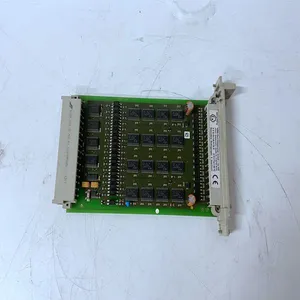
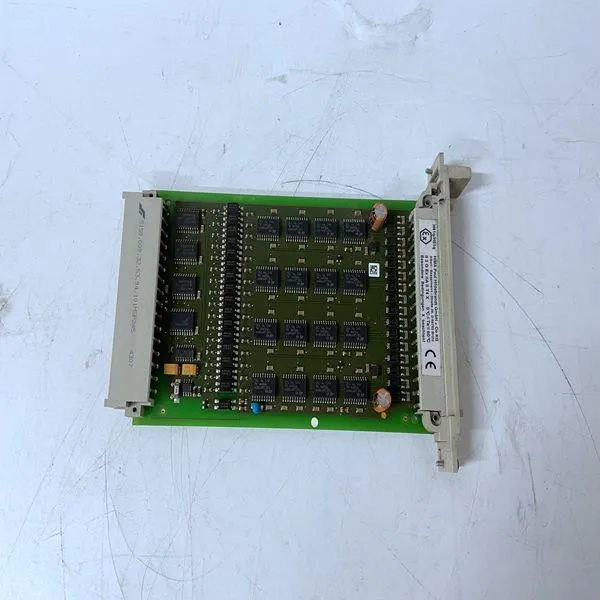
HIMA F3322

Related Products
Brand:HIMA
Type:F3322
Origin: the United States
Warranty: 365 days
Colour: new/used
Shipping method: Courier delivery
Spare parts spare parts, the main DCS control system of PLC system and the robot system spare parts,
Brand advantage: Allen Bradley, BentlyNevada, ABB, Emerson Ovation, Honeywell DCS, Rockwell ICS Triplex, FOXBORO, Schneider PLC, GE Fanuc, Motorola, HIMA, TRICONEX, Prosoft etc. Various kinds of imported industrial parts
The CI868 unit is in the process of being configured. Allow time for this to finalize. If the condition persist, and no other unit LED on the CEX-Bus is ON: • Check that a valid HW configuration including the CI868 is downloaded to the controller. • Check the CEX-Bus fuse inside the PM8xx processor unit. • Initiate a reset signal (INIT) from the PM8xx processor unit. • Replace the CI868 unit. • None application is downloaded. F(ault) LED is ON The CI868 unit is in the process of being restarted. Allow time for this to finalize. Replace unit if the condition persists. RxTx1/RxTx2(1) LED is OFF (1) LED will always be switched off due to disabling of channel CH2 No Receive or transmit activity for respective Ethernet channels. RxTx1/RxTx2(1) LED is flashing Receive or transmit activity for respective Ethernet channels is normal. Since CI868 does not support redundancy, the DUAL LED is not used. However, the PRIM LED is ON in a single configuration of CI868. CI868 supports hot swap.
 Possible Cause and Corrective Action (for faults) Both R(un) and F(ault) LED's are OFF Possible Cause 1: The CI869 module is connected to the controller, but the configuration is not downloaded to the controller for that position. Corrective Action 1: Ensure that the CI869 module is configured in the Hardware Tree (in the Control Builder) for that position, and that the configuration is downloaded to controller. Possible Cause 2: The CI869 module is just powered up or it is being configured and downloaded. Corrective Action 2: Allow time for the module to initialize. Corrective Action 3: If the indication persists after performing the corrective actions 1 and 2, then one of the following corrective actions is recommended: • Remove and insert the CI869 module to the CEX-Bus and allow time for it to initialize. • If this CI869 is the only module on the CEX-Bus, or if the CEX-Bus already contains other communication modules and all the LED's on those modules are OFF, then one of the following corrective actions is recommended: - Initiate a reset signal (INIT) from the PM8xx processor unit. - Check the CEX-Bus fuse inside the PM8xx processor Unit Corrective Action 4: If the indication still persists after performing the corrective actions 1 to 3, replace the CI869 module.

Send Inquiry to This Supplier


You May Also Like
-
HIMA F7126US$ 1069 - 2060MOQ: 1 Piece
-
HIMA F7131US$ 1069 - 2060MOQ: 1 Piece
-
HIMA F8621AUS$ 1069 - 2060MOQ: 1 Piece
-
HIMA F8627US$ 1069 - 2060MOQ: 1 Piece
-
HIMA F8627XUS$ 1069 - 2060MOQ: 1 Piece
-
HIMA K9203US$ 1071 - 2062MOQ: 1 Piece
-
F8650XUS$ 1112 - 2022MOQ: 1 Piece
-
HIMA EABT3 B9302US$ 1150 - 2050MOQ: 1 Piece
-
HIMA F3236US$ 1150 - 2050MOQ: 1 Piece
-
ICS TRIPLEX FAIR-RITE VOUS$ 1151 - 2051MOQ: 1 Piece


