








 Contact Platform Support
 Help Center
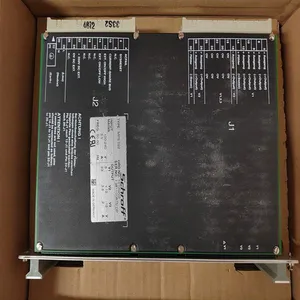
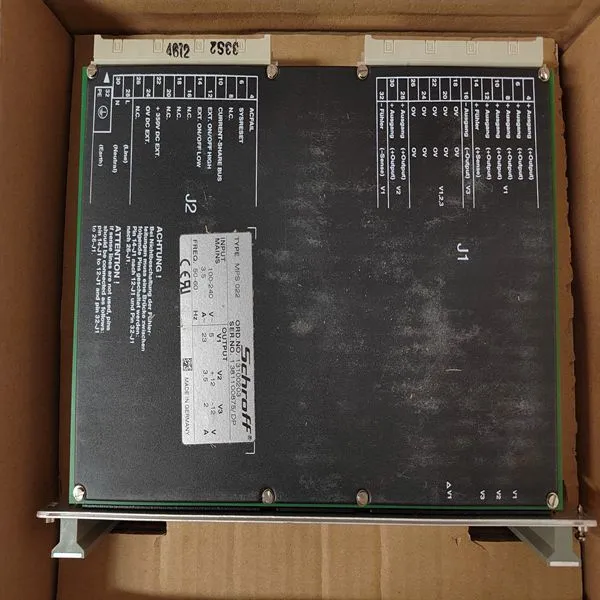
SCHROFF MPS022 13100-203


Related Products
Brand:SCHROFF
Type:MPS022 13100-203
Origin: the United States
Warranty: 365 days
Colour: new/used
Shipping method: Courier delivery
Spare parts spare parts, the main DCS control system of PLC system and the robot system spare parts,
Brand advantage: Allen Bradley, BentlyNevada, ABB, Emerson Ovation, Honeywell DCS, Rockwell ICS Triplex, FOXBORO, Schneider PLC, GE Fanuc, Motorola, HIMA, TRICONEX, Prosoft etc. Various kinds of imported industrial parts
Warm Start Application-controlling tasks are initiated. Variable values are initialized unless marked Retain or Cold retain. To initiate a warm restart, disconnect the power supply for a few seconds. Following a power failure, the warm restart function will be automatically initiated on power restoration. Cold Restart The application program restarts. Variable values are initialized unless marked Cold retain. To initiate a cold restart, the Controller must be restarted by briefly pressing the INIT push button (less than 2.5 seconds). Cold Restart in Redundant Configuration To restart CPUs running in redundant configuration: 1. Perform a Controller Reset of the backup CPU (see below). The system will go into single CPU state. 2. Wait a few seconds and then restart the Primary CPU by pressing the INIT push button less than 2.5 seconds. 3. The system will be upgraded to synchronized CPU state once again.
 After a power fail, instead of doing a warm restart of the application SIL3 applications are restarted using cold retain marked values saved in the controller periodically with a cycle time set by the user
Controller Reset The system stops. The application program and variables are erased. To initiate Controller Reset, press and hold the Controller INIT push button (more than three seconds) until the Run LED begins to flash. A Controller Reset must be performed if the system is in an undefined position and consequently unavailable to the user. Controller Reset in Redundant Configuration Follow the steps below to perform a Controller Reset in redundant configuration: 1. Perform a Controller Reset of the backup CPU. The system will go single CPU state. 2. Wait a few seconds and then perform a Controller Reset on the Primary CPU.

Send Inquiry to This Supplier


You May Also Like
-
PACIFIC SCIENTIFIC PC3406AI-001-EUS$ 1157 - 2057MOQ: 1 Piece
-
ICS TRIPLEX T8480CUS$ 1157 - 2057MOQ: 1 Piece
-
TEWS TPMC871-50US$ 1160 - 2060MOQ: 1 Piece
-
EATON DPM-MC2US$ 1163 - 2063MOQ: 1 Piece
-
MPB1-TPUS$ 1163 - 2063MOQ: 1 Piece
-
FIREYE 85UVF1-1QDK3US$ 1164 - 2064MOQ: 1 Piece
-
AAP3798102-00037US$ 1167 - 2067MOQ: 1 Piece
-
SONIX AL8XGTE1S 8055003US$ 1203 - 2212MOQ: 1 Piece
-
D136-001-007US$ 1203 - 2212MOQ: 1 Piece
-
PMC-HS-SERIALUS$ 1204 - 2213MOQ: 1 Piece


