








 Contact Platform Support
 Help Center
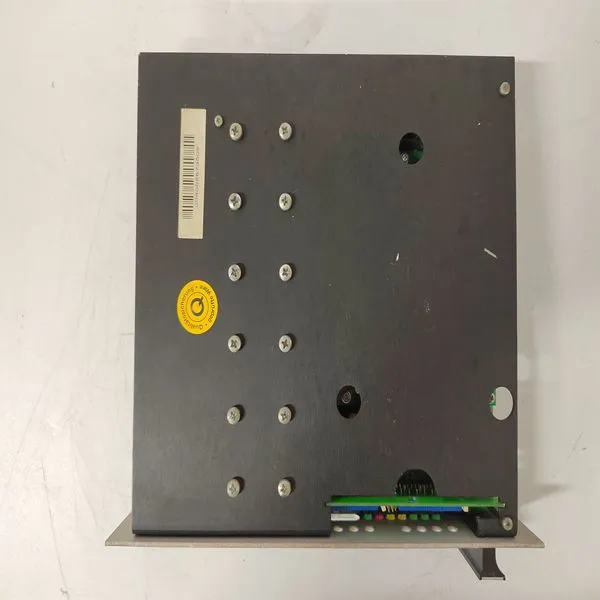
60WKS-M240/22


Related Products
Brand: KOLLMORGEN
Type:60WKS-M240/22
Origin: the United States
Warranty: 365 days
Colour: new/used
Shipping method: Courier delivery
The CI868 is powered from the processor unit via the CEX-Bus with no additional external power source required. To install CI868: 1. Mount the unit onto the DIN-rail, see Mounting AC 800M Units onto DINRailon page 65. 2. Connect the 100Mbps Ethernet twisted pair cable to the CH1 connector on the baseplate. 3. Connect the other end of the Ethernet cable to a Fast Ethernet network via standard Ethernet components. Refer to PTUST04-3211- Switch Management for IEC 61850 for switches that are certified for IEC 61850. Installing the AF 100 Interface CI869 The CI869 unit is powered from the processor unit via the CEX-Bus with no additional external power source required. To install CI869: 1. Mount the CI869 unit onto the DIN-rail. See Mounting AC 800M Units onto DIN-Rail on page 65. 2. Connect the AF 100 twisted pair to the 4-pin contact of CI869. In case of redundant media, connect the other AF 100 twisted pair to the other 4-pin contact. 3. Connect the other end of the twisted pair to the AF 100 bus. For details on AF 100 connections, refer to the Advant Fieldbus 100 User Manual (3BSE000506*)
 The CI871 unit is powered from the processor unit through the CEX-Bus, which requires no additional external power source. To install CI871: 1. Mount the CI871 unit on the DIN-rail. 2. Connect the 100 Mbps Ethernet cable to the CH1 connector on the baseplate. 3. Connect the other end of the Ethernet cable to the PROFINET IO network. Installing the MOD5 Interface CI872 The CI872 unit is powered from the processor unit through the CEX-bus, and does not require any additional external power source. To install CI872: 1. Mount the unit onto the DIN-rail. 2. Connect the fiber optic cables to the CH1, CH2, and CH3 connectors on the CI872. Leave the protective plugs mounted on unused ports. 3. Connect the other end of the fiber optic cable to a MOD5 controller. Fiber Optics Specifications The following data applies for the fiber optics connections between the AC 800M controller and MOD5 controllers: • Wavelength: 820 nm. • Fiber size: 62.5/125 m multimode glass fiber. • Connector type: ST. • Max nominal fiber damping including connectors: 11 dB.

Send Inquiry to This Supplier


You May Also Like
-
CB06551 PRD-B040SSIB-63US$ 1044 - 2264MOQ: 1 Piece
-
S72402-NANANAUS$ 1071 - 2062MOQ: 1 Piece
-
S20330-SRSUS$ 1078 - 2069MOQ: 1 Piece
-
60WKS-CE240/22PBUS$ 1113 - 2023MOQ: 1 Piece
-
ABSOLUTE API4380-GUS$ 1113 - 2023MOQ: 1 Piece
-
ALSTOM V4561983-0100 V4559856US$ 1113 - 2023MOQ: 1 Piece
-
BENTLY 133396-01US$ 1114 - 2024MOQ: 1 Piece
-
BENTLY 133396-01US$ 1114 - 2024MOQ: 1 Piece
-
BENTLY 146031-01US$ 1114 - 2024MOQ: 1 Piece
-
BENTLY 3500/05-02-04-00-00-00US$ 1114 - 2024MOQ: 1 Piece


