








 Contact Platform Support
 Help Center
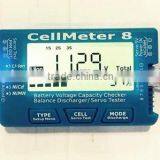
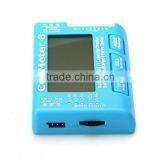
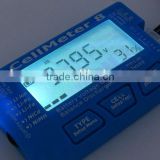
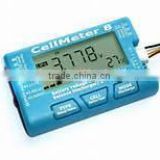
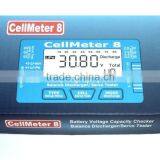
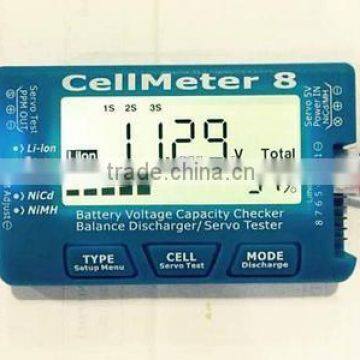
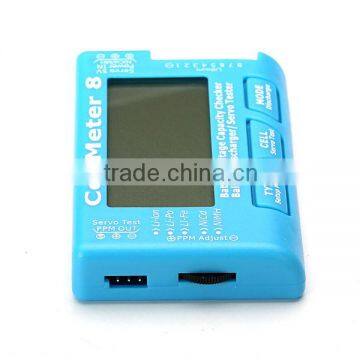
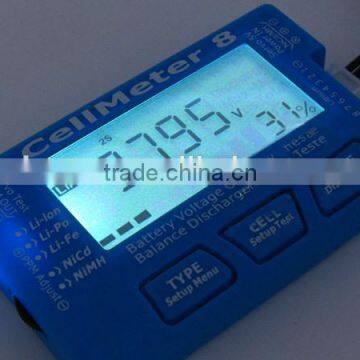
RC CellMeter-8 Digital Battery Capacity Checker is Able to be Used for LiPo LiFe Li-ion NiMH Nicd Batteries.

Related Products
-
 Lipo,Lion,Life,LiHV Battery Checker With Balance Discharge FunctionNegotiableMOQ: 1 Piece
 -
Battery Voltage Capacity Checker Balance Discharger/Servo TesterNegotiableMOQ: 1 Piece
-
Battery Tester for 2-8cells Lipo,lion,life,LiHV,and 2-4Cells Nicd,NiMH BatteryNegotiableMOQ: 1 Piece
-
2-8 Cellmeter Capacity Checker / Discharger With the Balance FunctionNegotiableMOQ: 1 Piece
-
Newest !! 2-8 Cells LiHV Lipo Battery Tester Capacity Checker DischargerNegotiableMOQ: 1 Piece
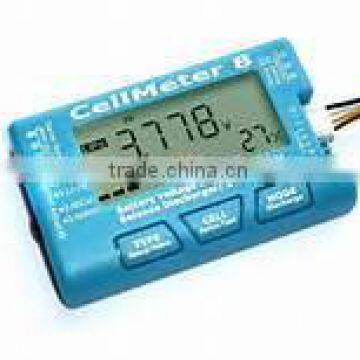
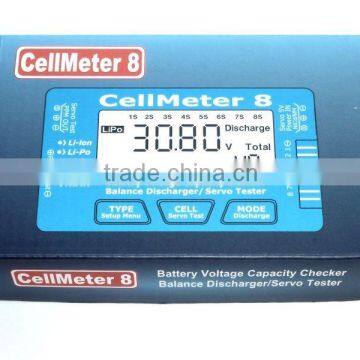
Battery Voltage Capacity Checker/Balance Discharger/Servo Tester
Specifications:
Function:
Support Battery Type; Lipo, LiFe, Li-ion, LiHV, NiCd, NiMH
Servo Test Mode; Manual Adjustment, Automatic, Neutral
Servo Test Frequency:50Hz,60Hz,100Hz,125Hz,200Hz,250Hz,300Hz
Balance Discharge Current:90Ma x 8 Cell,(MAX@ Cell, Voltage=4.2V)
Display Mode; Battery Cell Voltage, Total voltage, Lowest cell voltage. Highest cell voltage, Voltage gap between highest cell voltage and lowest cell voltage, Remaining Battery Capacity(%)
1. Instruction
Cellmeter8 is a clever device that can show you the condition of your battery packs,
It can be used with the most common battery types used for the rc modeling namely
LiLon( Lithium lon)
LiPo(Lithium Polymer)
LiFe(Lithium Ferrite)
LiHV(High Voltage Lithium Battery)
NiCd( Nickel Cadmium)
NiMH(Nickel Metal Hydrate)
Lithium Battery Types( Lipo.Li-Ion,LiFe, LiHV ) without the need for the additional power supply, CellMeter 8 can support 2S-8S,Test 1S Lithium battery, you need to access more than 3S of Nickel Batteries, or 5V UBEC to NiCd/MH port for the Cellmeter8 to provide working power
Nickel Battery type ( NiCd or NiMH) without the need for additional power supply of cellmeter8 can support 4-8S , such as the need to test less than 4S of Nickel Batteries, you need to access2-8S Lithium Battery to the Lithium port for CellMeter8 to provide working power
Cellmeter8 there are two battery connection ports:
The connecting port of the Lithium Battery is 9 pin ,2.54mm,Can be directly inserted into the 2.54mm of the lithium battery pack balance line plug, Connect the battery pack to the plug,, the
negative electrode of the balanced line plug is aligned with the cellmeter8 Lithium port Θ (negative Θ Location close to the NicD /NiMH port)
Nickel Battery connection port specification for 3 pin ,2.54mm spacing. Can be directly inserted into the spacing of the main line of 2.54 mm nickel batteries, The main line of the nickel battery pack is connecting the plug Θ, The position electrode should be aligned with the 3 pin interface⊕
(Can simultaneously connect Lithium battery and Nickel battery)
Cellmeter8 connect the Lithium battery or Nickel battery in the working state, Press(press to button 1S above) Menu Setup button, Enter parameter setting mode, short press Menu setup button is to enter the next parameter settings, Long press is out of the parameter setting mode, Return to battery detection mode, Parameter setting mode, Short press CELL key to reduce the parameters, Short press MODE key to increase the parameter, Discharge end voltage parameter setting state, Long press CELL button to quickly reduce, Long Press MODE button for the rapid increase
1.We need to detect the lithium battery balance line plug correctly inserted into the CellMeter8 of the 9 pin Lithium port, CM8 starting work after abtaining power from a lithium battery, LCD screen will display the number of lithium batteries, Battery total voltage, Battery Type, and Battery remaining Capacity as a percentage of the remaining capacity of the strip pattern, Because each type of of lithium battery has different rated voltage and its relative power consumption, Therefore, the correct choice of the type of lithium battery, The CM8 screen displays the percentage of remaining battery power and strip pattern that represents the rest of the battery to be accurate,
2.Short press TYPE key in the detection mode of lithium battery, Under the condition of intelligent judgment, Can be switched between three types of batteries(LiPO,Li-Ion,Li-Fe, Li-HV)
3.CM8 has a smart battery type: the battery voltage in any of the lithium battery pack was detected higher than 3.6V, will not switch to LiFe Type. The Battery voltage in any of the lithium battery pack was detected higher than 4.1V,will not switch to LiIon Type.
4.Short press CELL key in the detection mode of Lithium Battery ,LCD screen display will switch from the total voltage of the battery to the voltage display mode, Press a CELL button to switch to the next battery voltage display,1s-2s,…8S..1s..2s….Loop cell voltage display, The display mode of the short press MODE key will be switch to the total voltage of the battery, and total node number of the battery in each cell voltage display mode,
5.Short Press MODE key in the detection mode of lithium battery, LCD screen displays the highest voltage value at the top of the screen and which one cell is highest shown at the top of the screen, Second press MODE button, It will displays the the lowest voltage value and which one cell is lowest shown at the top of the screen, Third press MODE button, the device will show the difference between highest voltage value and lowest voltage value , and also show the which two cell for highest voltage value and lowest voltage value at top of the screen.
5. NICKEL BATTERY DETECTION MODE
Will need to detect the nickel battery NICD and NIMH, positive and negative pole plug correctly inserted into cellmeter8, NiCD, NIMH 3 pin port, When there is no lithium battery connected to the Lithium port of cellmeter8, it can start work after obtaining power from nickel battery, LCD screen will display the cell of nickel battery, total voltage, battery type and battery remaining capacity as a percentage of the remaining capacity of the strip pattern
(if there is a lithium battery connected to cellmeter8 to provide power supply, need a short Press Type button to switch to the Nickel Battery detection Mode)
Detection of the main line and positive and negative pole of the battery for the detection of Nickel battery, No Lithium battery detection using a balanced line plug detection so detailed, Cannot display the voltage value of the battery cell, Nickel battery detection mode will only show battery cell, total voltage, battery typed and remaining capacity as a percentage of the remaining capacity of the strip pattern, Because the two types of nickel batteries have different rated voltage ,and their relative power relationship NICD,NIMH, therefore the correct choice of nickel battery type is required, The CellMeter8 screen displays the percentage of remaining battery power and the strip pattern that represents the rest of the battery to be accurate, correct selection of the number of nodes in the Nickel Battery, LCD Screen to correctly display the remaining battery power as well as the remaining capacity of the strip pattern
Nickel Battery Detection mode, Short press TYPE button to cycle between the battery type NICD and NIMH, Short Press CELL key can be in the cellmeter 8 intelligent judgment range manual precision nickel batteries, In order to achieve the LCD screen to display the remaining battery power as well as the remaining capacity of the bar pattern
6. LITHIUM BATTERY BALANCE DISCHARGE/FAST DISHCARGE
(Fast discharge module need to be selected independently 50W, or 150W)
Balance Discharge
After the completion of the balance of the cellmeter8 will complete the prompt tone has been BB sound prompts the user, please pull out the lithium battery which has been completed by the cellmeter8 port, if the lithium battery completely discharge, and long time keep connecting with the cellmeter8 port, the device will get the power from Lithium battery 1S and 2S again ,it will lead 1S and 2S voltage will be down constantly , finally the each cell of lithium battery will be not balance,
The Signal line of the fast discharge module is connected to the test PPM OUT servo port on the left corner of the cellmeter8, correct insertion of the positive and negative poles and the direction of the signal to the port, And the plug the lithium battery into the 9 pin Lithium port of cellmeter8, The T Dean of the main power supply from the lithium battery is connected with the T Dean port of fast discharge mode, Long Press Discharge button, CellMeter8 enter into the fast discharge mode, and all spec data setting, and operation will be same with balance discharge mode,
Servo 5V power in NICD,NIMH port connection power supply 5-6V, you can use NICD,NIMH-4S battery pack or 5V UBEC module as a power supply, After connection power, cellmeter8 started to work, The use of power supply is the Nickel battery port, Therefore, the screen is a nickel battery detection mode, at this time, the device shows the voltage of Nickel battery whether was matched with voltage of servo working , if that is no matched, it needs to replace the power supply to the cellmeter8, or it is likely to burn the steering gear. Power supply voltage to confirm correct, connect the 3 hole plug of the steering gear to the Test PPM OUT servo port on the left corner of the cellmeter8, correct insertion of the positive and negative poles and the direction of the signal to the port.
Long Press CELL (Servo Test ) button to enter the steering gear test mode, The manuals test signal is the default for the servo test mode, the is by the user to manually adjust the left of the cellmeter8 adjust PPM knob to change the duty cycle of the PPM signal to achieve the manual test of servo function, the adjustment range is 500-2500uS or 1000-2000uS,which is determined by the parameters of the servo testing range,
CELL (Servo Test) or MODE discharge button is short in the manual mode, Enter into the automatic signal test mode, in this mode the PPM signal is accounted for by the automatic small to large, Changes in the large to small cycles by the user to manually adjust the left of the cellmeter8,Adjust PPM knob to change the PPM signal to change the speed of the air ratio Function of automatic test, and test for aging
Short Press CELL(Servo Test ) or Mode Discharge button in the automatic signal test mode, Test mode to enter the midpoint signal, The duty cycle of the PPM signal is 1500Us
ESC TEST MODE
Connect the 3 hole plug of the servo to the Test PPM OUT ESC port on the left corner of the CellMeter8, Correct insertion of the positive and negative poles and direction of the signal to the port(cellmeter8 power supply works by the electronic speed regulator for the internal BEC supply 5V power supply, No connection to other power supply) Long Press CELL( Servo Test) button to enter the PPM signal output mode, PPM signal output duty cycle adjustment method and servo test mode PPM signal adjustment method
FUCTIONAL INTERFACE DISPLAY GRAPH

Send Inquiry to This Supplier

You May Also Like
-
Battery Tester OrganizerNegotiableMOQ: 2000 Pieces
-
Battery Testers(FY119-1)US$ 1 - 100MOQ: 500 Pieces
-
2016 China Best Sale Small Solar Panel MachineUS$ 10,000 - 80,000MOQ: 1 Set
-
Digital Tester Diesel Pump TesterUS$ 100 - 500MOQ: 1 Set
-
AITOP Full-Automatic ESS Battery Pack Production Line: Engineered for Energy Storage ExcellenceUS$ 30000 - 325500MOQ: 1 Piece
-
Neware 100mA Four-Range Button Cell Testing System for Coin Cell, Cylindrical Battery, Prismatic Cell, Pouch Cell, Super-capacitor, Etc.US$ 800 - 1300MOQ: 1 Set
-
UNI-T UT673A Auto Battery TestersNegotiableMOQ: 1 Set
-
Battery Resistance TesterNegotiableMOQ: 1 Set
-
DFUN Battery Monitor System Battery Capacity Testers for Battery Capacity TestUS$ 18 - 55MOQ: 12 Pieces
-
48V 10/20A Intelligent Battery Discharge/capacity Tester for Li-ion/lead Acid BatteryUS$ 100 - 250MOQ: 1 Piece


