Home > Electrical & Electronics > Electrical Control System > NDELAG INFO-4KP-94161D Signal Conversion Module

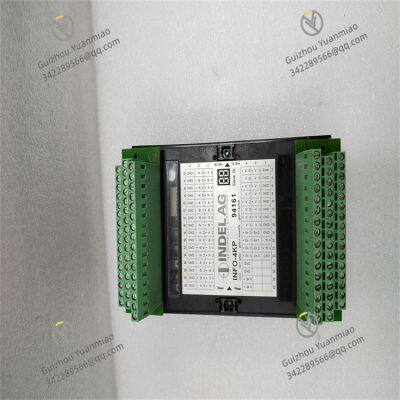
NDELAG INFO-4KP-94161D Signal Conversion Module
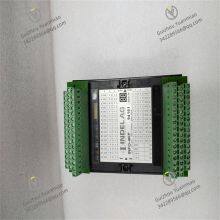
NDELAG INFO-4KP-94161D Signal Conversion Module photo-1
Negotiable MOQ: 1 Piece (Price negotiable depending on order volume and customization)
Key Specifications
Get Latest Price
Material:
Other, Global universal model
Condition:
Other, Global universal model
Task:
Other, Global universal model
Payment & Shipping
Payment Methods:
Port of Shipment:
guizhou
Delivery Detail:
Delivery time depends on order quantity.
Material Other, Global universal model
Condition Other, Global universal model
Task Other, Global universal model
Mathematical Model Other, Global universal model
Signal Other, Global universal model
Customized Non-Customized
Structure Other, Global universal model
Operating Temperature -10℃~+60℃
Relative Humidity 5%-95% (non-condensing)
Dimensions 127mm × 127mm × 35mm

I. Technical Parameters


  1. Signal Processing ParametersSupports 4K (3840×2160) resolution input/output, and is backward compatible with resolutions such as 1080P and 720P. The frame rate supports adaptive switching between 25/30fps or 50/60fps, meeting the shooting requirements of dynamic industrial scenarios. It supports decoding of mainstream video coding formats, including H.265, H.264, and MJPEG. Among them, the H.265 coding format enables efficient bandwidth utilization, reducing transmission pressure in industrial Ethernet environments. In terms of audio processing, it is presumed to integrate stereo audio decoding functionality, supporting commonly used industrial audio formats such as AAC and G.711, with a sampling rate ranging from 44.1kHz to 48kHz, suitable for voice intercom or on-site sound pattern monitoring scenarios.

  2. Input/Output Interface ParametersEquipped with a rich interface configuration: Video input supports industrial high-definition interfaces such as HDMI 2.0 and SDI (BNC interface), and some versions may be compatible with the NDI network transmission protocol, supporting parallel access of 4 or more channels of high-definition signals. Video output includes interfaces such as HDMI 2.0 and DVI-I, which can be converted to VGA/BNC output to adapt to traditional display terminals. The control interface is equipped with 2 RJ45 10M/100M/1000M adaptive Ethernet ports, supporting network protocols such as TCP/IP and RTSP. It may also integrate 1 RS-485 serial interface (half-duplex) for interconnection with industrial controllers such as PLCs, and 1 USB3.0 interface for local configuration import or log export.

  3. Safety and Protection ParametersBuilt-in comprehensive signal protection mechanisms, including signal anti-interference processing and corrupted frame discard function, which can automatically filter damaged video frames during transmission to ensure image integrity. The power supply design supports wide-range AC input, with a voltage range of approximately AC 100-240V, adapting to power supply standards in different regions. The power consumption is ≤ 30W, making it a low-power industrial device. The housing protection level is designed with reference to industrial on-site deployment requirements; the basic version is presumed to be IP30 (dust-proof), and the industrial enhanced version may reach IP54 (dust-proof + splash-proof), capable of withstanding the impact of workshop dust or light splashing environments.

  4. Environmental and Reliability ParametersComplies with the wide-temperature operation standard for industrial-grade equipment, with an operating temperature range of -10℃~+60℃ and a storage temperature range of -20℃~+70℃, adapting to outdoor cabinets in cold regions or high-temperature workshop environments. The relative humidity adaptation range is 10%~95% (non-condensing), enabling stable operation in high-humidity coastal areas or humid and hot mine environments. The Mean Time Between Failures (MTBF) is ≥ 50,000 hours, supporting 7×24 hours of continuous operation to meet the non-interrupted operation requirements of industrial monitoring.

  5. Control and Interconnection ParametersSupports dual control modes: local Web interface configuration and remote PC-side management. It can realize device parameter adjustment, status monitoring, and firmware upgrade via the network. It supports alarm linkage function, and is presumed to be equipped with 4 channels of alarm input and 4 channels of relay output (30VDC 1A, 125VAC 0.5A), which can interlink with industrial sensors and alarm devices to realize automatic image switching and alarm output in abnormal scenarios. The communication delay is ≤ 100ms, ensuring real-time monitoring and rapid response.


II. Functional Features


  1. 4K Ultra-HD Decoding + Multi-Format Compatibility, Adapting to Diverse ScenariosIts core advantage lies in 4K ultra-high-definition signal processing capability, which can decode high-definition video transmitted by 4K industrial cameras or monitoring equipment, clearly presenting key visual information such as equipment details and process flows, with image quality precision 4 times higher than that of 1080P devices. It is compatible with multiple resolutions and coding formats, allowing access to front-end camera devices of different brands and specifications without the need for additional signal conversion adapters, reducing system integration costs. In high-end manufacturing quality inspection scenarios, it can clearly capture tiny product defects, improving inspection accuracy.

  2. Industrial-Grade Anti-Interference + Wide Environmental Adaptability, Minimal Deployment RestrictionsAdopts industrial-grade EMC (Electromagnetic Compatibility) design, which can resist electromagnetic interference from strong interference sources such as workshop frequency converters and motors, ensuring that video signals are free of freezing or snowflake noise in strong-interference environments such as metallurgy and chemical industries. The wide-temperature and wide-humidity operation capability adapts to extreme scenarios such as outdoor cold regions and high-temperature workshops. The IP protection design allows selection of basic dust-proof or dust-proof and splash-proof versions according to the deployment environment, eliminating the need for additional protective cabinets and reducing on-site deployment costs by more than 30%.

  3. Multi-Interface Interconnection + Intelligent Control, High-Efficiency System IntegrationThe rich input and output interfaces support direct connection with various devices such as industrial cameras, PLC controllers, video wall screens, and alarm devices without additional adapter modules, improving integration efficiency by 50%. It supports remote control and status monitoring; operation and maintenance personnel can view the device's operating status (such as signal strength, temperature, and interface connection status) in real time through the background system, and complete parameter configuration and fault diagnosis remotely, reducing on-site operation and maintenance workload. The alarm linkage function can automatically trigger image switching to the abnormal area and activate alarm output when equipment malfunctions or monitoring abnormalities occur, improving emergency response speed.

  4. High Reliability + Data Security, Controllable Operation RisksEquipped with network disconnection buffering and fault automatic recovery functions, which can quickly resume signal transmission after a short network interruption, avoiding loss of key monitoring data. It supports hierarchical user permission management, assigning different operation permissions to different maintenance personnel to prevent operation failures caused by incorrect parameter modification. The corrupted frame discard mechanism can automatically filter invalid video data, reducing the device's processing load and ensuring stable system operation.


INFO-4KP-94161B .jpg


III. Working Principle and Applications


3.1 Working Principle


Based on the general logic of 4K video decoding equipment, the INFO-4KP-94161D follows the core workflow of signal access - decoding processing - format conversion - output interconnection:① Signal Access Stage: Receives encoded video signals transmitted by front-end 4K cameras or video servers through HDMI, SDI, or network interfaces, and simultaneously receives control signals from devices such as PLCs through the RS-485 interface.② Decoding Processing Stage: The built-in decoding chip decodes signals in coding formats such as H.265, and filters damaged data through the corrupted frame detection module to ensure the quality of the original signal.③ Format Conversion Stage: Converts the decoded 4K signal into an adaptive resolution and signal format according to the requirements of the back-end display terminal (e.g., HDMI 2.0 output to video wall screens, BNC output to traditional monitors).④ Output and Interconnection Stage: Transmits the processed video signal to the display terminal, and simultaneously responds to alarm signals according to preset logic to trigger corresponding output actions (e.g., relay closure to activate alarm lights), and uploads the device's operating status to the background management system via Ethernet.


3.2 Application Scenarios


  • 4K Visualization in Industrial Monitoring CentersIn the monitoring center of an automobile welding production line, this device can access 4K industrial camera signals deployed at welding stations, decode them, and transmit them to video wall screens for display, clearly presenting key process images such as welding pool status and weld seam details. With the alarm linkage function, when welding temperature is abnormal, it can automatically switch to the image of the corresponding station and trigger an alarm, helping quality inspection personnel to monitor welding quality in real time.

  • Signal Processing in Emergency Command and Dispatch CentersIn a smart city emergency command and dispatch center, the device can decode 4K monitoring signals from different areas (such as traffic intersections and chemical parks), process them through multi-screen segmentation, and output them to large screens, supporting command personnel to quickly switch and view the situation in key areas. When compatible with the NDI protocol, it can realize direct connection with mobile terminals such as mobile phones and tablets, meeting the needs of cross-regional collaborative command.

  • Quality Inspection Visualization in High-End ManufacturingIn a semiconductor chip production workshop, the 4K ultra-high-definition decoding capability can clearly present the circuit texture of chip wafers. The device decodes signals from front-end inspection cameras and transmits them to quality inspection terminals, and cooperates with image recognition systems to realize automatic detection and alarm of tiny defects, improving quality inspection accuracy and efficiency.

  • Monitoring in High-Temperature Metallurgical/Chemical ScenariosIn the blast furnace monitoring scenario of an iron and steel enterprise, the device's wide-temperature operation capability can adapt to temperature fluctuations of 0℃~60℃ in the workshop, and the IP54 protection level resists dust and cooling water mist intrusion. It stably decodes 4K thermal imaging camera signals at the blast furnace mouth, providing operators with clear visual data of the temperature distribution inside the furnace.


IV. Common Faults and Troubleshooting Methods


  1. Fault 1: 4K Signal Cannot Be Decoded, Output Screen is BlackPossible Causes: Incompatible input signal coding format; poor contact of input interface; saturated decoding resource usage of the device; insufficient specification of signal transmission cables (e.g., non-4K dedicated HDMI cables).
  2. Troubleshooting Methods:① Verify the coding format of the front-end device to ensure it is a mainstream format supported by the device (such as H.265/H.264), and reconfigure the front-end coding parameters.② Re-plug the input interface cables, check for bent or oxidized pins on the interface, and clean dust from the interface.③ Turn off some non-critical channel signals to free up decoding resources; if saturation persists for a long time, increase the number of devices to achieve load sharing.④ Replace with 4K dedicated transmission cables that meet HDMI 2.0 or higher specifications, ensure the transmission distance does not exceed 15 meters, and install signal amplifiers if the distance exceeds the limit.

  3. Fault 2: Output Screen Freezes, Has Snowflake Noise or StaticPossible Causes: Insufficient network bandwidth (in network transmission scenarios); strong electromagnetic interference in the industrial field; degraded performance due to poor device heat dissipation; poor quality of the video signal source itself.
  4. Troubleshooting Methods:① Test the network bandwidth to ensure that the 4K signal transmission bandwidth is ≥ 20Mbps; use gigabit Ethernet switches to improve transmission capacity, and enable QoS (Quality of Service) traffic control to prioritize video streams.② Check whether the device is properly grounded (grounding resistance ≤ 4Ω); replace signal cables with double-shielded cables and keep them away from strong interference sources such as frequency converters and motors (distance ≥ 1.5 meters).③ Check if the device's heat dissipation vents are blocked, clean the dust, ensure the installation spacing is ≥ 10cm, and install cooling fans in high-temperature environments.④ Replace the front-end camera for testing to rule out quality issues with the signal source.

  5. Fault 3: Device Cannot Interlink with PLC or Background SystemPossible Causes: Mismatched RS-485/Ethernet interface parameters (e.g., baud rate, IP address); incompatible interconnection protocols; reversed polarity of control cables; permission setting restrictions.
  6. Troubleshooting Methods:① Verify that the RS-485 parameters (baud rate 9600/19200, etc., 8 data bits, 1 stop bit) are consistent with those of the PLC; in Ethernet scenarios, confirm that the device IP and the background system are on the same network segment.② Confirm that the interconnection protocols supported by the device (such as Modbus, ONVIF) are compatible with the background system, and reconfigure the protocol parameters.③ Check the A/B polarity of the RS-485 cable and rewire according to specifications.④ Log in to the device management interface, confirm that the current operating account has interconnection control permissions, reassign permissions, and restart the device.

  7. Fault 4: Device Restarts Frequently or Fails to Power OnPossible Causes: Input voltage fluctuation beyond the allowable range; power adapter failure; activation of the device's internal overheat protection; vulnerabilities in the firmware version.
  8. Troubleshooting Methods:① Measure the input voltage with a multimeter to ensure it is within the range of AC 100-240V; install an AC voltage stabilizer if the fluctuation is large.② Replace with a spare power adapter of the same specification for testing to rule out power adapter failure.③ Clean the device's heat dissipation channels, optimize the ventilation conditions of the installation environment, and avoid deployment in enclosed spaces.④ Download the latest firmware from the official website (if brand information is available), upgrade the firmware via USB or network, and avoid power interruption during the upgrade process.
Product Tags: INFO-4KP-94161D

Send Inquiry to This Supplier

Message
0/5000

Want the best price? Post an RFQ now!
Gold Verified Supplier
1Yr
Verified Business License
Business Type
Trading Company
Year Established
2014
Factory Size
1,000-3,000 square meters
Product Certifications
SA8000