Home > Electrical & Electronics > Electrical Control System > Cameron AAP3798102-00130 Operation Panel

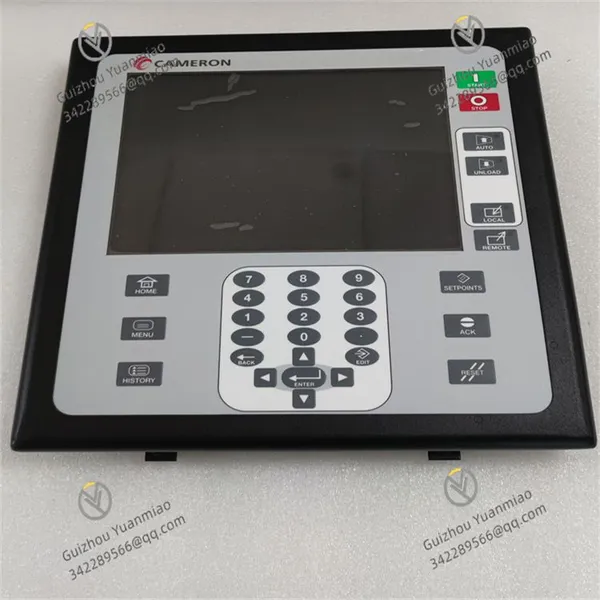
Cameron AAP3798102-00130 Operation Panel
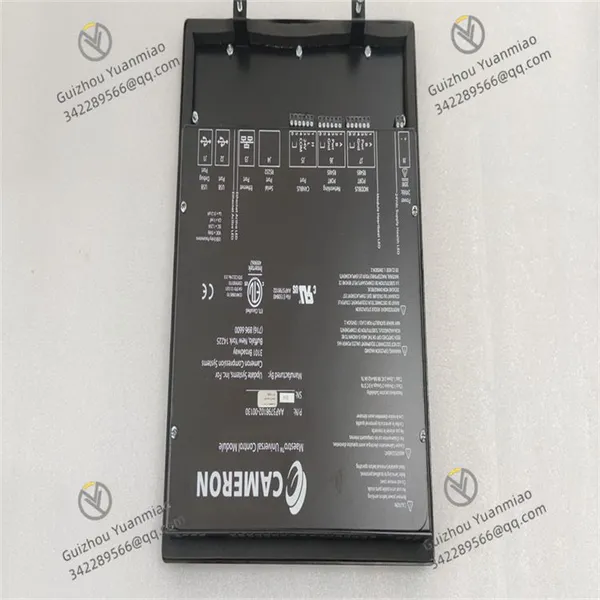
Cameron AAP3798102-00130 Operation Panel photo-1
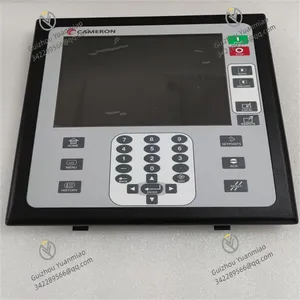
Cameron AAP3798102-00130 Operation Panel photo-2
Negotiable MOQ: 1 Piece (Price negotiable depending on order volume and customization)
Key Specifications
Get Latest Price
Material:
Other, Global universal model
Condition:
Other, Global universal model
Task:
Other, Global universal model

Payment & Shipping
Payment Methods:
Port of Shipment:
China
Delivery Detail:
Delivery time depends on order quantity.
Material Other, Global universal model
Condition Other, Global universal model
Task Other, Global universal model
Mathematical Model Other, Global universal model
Signal Other, Global universal model
Customized Non-Customized
Structure Other, Global universal model
Dimensions 200 x 150 x 80 mm
Weight 2kg
Resolution ±0.1%
Cameron AAP3798102-00130


The Cameron AAP3798102-00130 is a universal display compressor control module belonging to CAMERON's PACSystems RX7i series or Maestro series. It is primarily used to monitor and regulate various types of compressors, ensuring their safe, stable, and efficient operation. It is widely applied in industrial control, mechanical manufacturing, packaging machinery, textile machinery, HVAC systems, and other fields.
Functional Features
  • High-definition Display: Equipped with a high-definition display screen, it clearly shows the compressor's operating status, parameter settings, and fault information, enabling operators to intuitively understand the working conditions.

  • Intelligent Control: Adopts advanced control algorithms to intelligently adjust according to the compressor's actual operating conditions, optimize operation efficiency, reduce energy consumption, and ensure stable operation.

  • Powerful Monitoring Function: Real-time monitoring of the compressor's pressure, temperature, rotational speed, and other parameters. In case of abnormalities, it can quickly respond and take protective measures to prevent the expansion of faults.

  • Easy Operation and Maintenance: The operation interface is simple and clear, making it easy for operators to use. The module design considers maintenance convenience, ensuring simple and efficient daily maintenance.

  • High Reliability: As a CAMERON brand product, its design and manufacturing undergo strict quality control, maintaining stable performance in harsh working environments and ensuring the long-term stable operation of the compressor.

AAP3798102-00130 (2)

Technical Parameters
  • Power supply voltage: DC 24V

  • Input signals: Analog, digital

  • Output signals: Relay

  • Control mode: PID control

  • Protection functions: Overload protection, undervoltage protection, overvoltage protection, overtemperature protection

  • Operating temperature range: -40°C to 85°C

  • Dimensions: 200 x 150 x 80 mm

  • Weight: 2 kg

  • Resolution: ±0.1%

  • Protection level: IP67

  • Communication interfaces: RS485, RS232

  • I/O channels: 32 channels

Working Principle
The module obtains operating parameters of the compressor, such as pressure, temperature, and rotational speed, by receiving analog or digital signals from the compressor-related sensors. It uses a PID control algorithm internally to compare the actual parameters with the preset standard values, calculates the control quantity based on the deviation, and adjusts the compressor's operating status through output components such as relays (e.g., controlling the start/stop of the compressor, adjusting the operating power) to keep the compressor in a stable and efficient working state. At the same time, the module continuously monitors these parameters. Once abnormalities are detected, it immediately activates protection mechanisms such as overload, undervoltage, overvoltage, and overtemperature, cutting off the relevant circuits or sending alarm signals. In addition, it can transmit and interact data with other devices or control systems through communication interfaces such as RS485 and RS232 to achieve remote monitoring and management.

AAP3798102-00130 (1)

How to Diagnose and Troubleshoot the Cameron AAP3798102-00130?I. Safety Preparations Before Fault Diagnosis
  • Power-off Operation:

    • Turn off the main power supply of the compressor and the module, and wear insulated gloves to ensure personal safety.

    • Mark all connection lines to prevent incorrect connections during restoration.

  • Environmental Inspection:

    • Confirm that there is no obvious high temperature, humidity, dust accumulation, or corrosive gases around the module.

    • Check whether the ventilation openings of the cabinet are blocked (blocked ventilation may cause faults).

II. Appearance and Connection Inspection
  • Physical Damage Investigation:

    • Check whether the module housing has cracks, deformation, or burn marks.

    • Check whether the display screen has a black screen, flower screen, or incomplete display (may be due to backlight failure or loose cable).

  • Wiring Terminal Inspection:

    • Check each power terminal (DC 24V), sensor input wires, and relay output wires for looseness or oxidation.

    • Use a multimeter to measure the terminal voltage to confirm normal power supply (24V±10%).

  • Communication Interface Inspection:

    • Check whether the cables of the RS485/RS232 interface are tightly plugged and whether the shielding layer is well grounded.

    • Try replacing the communication cable (it is recommended to use shielded twisted pair).

III. Utilization of Module Self-Diagnosis Function
  • LED Indicator Analysis:

    • Green constant on: Normal power supply; Flashing: System initializing.

    • Red constant on: Severe fault (such as power supply undervoltage, internal circuit damage).

    • Yellow flashing: Warning (such as abnormal sensor signal, parameter out of range).

    • View the LED status on the front of the module (refer to the user manual):

  • Display Screen Error Code Reading:

  • If the display screen shows error codes (such as E01, F25, etc.), refer to the manual for the corresponding fault description.

  • Common code examples:

    • E01: Power supply fault → Check 24V power supply and fuse.

    • E12: Sensor open circuit → Check pressure/temperature sensor lines.

IV. Subsystem Fault Troubleshooting
  1. Power System Fault
    • Symptoms: Module has no display, LED light is off.

    • Troubleshooting steps:

      • Use a multimeter to measure whether the input voltage is 24V DC (allowing ±10% fluctuation).

      • Check whether the internal fuse of the power module is blown (professional tools are required for disassembly).

      • Short-circuit the power terminals to test whether the external power supply is normal (note to prevent short circuits).

  2. Sensor Input Fault
    • Symptoms: Abnormal display parameters (such as fixed pressure value, jumping temperature value).

    • Troubleshooting steps:

      • Disconnect the sensor wiring and use a multimeter to measure its output signal (such as 4-20mA corresponding to 0-100% range).

      • Compare the actual working conditions with the displayed values to determine whether they exceed the reasonable range (such as actual pressure 5MPa, but displayed 10MPa).

      • Replace with the same type of sensor for testing (pay attention to range matching).

  3. Control Output Fault
    • Symptoms: The compressor cannot start/stop or the adjustment is abnormal.

    • Troubleshooting steps:

      • Manually operate the module for forced output and use a multimeter to detect whether the relay contacts are normally open/closed.

      • Check whether the circuit from the output terminal to the compressor actuator (such as solenoid valve, contactor) is open.

      • Test the resistance of the actuator coil (the normal value should be tens to hundreds of ohms; infinity indicates coil burnout).

  4. Communication Fault
    • Symptoms: Inability to communicate with the host computer (PLC/DCS) or data transmission interruption.

    • Troubleshooting steps:

      • Use a serial debugging tool (such as Modbus Poll) to test whether the communication parameters (baud rate, parity bit) match.

      • Disconnect other devices and connect the module alone for point-to-point communication testing.

      • Replace the communication interface chip (professional welding tools are required).

V. System-Level Fault Handling
  1. Parameter Reset and Calibration
    • Operation steps:

      • Enter the module menu and select "Factory Reset" to restore the factory settings (note to back up existing parameters).

      • Re-set the PID control parameters (proportional, integral, derivative coefficients).

      • Perform sensor calibration (such as zero calibration, full-scale calibration).

  2. Software Upgrade and Firmware Refresh
    • Operation steps:

      • Download the latest firmware from the Cameron official website and upload it through the USB or RS232 interface.

      • Maintain stable power supply during the upgrade to avoid power outages.

  3. Replacement Method Verification
    • Application scenario: Suspected internal hardware failure of the module (such as CPU board, I/O board damage).

    • Operation steps:

      • Replace the current module with a spare module of the same type and observe whether the fault shifts.

      • Replace the suspicious circuit boards one by one (familiarity with the internal structure of the module is required).

Product Tags: AAP3798102-00130

Send Inquiry to This Supplier

Message
0/5000

Want the best price? Post an RFQ now!
Gold Verified Supplier
1Yr
Verified Business License
Business Type
Trading Company
Year Established
2014
Factory Size
1,000-3,000 square meters
Product Certifications
SA8000