Home > Electrical & Electronics > Electrical Control System > Woodward 5501-470 Controller

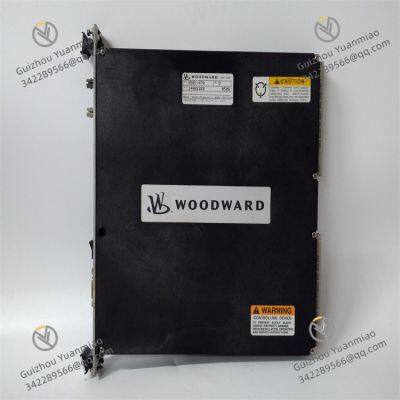
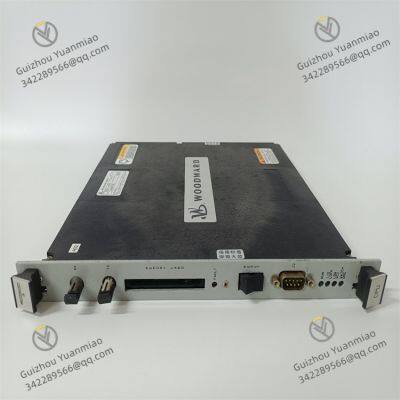
Woodward 5501-470 Controller

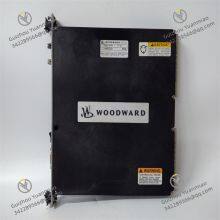
Woodward 5501-470 Controller photo-1
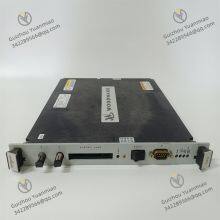
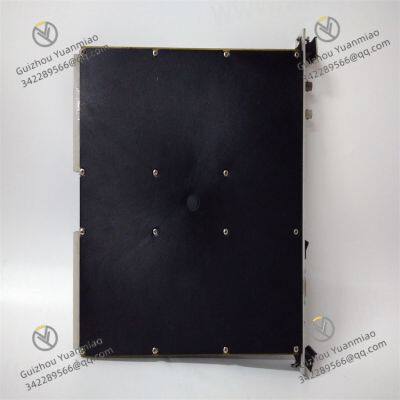
Woodward 5501-470 Controller photo-2
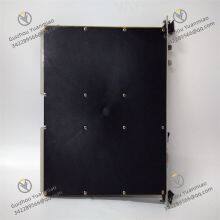
Woodward 5501-470 Controller photo-3
Negotiable MOQ: 1 Piece (Price negotiable depending on order volume and customization)
Key Specifications
Get Latest Price
Material:
Other, Global universal model
Condition:
Other, Global universal model
Task:
Other, Global universal model
Payment & Shipping
Payment Methods:
Port of Shipment:
China
Delivery Detail:
Delivery time depends on order quantity.
Material Other, Global universal model
Condition Other, Global universal model
Task Other, Global universal model
Mathematical Model Other, Global universal model
Signal Other, Global universal model
Customized Non-Customized
Structure Other, Global universal model
Operating Temperature -22 to 158 °F (-30 to 70 °C)
Screen Size 8.4-inch LCD screen
Storage Temperature -22 to 158 °F (-30 to 70 °C)
Woodward 5501-470Functional Features
  • Diversified Control Functions: Equipped with multiple functions such as PID control, motion control, and speed regulation control, enabling precise control of equipment speed, load, or valve position. It also features additional functions like synchronization or deceleration control, high/low speed adjustment, and fuel limitation.

  • Multiple Working Modes: Includes two working modes: isochronous regulation and droop regulation.

    • Isochronous regulation is mainly used for constant speed control, suitable for single-unit operation or collaborative work of multiple prime movers in isolated power grids.

    • Droop regulation provides a more flexible control mode, suitable for load distribution or speed collaborative control during parallel operation of multiple units.

  • Flexible Signal Input: Can set equipment speed or load based on 4-20mA or 1-5V DC computer control signals, providing users with multiple choices to meet different control requirements.

  • Rich Interfaces and I/O: Equipped with communication interfaces for data exchange and integration with other devices and systems (e.g., monitoring systems or upper computers).

    • Two redundant speed inputs accepting magnetic pickups, eddy current probes, or proximity probes.

    • 8 analog inputs configurable for any of twenty-seven functions.

    • 20 contact inputs, among which the first four are defaulted for shutdown, speed setpoint increase, reset, and speed setpoint decrease.

    • Additionally, two 4-20mA control outputs and eight C-type relay contact outputs.

  • Automatic Startup and Protection Functions: Features automatic startup sequences for hot and cold starts, with temperature input options. It also has functions such as critical speed avoidance, peak speed indication for overspeed trip, zero-speed detection, remote droop, frequency deadband, and trip indication with relevant RTC timestamps for trip and alarm events, effectively protecting equipment safety operation.

  • Expandability and Programmability: Usually expandable to add extra I/O points, sensors, and actuators to meet more complex control needs. Meanwhile, users can write custom control logic and programs according to specific application requirements.

  • Operation and Display: The front panel includes an emergency trip key, backspace/delete key, Shift key, as well as View, Mode, ESC, and Home keys, navigation cross key, soft key commands, and four LEDs for associated control and hardware status. The built-in human-machine interface (HMI) has a color LCD screen and soft keys (now equipped with dedicated buttons), enabling direct control of the 5501-470 device, with multi-level password protection to prevent unauthorized changes.

Technical Specifications
  • Analog Input: Adopts 4-20mA channels (with loop power).

  • Electromagnetic Compatibility Immunity: Complies with EN 61000-6-2 standard.

  • Enclosure Type: IACS UR E10 (merchant ship) type.

  • Features: With ATEX, IP-54, and pollution degree 3 characteristics.

  • Input Voltage: Low voltage 18-36VDC isolated.

  • Operating Temperature: -22 to 158 °F (-30 to 70 °C).

  • Screen Size: 8.4-inch LCD screen.

  • Storage Temperature: -22 to 158 °F (-30 to 70 °C).

Application Scope
Widely applicable to equipment such as diesel engines, gas engines, steam turbines, and gas turbines, suitable for multiple fields including industrial power generation, petrochemical, marine power, and aviation, effectively ensuring stable equipment operation within set ranges.

5501-470 (3)

5501-470 (2)

5501-470 (1)

Common Faults and Solutions for Woodward 5501-470I. Hardware Faults
  1. Power Failure
    • Fault Phenomenon: The module fails to power on, the power indicator (Power LED) is off or flashing, and the screen displays nothing.

    • Possible Causes:

      • Abnormal input power voltage (below 18VDC or above 36VDC).

      • Loose, short-circuited, or fused power wiring.

      • Damaged internal power module.

    • Solutions:

      • Use a multimeter to detect input voltage, ensuring it is within 18-36VDC. If voltage is abnormal, check the power supply circuit.

      • Inspect power terminal connections, re-plug or replace cables, and replace fuses (if any).

      • If the power module is damaged, contact the manufacturer to replace or repair the module

  2. Abnormal Input/Output Signals
    • Fault Phenomenon: Analog inputs (e.g., 4-20mA) do not respond, or output signals are unstable, causing abnormal actuator operation.

    • Possible Causes:

      • Poor contact, short circuit, or open circuit in signal cables.

      • Input signals exceed the range (e.g., current exceeds 20mA), triggering module protection.

      • Faulty output drive circuit (e.g., insufficient driving current for electro-hydraulic servo valves).

    • Solutions:

      • Use a multimeter to detect signal cable continuity, reconnect or replace cables, and ensure good shielding grounding.

      • Check the output signals of front-end devices (e.g., PLC/DCS) to eliminate signal source issues.

      • Confirm the faulty channel through module diagnostic functions (e.g., viewing I/O status). If the drive circuit is damaged, replace the module or repair the circuit board

  3. Feedback Abnormality (LVDT/Potentiometer)
    • Fault Phenomenon: Large deviation in actuator position feedback, screen displays "Feedback Error", and closed-loop control fails.

    • Possible Causes:

      • Faulty displacement sensor (LVDT or potentiometer) cables or oxidized connectors.

      • Loose mechanical installation of the sensor, causing inconsistent feedback and actual positions.

      • Damaged sensor itself (e.g., coil short circuit, potentiometer wear).

    • Solutions:

      • Check feedback cable resistance and replace cables or connectors if abnormal.

      • Re-calibrate the sensor installation position to ensure firm mechanical connection.

      • Test sensor output signals with an oscilloscope or multimeter, and replace the sensor if abnormal

II. Functional Faults
  1. Abnormal Control Mode
    • Abnormal Control Mode
      • Clean or replace the key module, and check for cold solder joints in the key circuit.

      • Reconfigure mode parameters through upper computer software (e.g., Woodward ProAct) and unlock permissions.

      • Perform module reset (e.g., long-press the reset key). If ineffective, try firmware upgrade or factory reset.

      • Poor contact or damage to keys (e.g., Mode key, ESC key).

      • Incorrect software configuration parameters, with mode permissions locked.

      • Abnormal microprocessor program (e.g., freeze, logical error).

      • Fault Phenomenon: Inability to switch operation modes (e.g., configuration mode, calibration mode), or functions fail after mode switching.

      • Possible Causes:

      • Solutions:

  2. Failure of Critical Speed Avoidance Function
    • Fault Phenomenon: The equipment fails to avoid critical speed intervals during operation, resulting in excessive vibration or protection trip.

    • Possible Causes:

      • Incorrect setting of critical speed parameters (e.g., three-speed band range).

      • Interference with speed input signals or installation errors of sensors (magnetic probes).

      • Abnormal algorithm logic, failing to trigger speed avoidance strategies.

    • Solutions:

      • Check and reconfigure critical speed parameters to ensure the three-speed band range covers the actual critical interval.

      • Calibrate the speed sensor installation position, test signal waveform stability, and eliminate electromagnetic interference (e.g., install shielded cables).

      • View speed signal processing logs through diagnostic software. If the algorithm is abnormal, contact the manufacturer to update the control program

Product Tags: 5501-470 , 5501-471

Send Inquiry to This Supplier

Message
0/5000
Want the best price? Post an RFQ now!
1Yr
Business Type
Trading Company
Year Established
2014
Factory Size
1,000-3,000 square meters
Product Certifications
SA8000