








 Contact Platform Support
 Help Center
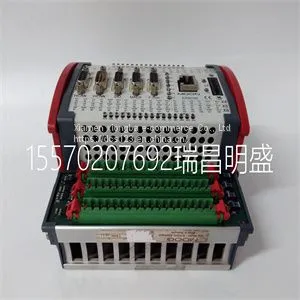
Module Spare Parts D136-001-001




Related Products
-
 Module Spare Parts D136-001-007US$ 1 - 100000MOQ: 1 Piece
 -
Module Spare Parts D138-002-002US$ 1 - 100000MOQ: 1 Piece
-
Module Spare Parts D20 EME 10BASE-TUS$ 1 - 100000MOQ: 1 Piece
-
Module Spare Parts D674A906U01 FET3251COP1B4COH2US$ 1 - 100000MOQ: 1 Piece
-
Module Spare Parts D685A1156U01US$ 1 - 100000MOQ: 1 Piece
Focus on DCS, PLC, robot control system and large servo system.
Main products: various modules / cards, controllers, touch screens, servo drivers.
Advantages: supply of imported original products, professional production parts,
Fast delivery, accurate delivery time,
The main brands include ABB Bailey, Ge / fuanc, Foxboro, Invensys Triconex, Bently, A-B Rockwell, Emerson, ovation, Motorola, xyvom, Honeywell, Rexroth, KUKA, Ni, Deif, Yokogawa, Woodward, Ryan, Schneider, Yaskawa, Moog, prosoft and other brands
| D136-001-001 |
Miscellaneous + Battery Real-time clock battery “U” is indicated shortly before “o”. The control program has been launched and is running. Flashing character. The firmware cannot be started: The memory unit is missing or corrupted. The firmware download from a PC to the control unit is in progress. At the converter power-up, the 7-segment display can show short indications of, for example, “1”, “2”, “b” or “U”. These are normal indications immediately after powering up the converter. If the 7-segment display ends up showing other values than described above after the power-up, it indicates a hardware failure. LED BATT OK When on, the battery voltage of the real time clock is sufficient (higher than 2.8 V). When off, • battery voltage is below 2.8 V, • battery is missing, or • control unit is not powered. PWR OK When on, internal voltage is sufficient. FAULT When on, the control program indicates that the equipment is faulty. See the applicable firmware manual. WRITE When on, writing to the SD card is in progress. Description Installation 15 3 Installation Contents of this chapter This chapter gives information about the installation procedures and the contents of the delivery. Examining the delivery Make sure that these items are included: • control unit with the I/O connectors • memory unit • SD/SDHC flash memory card (inserted in its slot) • real-time clock battery. Make sure that there are no signs of damage to any of the items. Identifying different control unit types Before you install the control unit, make sure that it has the correct control program for the converter hardware in question. The control program is shown on the label attached to the memory unit. Make sure also that the control unit is correct for your equipment configuration. 16 Installation Mechanical installation WARNING! Do not install the control unit adjacent to electromagnetic disturbance sources, such as relays, contactors, brake choppers, power and motor cabling. The minimum recommended distance from such components is 200 mm (7.9 in). ABB recommends to install metallic screening between the control unit and the source of disturbance. This can reduce the required distance. WARNING! Install the control unit so that air can pass freely through the ventilation holes in the housing. Do not install the control unit directly above heatgenerating equipment. You can install the control unit on a vertical or horizontal standard 35 × 7.5/15 mm DIN rail. In vertical direction, you can install the unit either top side or bottom side up. If you install the unit horizontally, the connectors must be downwards and the connector texts the right way up. Leave enough space for cabling, and also for replacing the memory unit and real-time clock battery. See chapter

Send Inquiry to This Supplier


You May Also Like
-
Module Spare Parts DL42N-22US$ 1 - 100000MOQ: 1 Piece
-
Module Spare Parts DS200ADGIH1AAAUS$ 1 - 100000MOQ: 1 Piece
-
Module Spare Parts DS200CTBAG1ADDUS$ 1 - 100000MOQ: 1 Piece
-
Module Spare Parts DS200DCFBG1BGBUS$ 1 - 100000MOQ: 1 Piece
-
Module Spare Parts DS200DCFBG1BJBUS$ 1 - 100000MOQ: 1 Piece
-
Module Spare Parts DS200DCFBG1BKCUS$ 1 - 100000MOQ: 1 Piece
-
Module Spare Parts DS200DCFBG1BLCUS$ 1 - 100000MOQ: 1 Piece
-
Module Spare Parts DS200DCFBG1BNCUS$ 1 - 100000MOQ: 1 Piece
-
Module Spare Parts DS200LDCCH1AGAUS$ 1 - 100000MOQ: 1 Piece
-
Module Spare Parts DS200LDCCH1ANAUS$ 1 - 100000MOQ: 1 Piece


