








 Contact Platform Support
 Help Center
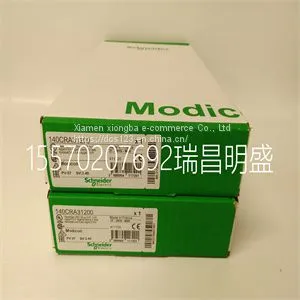
Module Spare Parts 140CRA31200



Related Products
Focus on DCS, PLC, robot control system and large servo system.
Main products: various modules / cards, controllers, touch screens, servo drivers.
Advantages: supply of imported original products, professional production parts,
Fast delivery, accurate delivery time,
The main brands include ABB Bailey, Ge / fuanc, Foxboro, Invensys Triconex, Bently, A-B Rockwell, Emerson, ovation, Motorola, xyvom, Honeywell, Rexroth, KUKA, Ni, Deif, Yokogawa, Woodward, Ryan, Schneider, Yaskawa, Moog, prosoft and other brands
| 140CRA31200 |
The alarm bar gives a visual indication of parameter and technical alarms. The alarm bar includes audio pause, alarm status, and alarm setup. • If there are no current active alarms or previous alarms requiring user acknowledgement, the alarm status shows No Alarms and the alarm bar is green. The alarm list is not available. • If there are active alarms, the alarm status shows the alarm message for the most recent alarm with the highest priority. The alarm bar color shows the priority of the alarm.The alarm list contains a list of all active alarms, as well as previous alarms requiring user acknowledgement. • If the alarm bar is grey, there are no active alarms but a previous alarm requires user acknowledgement. AB.100.056 1 2 3 Figure 8-1 • Alarm bar with no active alarms 1. Audio pause 2. Alarm status 3. Alarm setup CAUTION 8 Alarms and troubleshooting 2065490-001 8-3 AB.100.140 1 2 Figure 8-2 • Alarm count 1. Audio pause timer 2. Active alarm count Adjacent to Alarms is a number that shows how many alarms are in the list. Select the alarm status to show the list of alarm messages. The alarm messages are in the order of when the alarm occurred, with the most recent alarm shown at the top of the list. In addition, each alarm in the list has a timestamp to show when it occurred. When the alarm list is expanded, select the question mark next to an alarm to show details about the alarm. The detailed information gives a description of the cause and what action is necessary to correct the alarm condition. See "List of alarms" for more information. Alarm messages that are grey will show in the list after the condition is corrected and stay until they are viewed in the alarm list. When the list is closed, these messages are removed from the list and are available in the Trend log. Alarm setup Alarm limits and other alarm settings can be adjusted in the Alarm Setup menu. Select Alarm Setup to show the following alarm limits: • Ppeak - Low and High • MVexp - Low and High • VTexp - Low and High • RR - Low and High • EtCO2 - Low and High • EtO2 - Low and High • FiO2 - Low and High • PEEPi High • Paux High • PEEPe - Low and High • Leak Limit High • Apnea Time CARESCAPE™ R860 8-4 2065490-001 • Patient Effort (NIV mode only) • Tdisconnect (NIV mode only) AB.100.078 1 5 3 2 4 6 Figure 8-3 • Alarm setup menu Alarm limits for EtCO2, EtO2, and PEEPi are only available when an airway module with these measurement capabilities is installed. If the patient type is Neonatal, these alarm limits are not shown. Select either the low or high alarm limit, and then use the Trim Knob to adjust the setting. • Alarm setting changes that are not confirmed prior to the end of a timeout period are cancelled. A Super User can set alarm limit defaults. See the "System configuration (Super User) and service" section. . 1. Apnea Time Set Apnea time up to 60 seconds. 2. Alarm Light Brightness Set the brightness level of the alarm light. The range is 1 (low) to 5 (high). 3. Alarm Volume Set the volume of the alarm tone. The range is 1 (low) to 5 (high). 4. High Alert Audio Set the delay time in which a high priority alarm must be resolved or acknowledged before the audio tone pitch and volume increase to the maximum level. The range is 0 to 30 seconds or Off. A general message shows when High Alert Audio is set to off.

Send Inquiry to This Supplier


You May Also Like
-
 Module Spare Parts Schneider 140CPU67160US$ 1 - 100000MOQ: 1 Piece
 -
Module Spare Parts 140CPU31110US$ 1 - 100000MOQ: 1 Piece
-
Module Spare Parts 140CPU43412AUS$ 1 - 100000MOQ: 1 Piece
-
Module Spare Parts 140CPU67160CUS$ 1 - 100000MOQ: 1 Piece
-
Module Spare Parts 140CPU67260US$ 1 - 100000MOQ: 1 Piece
-
Module Spare Parts 1715-OB8DEUS$ 1 - 100000MOQ: 1 Piece
-
Module Spare Parts 1746SC-IN04IUS$ 1 - 100000MOQ: 1 Piece
-
Module Spare Parts 1747-ASBUS$ 1 - 100000MOQ: 1 Piece
-
Module Spare Parts 1747-L552US$ 1 - 100000MOQ: 1 Piece
-
Module Spare Parts 1747-L553US$ 1 - 100000MOQ: 1 Piece


