








 Contact Platform Support
 Help Center

Related Products
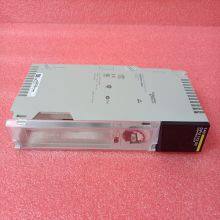
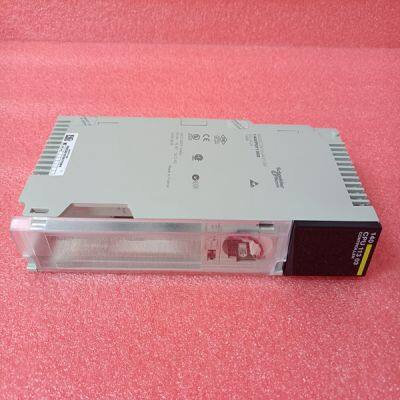
Brand:140PLC
Type:140CPU11303
Origin: the United States
Warranty: 365 days
Colour: new/used
Shipping method: Courier delivery
Spare parts spare parts, the main DCS control system of PLC system and the robot system spare parts,
Brand advantage: Allen Bradley, BentlyNevada, ABB, Emerson Ovation, Honeywell DCS, Rockwell ICS Triplex, FOXBORO, Schneider PLC, GE Fanuc, Motorola, HIMA, TRICONEX, Prosoft etc. Various kinds of imported industrial parts
Specifies the register or digital point address offset within the Modbus slave device. The MBS Master reads or writes from/to this address within the slave. Refer to the documentation of each Modbus slave device for their register and digital point address assignments. Note: The value entered here does not need to include the "Modbus Prefix" addressing scheme. Also, this value is an offset of the zero-based Modbus addressing scheme. MVI69E-MBS ♦ CompactLogix™ Platform Configuring the MVI69E-MBS Using PCB Modbus Serial Enhanced Communication Module User Manual ProSoft Technology, Inc. Page 47 of 159 Example: Using a Modbus Function Code 3 to read from address 40010 in the slave, a value of ‘9’ would be entered in this parameter. The firmware (internally) adds a ‘40001’ offset to the value entered. This is the same for all Modbus addresses (0x, 1x, 3x, 4x). Override Value Upon Error This parameter is only applicable for Enable Codes 3 (Bit/Word Override) or 4 (Float Override). If an error occurs associated to a read command the module automatically populates the associated database area with this override value. 3.2.4 Ethernet 1 This section defines the permanent IP address, Subnet Mask, and Gateway of the module. In the ProSoft Configuration Builder tree view, double-click the ETHERNET 1 icon.
 In the Upload Configuration File dialog box, the CIPConnect path should already be constructed if you have previously downloaded the configuration file from the same PC. If not, click RSWHO, browse to, then select the CompactLogix or MicroLogix 1500-LRP Processor, and click OK.
Click TEST CONNECTION to verify the path is active and can successfully connect to the processor. 4 When ready, click UPLOAD. When upload is complete, click CLOSE.

Send Inquiry to This Supplier


You May Also Like
-
C600/10/1/1/1/00US$ 1215 - 2224MOQ: 1 Piece
-
140CPU67160US$ 1103 - 2013MOQ: 1 Piece
-
ILS1B853S1456US$ 1164 - 2064MOQ: 1 Piece
-
140ACI03000US$ 1165 - 2065MOQ: 1 Piece
-
140ACO13000US$ 1165 - 2065MOQ: 1 Piece
-
140AMM09000US$ 1165 - 2065MOQ: 1 Piece
-
140CHS11000US$ 1165 - 2065MOQ: 1 Piece
-
140CPS11100US$ 1165 - 2065MOQ: 1 Piece
-
140CPS11420US$ 1166 - 2066MOQ: 1 Piece
-
TRICONEX 3481US$ 1167 - 2067MOQ: 1 Piece


