








 Contact Platform Support
 Help Center
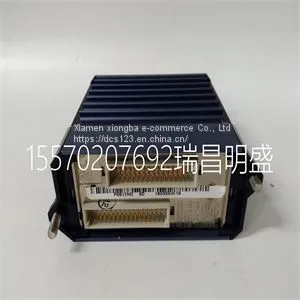
Module Spare Parts FBM223 P0917HD



Related Products
-
 Module Spare Parts FBM230 P0926GUUS$ 1 - 100000MOQ: 1 Piece
 -
Module Spare Parts FBM232 P0926GWUS$ 1 - 100000MOQ: 1 Piece
-
Module Spare Parts FBM233 P0926GXUS$ 1 - 100000MOQ: 1 Piece
-
Module Spare Parts FCP270 P0917YZUS$ 1 - 100000MOQ: 1 Piece
-
Module Spare Parts A4H254-8F8T P0973JPUS$ 1 - 100000MOQ: 1 Piece
Focus on DCS, PLC, robot control system and large servo system.
Main products: various modules / cards, controllers, touch screens, servo drivers.
Advantages: supply of imported original products, professional production parts,
Fast delivery, accurate delivery time,
The main brands include ABB Bailey, Ge / fuanc, Foxboro, Invensys Triconex, Bently, A-B Rockwell, Emerson, ovation, Motorola, xyvom, Honeywell, Rexroth, KUKA, Ni, Deif, Yokogawa, Woodward, Ryan, Schneider, Yaskawa, Moog, prosoft and other brands
| FBM223 P0917HD |
3. If you are installing this switch in a stacked configuration, repeat this procedure for each switch until all switches have been installed in the stack, then proceed to “Connecting Stacking Cables” on page 2‐5. Otherwise, proceed to “Connecting AC Power” on page 2‐9. Connecting Stacking Cables The stack of switches can be connected in a closed loop or daisy chained. In a closed loop all the switches are connected in sequence and the last switch in the stack is connected back to the first switch. In a daisy chain configuration the cable that would return the connection back to the first switch in a closed loop is not installed. The advantage of the closed loop is redundancy, this configuration eliminates any single point of failure. Up to eight switches can be stacked together and connected by standard UTP Category 5 or better cables. The stacking cables allow the entire stack to operate with a single IP address. Figure 2‐4 shows an example of a four‐high stack connected in a closed loop configuration. All STACK DOWN and STACK UP connectors are used in the installation. The stacking cable connections are from the STACK DOWN connector of one switch to the STACK UP connector of the next switch up in the stack. A stacking cable connection from the STACK DOWN connector of the switch at the top of the stack to the STACK UP connector at the bottom of the stack closes the loop. In a daisy chain configuration, one cable connection is not made. 1 Rails of 19-inch rack 2 Mounting screws (customer-supplied) Connecting Stacking Cables 2-6 Installation Figure 2-4 High-Speed Stacking Cable Connections After connecting the cables to the stacking ports, proceed to “Configuring Switches in a Stack” on page 2‐7 for instructions. 1 Category 5 or better UTP cable 4 STACK UP connector at top of stack 2 STACK UP connector 5 STACK DOWN connector at bottom of stack 3 STACK DOWN connector Configuring Switches in a Stack Enterasys A4 Fast Ethernet Switch Hardware Installation Guide 2-7 Configuring Switches in a Stack The information in the following sections is important to understand A4 switch operation and installations in a stack configuration. About A4 Switch Operation in a Stack The A4 switches are stackable switches that can be adapted and scaled to help meet your network needs. These switches provide a management platform and uplink to a network backbone for a stacked group of up to eight A4 switches. Once installed in a stack, the switches behave and perform as a single switch. As such, you can start with a single switch and add more switches as your network expands. You can also mix different products in the A4H family in a single stack to provide a desired combination of port types and functions to match the requirements of individual applications. In all cases, a stack of switches performs as one large product, and is managed as a single network entity. When switches are installed and connected as described in “Connecting Stacking Cables” on page 2‐5, the following occurs during initialization: • The switch that will manage the stack is automatically established and is referred to as the manager switch. • All other switches are established as member switches in the stack. • The hierarchy of the switches that will assume the function of backup manager is also determined in case the current manager malfunctions, is powered down, or is disconnected from the stack. • The Console port on the manager switch remains active for out‐of‐band (local) switch management, but the Console port on each member switch is deactivated. This enables you to set the IP address and system password using a single Console port. Now each switch can be configured locally using only the manager’s Console port, or in‐band using a remote device and the CLI set of commands described in this section. For procedures used for various types of connections to the Console port, refer to “Connecting to the Console Port for Local Management” on page 2‐20. Once a stack is created (more than one switch is interconnected), the following occurs: 1. Switch (unit) IDs are arbitrarily assigned on a first‐come, first‐served basis. 2. Switch IDs are saved against each module. Then, every time a switch is power‐cycled, it will initialize with the same switch ID. This is important for port‐specific information (for example: fe.4.12 is the 12th Fast Ethernet port on switch number 4). 3. The management election process uses the following precedence to assign a manager switch: a. Previously assigned/elected manager switch b. Management assigned priority (values 1–15) c. Hardware preference level d. Highest MAC Address Note: You can stack an A4H model switch only with other A4H model switches. You cannot stack an A4H model switch with switches that are not A4H model switches. That is, A4 switches do NOT stack with A2 switches.

Send Inquiry to This Supplier


You May Also Like
-
Module Spare Parts ACU-01B 3HNA024871-00102US$ 1 - 100000MOQ: 1 Piece
-
Module Spare Parts FBM212 P0914XLUS$ 1 - 100000MOQ: 1 Piece
-
Module Spare Parts FBM215 P0917TQUS$ 1 - 100000MOQ: 1 Piece
-
Module Spare Parts FBM216B P0927AJUS$ 1 - 100000MOQ: 1 Piece
-
Module Spare Parts FBM219 P0916RHUS$ 1 - 100000MOQ: 1 Piece
-
Module Spare Parts FC-TSAI-1620MUS$ 1 - 100000MOQ: 1 Piece
-
Module Spare Parts FI820F 3BDH000031R1US$ 1 - 100000MOQ: 1 Piece
-
Module Spare Parts FI830F 3BDH000032R1US$ 1 - 100000MOQ: 1 Piece
-
Module Spare Parts FLN3524AUS$ 1 - 100000MOQ: 1 Piece
-
Module Spare Parts FLN4234AUS$ 1 - 100000MOQ: 1 Piece


