








 Contact Platform Support
 Help Center
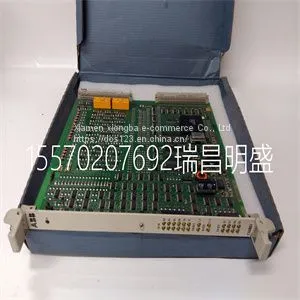
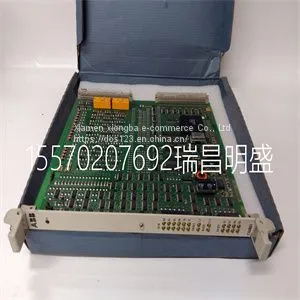
Module Spare Parts 216DB61 HESG324063R0100 HESG216882A



Related Products
-
 Module Spare Parts 216EA61b HESG324015R1 KHESG324258R3I HESG448230R1US$ 1 - 100000MOQ: 1 Piece
 -
Module Spare Parts 8115-DO-DCUS$ 1 - 100000MOQ: 1 Piece
-
Module Spare Parts 8121-DI-DCUS$ 1 - 100000MOQ: 1 Piece
-
Module Spare Parts 8502-BI-DPUS$ 1 - 100000MOQ: 1 Piece
-
Module Spare Parts 8521-TC-SAUS$ 1 - 100000MOQ: 1 Piece
Focus on DCS, PLC, robot control system and large servo system.
Main products: various modules / cards, controllers, touch screens, servo drivers.
Advantages: supply of imported original products, professional production parts,
Fast delivery, accurate delivery time,
The main brands include ABB Bailey, Ge / fuanc, Foxboro, Invensys Triconex, Bently, A-B Rockwell, Emerson, ovation, Motorola, xyvom, Honeywell, Rexroth, KUKA, Ni, Deif, Yokogawa, Woodward, Ryan, Schneider, Yaskawa, Moog, prosoft and other brands
| 216DB61 HESG324063R0100 HESG216882A |
On the Waveform Settings menu, waveform curves and loops can be set to Fast or Slow. The Fast setting travels at twice the speed of Slow. Waveform color On the Waveform Settings menu, measured data can be set to show as one of the following colors: • White • Green • Red • Yellow • Blue Waveform and spirometry loop scaling The range of values shown for each waveform can be set automatically or manually. • Auto: The system scales the waveform to include the full range of the waveform curves or loop. The system continuously adjusts the scale as data is collected. • Manual: Adjust the scaling controls to increase or decrease the scale of the waveform. Manual adjustments to waveform scaling can be made when scaling is set to Auto. When a manual adjustment is made, the scaling setting changes to Manual. Paw, Flow, and Volume scaling settings are available in both the Waveform Settings and Spirometry Settings menus. When set in either menu, they apply to both waveforms and spirometry loops. Spirometry settings Configure spirometry loops On the Spirometry Settings menu, the Splitscreen view can be customized to display up to two spirometry loops or sets of measured data with data specified in the following table. Wave Field Options Fields 1 and 2 P-V F-V P-F Spirometry Note 9 Patient monitoring 2065490-001 9-7 Wave Field Options Mech/Spont Per Weight Pulmonary Breath Timing Gases Metabolics Configure splitscreen view On the Spirometry Settings menu, the Splitscreen view can be customized to display a spirometry loop or sets of measured data with data specified in the following table. Wave Field Options Fields 1 and 2 P-V F-V P-F Gases Pulmonary Mech/Spont Per Weight Metabolics Spirometry Breath Timing Reading waveforms Waveforms are dynamic illustrations of patient respiratory data received by the ventilator, airway module, or neonatal flow sensor. • The Y-axis represents the range of values for the data shown. • The X-axis represents time. Waveform curves show data collected during the breath cycle. As the ventilator or patient initiates a breath, a waveform curve appears on the graph. In the following figure, the periods between breaths show a lack of flow as the system maintains the set PEEP leve

Send Inquiry to This Supplier


You May Also Like
-
Module Spare Parts 8937-HNUS$ 1 - 100000MOQ: 1 Piece
-
Module Spare Parts 97590-8 BD-PCI4PORTUS$ 1 - 100000MOQ: 1 Piece
-
Module Spare Parts 9907-018US$ 1 - 100000MOQ: 1 Piece
-
Module Spare Parts 9907-1200US$ 1 - 100000MOQ: 1 Piece
-
Module Spare Parts DS200TCEBG1ACEUS$ 1 - 100000MOQ: 1 Piece
-
Module Spare Parts DS200TCQCG1BGFUS$ 1 - 100000MOQ: 1 Piece
-
Module Spare Parts DS200TCTGG1AFFUS$ 1 - 100000MOQ: 1 Piece
-
Module Spare Parts DS215KLDBG1AZZ03A DS200KLDBG1ABCUS$ 1 - 100000MOQ: 1 Piece
-
Module Spare Parts DSAI130 57120001-P5US$ 1 - 100000MOQ: 1 Piece
-
Module Spare Parts DSDP150 57160001-GFUS$ 1 - 100000MOQ: 1 Piece


