








 Contact Platform Support
 Help Center
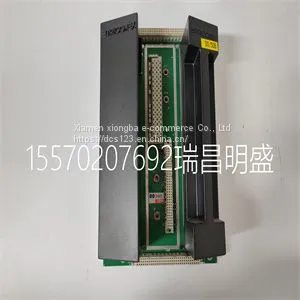
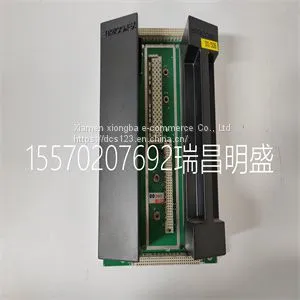
Module Spare Parts TRICONEX 2401



Related Products
-
 Module Spare Parts TRICONEX 2481US$ 1 - 100000MOQ: 1 Piece
 -
Module Spare Parts TRICONEX 3101US$ 1 - 100000MOQ: 1 Piece
-
Module Spare Parts TRICONEX 3201US$ 1 - 100000MOQ: 1 Piece
-
Module Spare Parts TRICONEX 3301US$ 1 - 100000MOQ: 1 Piece
-
Module Spare Parts TRICONEX 3351US$ 1 - 100000MOQ: 1 Piece
Focus on DCS, PLC, robot control system and large servo system.
Main products: various modules / cards, controllers, touch screens, servo drivers.
Advantages: supply of imported original products, professional production parts,
Fast delivery, accurate delivery time,
The main brands include ABB Bailey, Ge / fuanc, Foxboro, Invensys Triconex, Bently, A-B Rockwell, Emerson, ovation, Motorola, xyvom, Honeywell, Rexroth, KUKA, Ni, Deif, Yokogawa, Woodward, Ryan, Schneider, Yaskawa, Moog, prosoft and other brands
| TRICONEX 2401 |
Developing an Application Using LabVIEW This section describes in more detail the steps shown in the typical program flowchart in Figure 5-1, such as how to create a task in LabVIEW and configure the channels of the SCXI-1141/1142/1143. If you need more information or for further instructions, select Help»VI, Function, & How-To Help from the LabVIEW menu bar. Note Except where otherwise stated, the VIs in Table 5-6 are located on the Functions» All Functions»NI Measurements»DAQmx - Data Acquisition subpalette and accompanying subpalettes in LabVIEW. Chapter 5 Using the SCXI-1141/1142/1143 Module SCXI-1141/1142/1143 User Manual 5-8 Table 5-6. Programming a Task in LabVIEW Flowchart Step VI or Program Step Create Task in DAQ Assistant Create a DAQmx Task Name Control located on the Controls»All Controls»I/O»DAQmx Name Controls subpalette, right-click it, and select New Task (DAQ Assistant). Create a Task Programmatically (optional) DAQmx Create Task.vi located on the Functions» All Functions»NI Measurements»DAQmx - Data Acquisition»DAQmx Advanced Task Options subpalette—This VI is optional if you created and configured the task using the DAQ Assistant. However, if you use it in LabVIEW, any changes you make to the task are not saved to a task in MAX. Create Virtual Channel(s) DAQMX Create Virtual Channel.vi located on the Functions»All Functions»NI Measurements»DAQmx - Data Acquisition subpalette—Use this VI to add virtual channels to the task. Select the type of virtual channel based on the measurement you plan to perform. Adjust Timing Settings (optional) DAQmx Timing.vi (Sample Clock by default)—This VI is optional if you created and configured the task using the DAQ Assistant. Any timing settings modified with this VI are not saved in the DAQ Assistant. They are only available for the present session. Configure Channels (optional) NI-DAQmx Channel Property Node, refer to the Using a NI-DAQmx Channel Property Node in LabVIEW section for more information. This step is optional if you created and fully configured the channels using the DAQ Assistant. Any channel modifications ma

Send Inquiry to This Supplier


You May Also Like
-
Module Spare Parts TRICONEX 3401US$ 1 - 100000MOQ: 1 Piece
-
Module Spare Parts TRICONEX 3481US$ 1 - 100000MOQ: 1 Piece
-
Module Spare Parts TRICONEX 3511US$ 1 - 100000MOQ: 1 Piece
-
Module Spare Parts TRICONEX 3625C1US$ 1 - 100000MOQ: 1 Piece
-
Module Spare Parts TRICONEX 3721US$ 1 - 100000MOQ: 1 Piece
-
Module Spare Parts TRICONEX 4351BUS$ 1 - 100000MOQ: 1 Piece
-
Module Spare Parts TRICONEX 8312US$ 1 - 100000MOQ: 1 Piece
-
Module Spare Parts TRICONEX EPI3382US$ 1 - 100000MOQ: 1 Piece
-
Module Spare Parts TRICONEX AO3481 3481US$ 1 - 100000MOQ: 1 Piece
-
Module Spare Parts TSXSCP114US$ 1 - 100000MOQ: 1 Piece


