








 Contact Platform Support
 Help Center
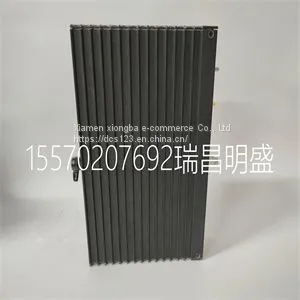
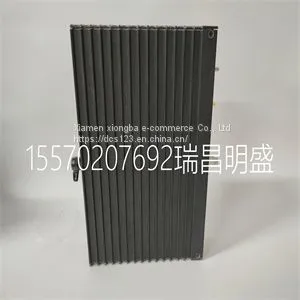
Module Spare Parts TRICONEX 3101



Related Products
-
 Module Spare Parts TRICONEX 3201US$ 1 - 100000MOQ: 1 Piece
 -
Module Spare Parts TRICONEX 3301US$ 1 - 100000MOQ: 1 Piece
-
Module Spare Parts TRICONEX 3351US$ 1 - 100000MOQ: 1 Piece
-
Module Spare Parts TRICONEX 3401US$ 1 - 100000MOQ: 1 Piece
-
Module Spare Parts TRICONEX 3481US$ 1 - 100000MOQ: 1 Piece
Focus on DCS, PLC, robot control system and large servo system.
Main products: various modules / cards, controllers, touch screens, servo drivers.
Advantages: supply of imported original products, professional production parts,
Fast delivery, accurate delivery time,
The main brands include ABB Bailey, Ge / fuanc, Foxboro, Invensys Triconex, Bently, A-B Rockwell, Emerson, ovation, Motorola, xyvom, Honeywell, Rexroth, KUKA, Ni, Deif, Yokogawa, Woodward, Ryan, Schneider, Yaskawa, Moog, prosoft and other brands
| TRICONEX 3101 |
• single device identifier/channel number—for example SC1Mod1/ch0 • multiple, noncontinuous channels—for example SC1Mod1/ch0, SC1Mod1/ch4. • multiple continuous channels—for example SC1Mod1/ch0:4 (channels 0 through 4) When you have a task containing SCXI-1141/1142/1143 channels, you can set the properties of the channels programmatically using the DAQmx Channel Property Node. Text Based ADEs You can use text based ADEs such as LabWindows/CVI, Measurement Studio, Visual Basic 6, .NET, and C# to create code for using the SCXI-1141/1142/1143. Chapter 5 Using the SCXI-1141/1142/1143 Module © National Instruments Corporation 5-11 SCXI-1141/1142/1143 User Manual LabWindows/CVI LabWindows/CVI works with the DAQ Assistant in MAX to generate code for an voltage measurement task. You can then use the appropriate function call to modify the task. To create a configurable channel or task in LabWindows/CVI, complete the following steps: 1. Launch LabWindows/CVI. 2. Open a new or existing project. 3. From the menu bar, select Tools»Create/Edit DAQmx Tasks. 4. Choose Create New Task In MAX or Create New Task In Project to load the DAQ Assistant. 5. The DAQ Assistant creates the code for the task based on the parameters you define in MAX and the device defaults. To change a property of the channel programmatically, use the DAQmxSetChanAttribute function. Note Refer to the NI LabWindows/CVI Help for more information on creating NI-DAQmx tasks in LabWindows/CVI and NI-DAQmx property information. Measurement Studio (Visual Basic 6, .NET, and C#) When creating an voltage measurement task in Visual Basic 6, .NET and C#, follow the general programming flow in Figure 5-1. You can then use the appropriate function calls to modify the task. This example creates a new task and configures an NI-DAQmx voltage measurement channel on the SCXI-1141/1142/1143. You can use the same functions for Visual Basic 6, .NET and C#.

Send Inquiry to This Supplier


You May Also Like
-
Module Spare Parts TRICONEX 3511US$ 1 - 100000MOQ: 1 Piece
-
Module Spare Parts TRICONEX 3625C1US$ 1 - 100000MOQ: 1 Piece
-
Module Spare Parts TRICONEX 3721US$ 1 - 100000MOQ: 1 Piece
-
Module Spare Parts TRICONEX 4351BUS$ 1 - 100000MOQ: 1 Piece
-
Module Spare Parts TRICONEX 8312US$ 1 - 100000MOQ: 1 Piece
-
Module Spare Parts TRICONEX EPI3382US$ 1 - 100000MOQ: 1 Piece
-
Module Spare Parts TRICONEX AO3481 3481US$ 1 - 100000MOQ: 1 Piece
-
Module Spare Parts TSXSCP114US$ 1 - 100000MOQ: 1 Piece
-
Module Spare Parts AI3351US$ 1 - 100000MOQ: 1 Piece
-
Module Spare Parts AIP830US$ 1 - 100000MOQ: 1 Piece


