








 Contact Platform Support
 Help Center
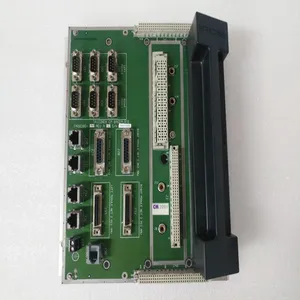
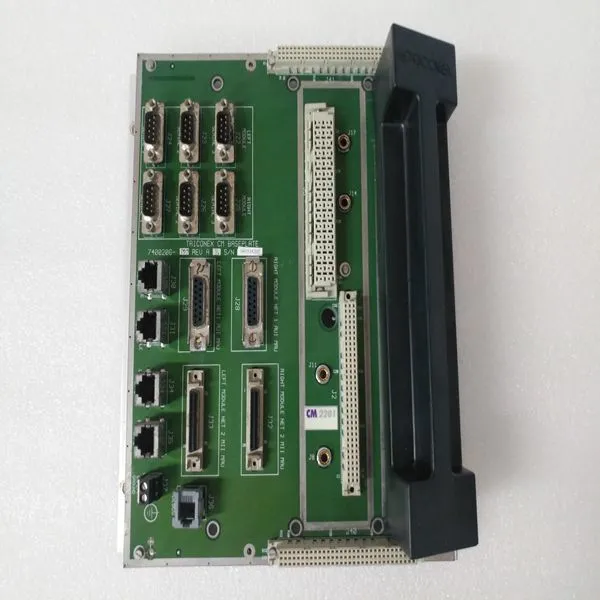
TRICONEX 2201


Related Products
Brand:TRICONEX
Type:2201
Origin: the United States
Warranty: 365 days
Colour: new/used
Shipping method: Courier delivery
Module of PLC, DCS, ESD system card, the card is a vibration monitoring system, steam turbine control system module, the advantages of the gas generator spare parts brand: Allen Bradley, BentlyNevada, ABB, Emerson Ovation, Honeywell DCS, Rockwell ICS Triplex, FOXBORO, Schneider PLC, GE Fanuc, Motorola, HIMA, TRICONEX, Prosoft etc. Various kinds of imported industrial parts
Our main products are widely used in metallurgy, petroleum, glass, aluminum manufacturing, petrochemical industry, coal mine, papermaking, printing, textile printing and dyeing, mechanical, electronic manufacturing, automobile manufacturing, plastic machinery, electric power, water conservancy, water treatment/environmental protection, boiler heating, energy, power transmission and distribution and so on.
Select Extr/Adm Priority Contact In (active at all times, if programmed) Local / Remote Modbus Command (active at all times, if Modbus programmed) Trip Command Modbus Command (active at all times, if Modbus programmed) When the Remote mode is selected the 505E can be operated through its front panel, contact inputs, and/or all Modbus commands. When using a contact input to select between Local and Remote modes, a closed contact input selects the Remote mode and an open contact input selects the Local mode. Optionally a relay can be programmed to indicate when Local mode is selected (energizes when the Local mode is selected). There is also indication of the Local / Remote mode selection through Modbus (address is true when the Remote mode is selected and false when the Local mode is selected). The 505E is defaulted to only allow control operation though its front panel when the Local mode is selected. If desired, this defaulted functionality can be changed through the 505E’s Service mode. The 505E can be modified to also allow operation through contacts inputs, or Modbus port #1 or Modbus port #2 when the Local mode is selected. All pertinent local/remote control parameters are available through the Modbus links. See Chapter 6 for a complete listing of Modbus parameters. Function Keys Function keys F3 & F4 are located on the 505E’s front panel. They can be programmed independently to function as a control panel switch. These keys allow functions to be enabled and disabled from the 505E’s front panel, without requiring the use of an external switch. The following is a list of the programmable options for the function keys: Local / Remote Cascade Enable Idle / Rated Remote Cascade Setpoint Enable Halt Continue Auto Start Seq Auxiliary Enable Remote Speed Setpoint Enable Remote Auxiliary Setpoint Enable Sync Enable Relay Output Frequency Control Arm / Disarm Select Extr/Adm Priority Extr/Adm Control Enable Remote Extr/Adm Setpt Enable A two step process is required to enable or disable any function. Pressing a programmed function key will cause the 505E’s service panel to display the current state of the function and prompt the operator to press the YES or NO keys to enable or disable the function. A function’s prompt will change depending on the state of the function at that time.
 As an example, if the F3 key is programmed to allow an operator to enable and disable the 505E’s Remote Speed Setpoint, when the F3 key is pressed a (Push Yes to Enable / Rmt Spd Setpt Disabled) message will appear on the front panel display. Pressing YES will enable the Remote Speed Setpoint function and the message will change to (Push No to Disable / Rmt Spd Setpt In Control).

Send Inquiry to This Supplier


You May Also Like
-
TRICONEX 3101US$ 1051 - 2270MOQ: 1 Piece
-
TRICONEX 3201US$ 1051 - 2270MOQ: 1 Piece
-
TRICONEX 3301US$ 1051 - 2270MOQ: 1 Piece
-
TRICONEX 3351US$ 1052 - 2271MOQ: 1 Piece
-
TRICONEX 3381US$ 1052 - 2271MOQ: 1 Piece
-
TRICONEX 3401US$ 1052 - 2271MOQ: 1 Piece
-
TRICONEX 4351BUS$ 1068 - 2059MOQ: 1 Piece
-
TRICONEX 3664US$ 1072 - 2063MOQ: 1 Piece
-
TRICONEX 8111US$ 1076 - 2067MOQ: 1 Piece
-
TRICONEX 3625AUS$ 1080 - 20701MOQ: 1 Piece


