








 Contact Platform Support
 Help Center
Home > Auto, Motorcycle Parts & Accessories > Car Light & Auto Mirror > Headlight > UNIVERSAL 6292C SMTpart
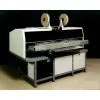
UNIVERSAL 6292C SMTpart
Negotiable
MOQ: 1 Pole (Price negotiable depending on order volume and customization)
Key Specifications
Get Latest Price
Business Type:
Trading Company
Total Employees:
101 - 200 People
Main Markets:
North America, South America, Eastern Europe
Payment & Shipping
Payment Methods:


Port of Shipment:
China
Delivery Detail:
7 days
Related Products
| . | |||||||
| Two locations selected for a board. | |||||||
| . | |||||||
| Two Insertions selected for a circuit. | |||||||
| . | |||||||
| Two locations selected for a circuit. | |||||||
| 5. Save the product. | |||||||
| Change Correction Locations | |||||||
| To change an existing correction location: | |||||||
| 1 | |||||||
| Use the right trackball (mouse) button to select the Circuit or Board Error Correction step to be edited. A pop-up menu is displayed. | |||||||
| 2 | |||||||
| Select Edit from the pop-up menu. The Board (or Circuit) Error Correction dialog box is displayed. The current correction locations are displayed in the Error Correction list box. | |||||||
| In the example, step 1 uses r1 [diode-axial] in circuits 1, 3, and 4. | |||||||
| 3 | |||||||
| From the Error Correction list box, select the location(s) to be edited. | |||||||
| 4 | |||||||
| Select Remove to delete the location from the list box. | |||||||
| 5 | |||||||
| Select another insertion or enter position coordinates and select Add . | |||||||
| 6 | |||||||
| Select OK . The new information is now displayed in the selected Board (or Circuit) Error Correction step. | |||||||
| In the example, step one now uses r1 [diode-axial] in | |||||||
| circuits 1, 4, and 2. | |||||||
| Auto Miss Mark (dual head machines only) | |||||||
| Use the Auto Miss Mark (AMM) option to define a location on a board or circuit for a stamp mark that indicates that a misinsertion has occurred. The stamp is visible to an inspector indicating that the board is not complete. | |||||||
| Considerations: | |||||||
| . | |||||||
| #NAME? | |||||||
| - | |||||||
| Define for Offset Circuits checkbox selected: An AMM location can be defined for the circuit. The location is then automatically defined for each associated offset. | |||||||
| Define for Offset Circuits checkbox cleared: An AMM location can be defined for the selected circuit. Locations are not defined for associated circuits. | |||||||
| -Offset selected: An AMM location can be defined for the selected offset only. Use this option to stamp the board in a specific place for each circuit (or offset). For example, a specific location on the border of the board can be defined for each circuit | |||||||
| Different AMM locations can be defined by repeating the process and selecting a different offset each time. | |||||||
| Prerequisite: The AMM Pattern Step checkbox in the Auto Miss Marker dialog box must be selected. Refer to the Machine Configuration module for details. | |||||||
| To define an auto miss mark location: | |||||||
| 1 | |||||||
| Special Steps > Add > Auto Miss Mark | |||||||
| The Select Automatic Miss-Mark Circuit dialog box is displayed. | |||||||
| 2 | |||||||
| Select the Board or Circuit to which an auto miss mark locations is to be defined and select OK. | |||||||
| The Automatic Miss-Mark dialog box is displayed. |

Send Inquiry to This Supplier

* Email
Want the best price?
Post an RFQ now!
Business Type
Trading Company
Total Employees
101 - 200 People
Main Markets
North America, South America, Eastern Europe
Location
Baoji, Shaanxi, China
You May Also Like
-
 New Energy Avita Auto PartsUS$ 1MOQ: 1 Box
 -
FRP Auto PartsNegotiableMOQ: 2 Pieces
-
JAC JMC YUEJIN FOTON DONGFENG SHACMAN AUTO PARTNegotiableMOQ: 1 Set
-
Brand New Genuine HID Xenon 85122 for ToyotaNegotiableMOQ: 10 Pieces
-
2014 Hot Sale 12V 35W Car Hid Off-road LightUS$ 2 - 50MOQ: 200 Units
-
Hot Sale Products T10 5w5 Car Led Auto Bulb T10 W5w Led Bulb 5050US$ 0.8 - 1MOQ: 20 Pieces
-
Truck Trailer E-MARK Universal Tail Lamp RH no Number PlateNegotiableMOQ: 20 Pieces
-
Auto Tail Light for VW Car Replacement 211945241US$ 5 - 10MOQ: 500 Pieces
-
Dongfeng Kinland Front Left Combinatory Lamp3772020-C0100US$ 1 - 50MOQ: 1 Set
-
Flash Car LED Wheel Lights, Solar Energy LED Light, LED Wheel Work LightNegotiableMOQ: 20 Pieces


