








 Contact Platform Support
 Help Center
Voxlink 1080p 50m Wireless HDMI 1.4V Extender 50M


Related Products
-
 Voxlink NEW 1080P 20Km HDMI 1.3V Extender Over FiberUS$ 95 - 130MOQ: 10 Pieces
 -
Voxlink 50m 3D 1080P HDMI 1.4V Extender Over Cat5 Cat6 With Loop-outover/IR/EDIDUS$ 18 - 30MOQ: 10 Pieces
-
VOXLINK 120m HD HDMI 1.3V Matrix Extender Converter Over IP Ethernet(Support Multipoint to Multipoint IR )US$ 36 - 50MOQ: 10 Pieces
-
China Market of Electronic HDMI to CVBS and HDMI Converter Box, av to Hdmi ConverterUS$ 38.98 - 42.89MOQ: 10 Pieces
-
VGA to HDMI Converter Supporting 1080PVGA Adapter / VGA to HDMI Converter / PC to TV, Professional VGA to HDMI ConverterUS$ 15 - 25MOQ: 100 Pieces
Voxlink 1080p 50m Wireless HDMI 1.4V Extender 50M
Introduction
This HDMI Wireless extender uses 5G technology which enables high-speed, high performance wireless communication among consumer electronics, computer and mobile devices.
It combines high bandwidth capacity to robust error-correction ,to deliver uncompressed HD video, multi-channel surround sound.
It can go through the wall, and the transmitting distance of wireless can be up to 50m in the open area.
Features
l Support HDMI 1.4a version
l Support HDCP1.3
l Wireless conform to IEEE802.15.4 and IEEE802.11
l Support input & output the highest resolution up to 1920x1080/60Hz
l Support transmitter the highest resolution up to 720P/60Hz
l Support the highest rate 1.485G and TMDS clock up to 148.5Mhz
l Working in 5G frequency band, it is not easy to be interfered by Wireless signals
l The longest distance can be 50m (Under the condition of open area)
l 5V/1.5A power adaptor
Specifications:
HDMI version …………………………………………………....…………….. HDMI 1.4a
HDMI resolution ………………………………....….…….…......…up to 1920x1080/60Hz
Support audio format……...............….….DTS-HD/Dolby-trueHD/DTS/Dolby-AC3/DSD
Max bandwidth……………………………..…………………………….....…….148.5MHz
Max baud rate……………….…….…….…..………….....……………………..1.485Gbps
Input cable distance….…….….. (1080p resolution) ≤8m AWG26 HDMI standard cable
Output cable distance.……….…(1080p resolution) ≤8m AWG26 HDMI standard cable
Transmitter Max working current………………………………………...……….....850mA
Receiver Max working current………………………………...………………….....450mA
Power adapter format……..….input AC (50Hz, 60Hz) 100V-240V; output: DC5V/1.5A
Operating Temperature range………………………...……………………(-15℃ to +55℃)
Dimension (L x W x H)………………..............…………………......…….136x78x23 (mm)
Weight…….…..………………………………………………..…….……………………115g
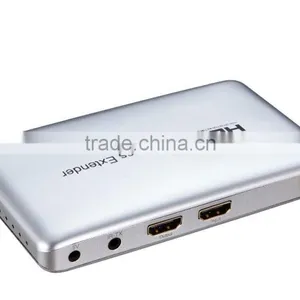
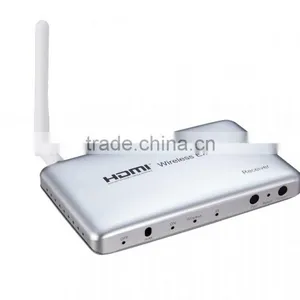
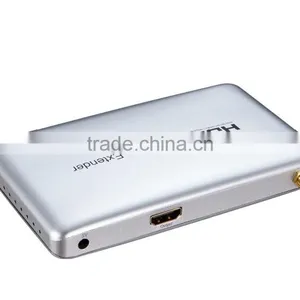
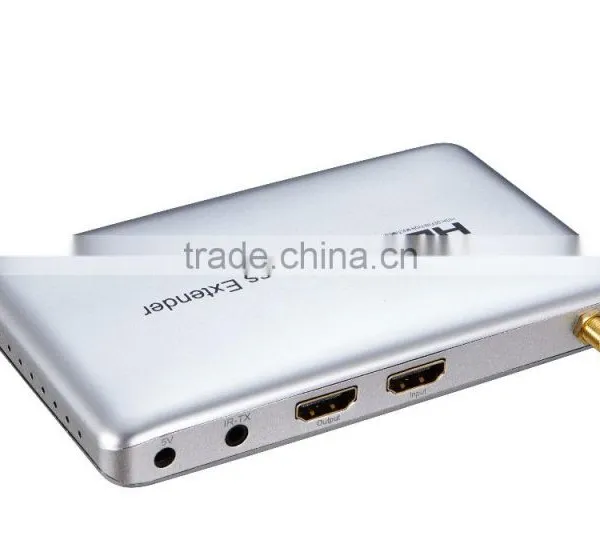
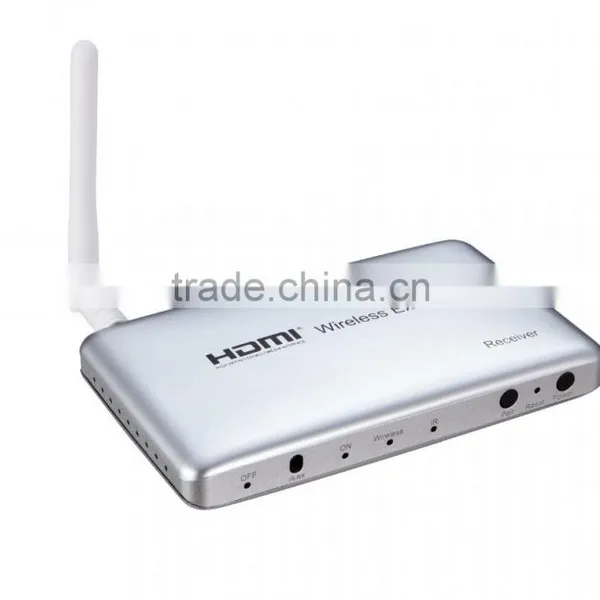
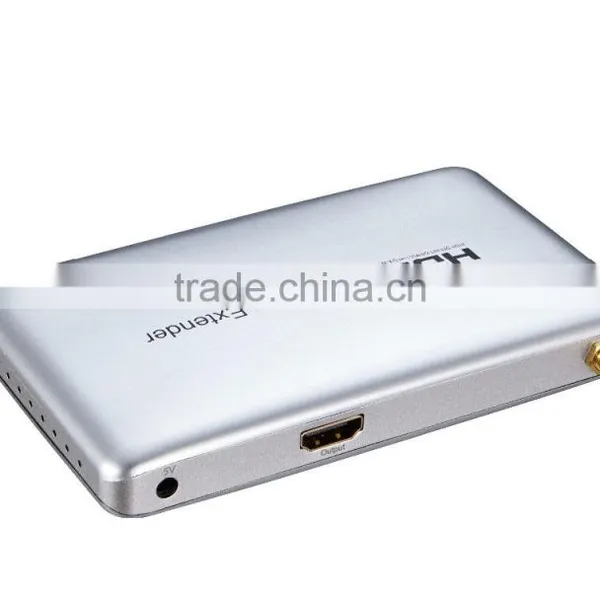
Product picture:
Product interface picture:
Connection and Operation:
1: Connect the HD source to the input of the wireless extender TX with 1 HDMI cable
2. Connect the output of the wireless extender TX to the source with 1 HDMI cable
3: Connect the output of the wireless extender RX to the display with 1 HDMI cable
4: Connect 5V/1.5A power adapter to the TX and RX.
The code:
The transmitter and the receiver extender have matched well in the factory, But if the user needs to match again (ex: the matched well transmitter or receiver needs to match other receiver or transmitter)
Please follow the steps:
1. TX: Connect the power supply in shutdown mode, hold down the code button and then press the power button again; OFF indicator light is off, ON indicator light is on.
2. RX: Connect the power supply in shutdown mode, hold down the code button and then press the power button again; OFF indicator light is off, ON indicator light is on.
3. When the “ON”light of TX and the RX and Wireless light are on, the code is successful;
Firstly release the power button and then release the code button.
When the "OFF" is on,the whole process of code is over. After the reboot, it can be used.
Instruction:
1. Bright “OFF” shows shutdown, and Bright “ON” shows working state.
2. When Wireless is flashing , it is transmitting or receiving HDMI Wireless signal; When the IR is flashing, it has received the infrared signal (the signal of remote control).
3. “Pair” is code button, “Reset” is Reset button ( Please use tiny hard objects to touch button, such as a toothpick) ,after the HDMI Extender is reset, "OFF" light is on .
4. "Power" is switch button, when it works state ,press "Power ",after the "ON" indicator is bright, and the extender will work; When it is shutdown, press "Power " ( above 3S ),the "OFF" indicator is off, and the extender will be shutdown.
Package include :
1. TX & RX
2. IR TX HDMI cable
3. Power adapter
4. User manual
MCAP0002
1.we offer various options including DHL,TNT ,UPS,EMS,FEDEX etc,and it would be beneficial for large orders by sea.
2.If you have a shipping account or shipping forward,it could be better,but if you don't have,then we can help you to choose the best way to ship the goods.
OEM/ODM:
· Your Brand--OEM logo and custom Packing (4 color printing box, blister) will be no problem
· Your pantone color --no problem, MOQ 1000pcs
· Usually MOQ--500pcs, please ask us if we have order of other client, MOQ can be less, like 100,200pcs
Warranty & After-sale service:
· all of our products give 1 year warranty
· man-made destroy will be exception
· After the warrantee time, if we still in cooperation, we will give cost repairrment if still can repair.
· for reducing the cost of our customers, we can supply the materials or tech support to them, help them fix the problems in their hands
How could I get samples?
We can provide samples if you have?a Fedex or DHL account or other courier freight collectable account and agree?to pay the courier freight.or,you send us the samples charge together with the courier cost by T/T.
How much the courier freight will be for the samples?
Courier freight depends on the quantity, weight and carton size and your area.
How can I get your price list?
Please send us your email or fax for our price list and order information.
Can we have our logo or company name to be printed on your products or the package?
Yes, you can. We can print your Logo and company name etc in our products by silk screen printing according to your artwork design, and the minimum quantity for silk screen printing is 2000 units per logo. You can send us the artwork by email in JPG, TIF, AI, EPS, TIFF or CorelDraw formats.
What's your usual payment term for orders?
We accept terms of T/T in advance or L/C at sight, and T/T preferable under US$20,000.

Send Inquiry to This Supplier

You May Also Like
-
Audio Video CableNegotiableMOQ: 2400 Pieces
-
AV Cable for WiiNegotiableMOQ: 10 Pieces
-
2015 New Arrival Wireless Usb Transmitter Receiver Bluetooth TransmitterUS$ 11.5 - 15MOQ: 1000 Pieces
-
Wifi Music Receiver Wireless Usb Stereo Audio Transmitter Receiver Bluetooth Music Receiver For Smart Phone MP3 MP4 PCUS$ 5.3 - 5.3MOQ: 100 Units
-
HDMI Cable VK2-0022US$ 2.5 - 5.5MOQ: 1000 Pieces
-
Trolley Speaker With USB/SDUS$ 49 - 51MOQ: 20 Sets
-
Video Wall ControllerUS$ 100 - 250MOQ: 2 Sets
-
DIN Cable Assembly 8-pin Mini DIN Plug to 4 x RCA Jack and 3.5 Stereo PlugUS$ 1.5 - 2MOQ: 500 Pieces
-
EL Flashing Audio LineUS$ 7.5 - 10MOQ: 500 Pieces
-
5 PINs JACK/RCA JACK PlugUS$ 0.01 - 0.05MOQ: 1000 Pieces


