








 Contact Platform Support
 Help Center
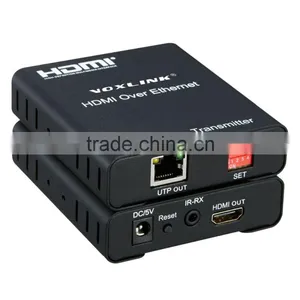
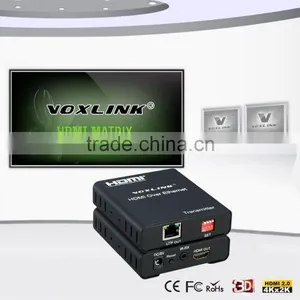
VOXLINK 120m HD HDMI 1.3V Matrix Extender Converter Over IP Ethernet(Support Multipoint to Multipoint IR )





Related Products
-
 China Market of Electronic HDMI to CVBS and HDMI Converter Box, av to Hdmi ConverterUS$ 38.98 - 42.89MOQ: 10 Pieces
 -
VGA to HDMI Converter Supporting 1080PVGA Adapter / VGA to HDMI Converter / PC to TV, Professional VGA to HDMI ConverterUS$ 15 - 25MOQ: 100 Pieces
-
1.8m 6ft Nylon HDMI Cable V1.3US$ 0.98 - 1.36MOQ: 10 Pieces
-
New Arrival 1x2 VOXLINK 4K HDMI Splitter UL For HDMI 1.4,HDCP1.4 ,4K,IR Extension, EDID Management, RS232US$ 18 - 20MOQ: 10 Pieces
-
Humanized Desigh Best Quality VOXLINK 4K 1x2 HDMI Splitter USUS$ 18 - 20MOQ: 10 Pieces
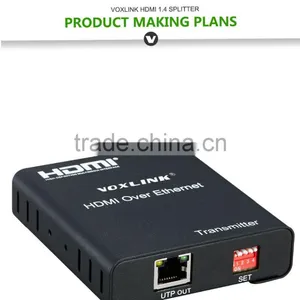
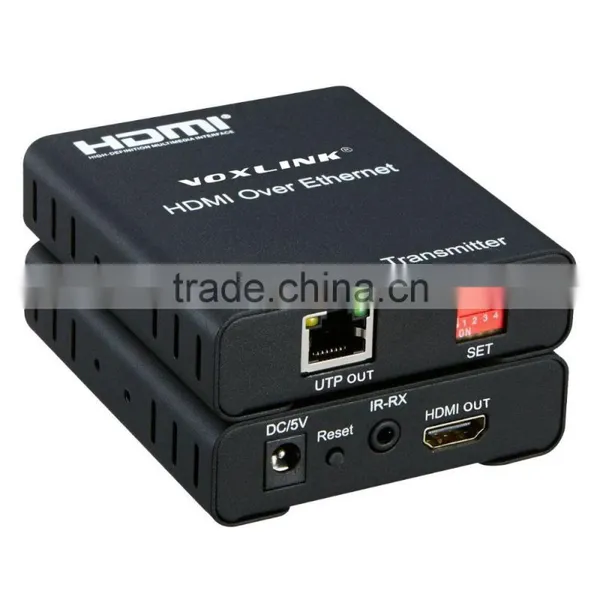
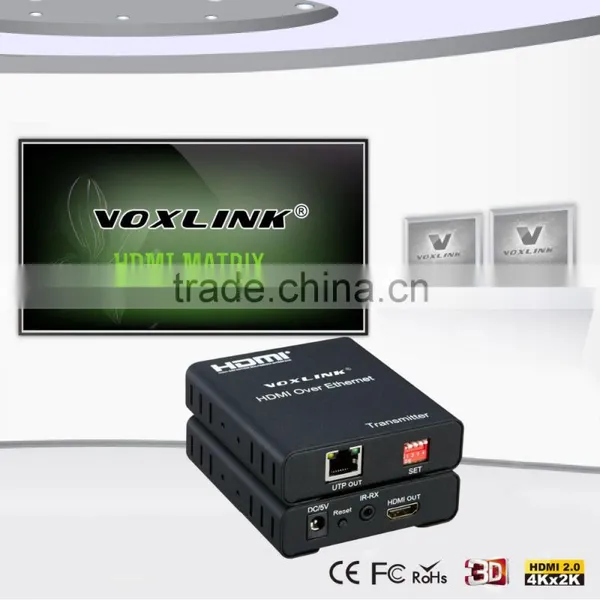
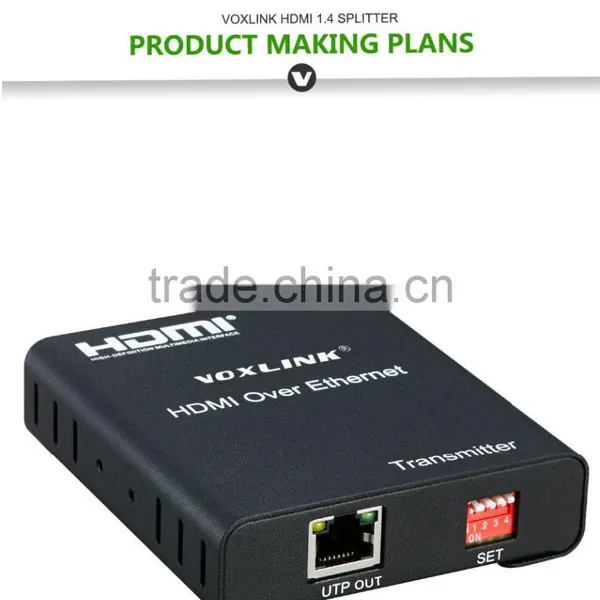
VOXLINK 120m HD HDMI 1.3V Matrix Extender converter over IP ethernet(Support multipoint to multipoint IR )
1.Introduction
120m HDMI Matrix Extender over IP is a device based on the standard TCP/IP protocol for transmitting HD audio and video source over LAN . It transmits your HD display with the high resolutions up to 120 meters away from your HDMI or DVI-D source by using one CAT5e/6 cable. At the same time, it’s also convenient to transmit HDMI audio and video source by point-to-point, multipoint-to-multipoint and cascade connection mode.
2.Features & Specifications
Ø Support HDMI1.3/HDCP1.1&1.2
Ø Support point-to-point mode, multipoint-to-multipoint mode and cascade connection mode.
Ø Standard 802.3 Ethernet
Ø Support one way IR extension.
Ø Pure hardware design, plug and play, do not need to install additional software
HDTV Resolutions |
480p,720p,1080p |
Audio |
Sample rate:32kHz,44.1kHz,48kHz |
IR remote control |
38kHz;NEC |
HDMI |
HDMI 1.3 |
HDCP |
HDCP 1.2 |
Power adapter |
DC5V/1A |
Power consumption |
HDMI Sender:3W HDMI receiver:3W |
Size(L-W-H) |
92x79x28mm |
Weight |
240g x 2 |
Operating Temperature/Humidity |
0℃-70℃/10%-80%RH(no condensation) |
Storage Temperature/Humidity |
-10℃-80℃/5%-90%RH(no condensation) |
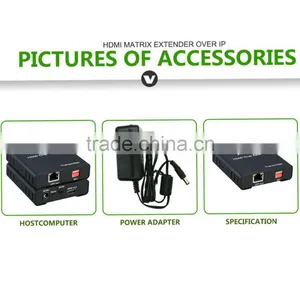
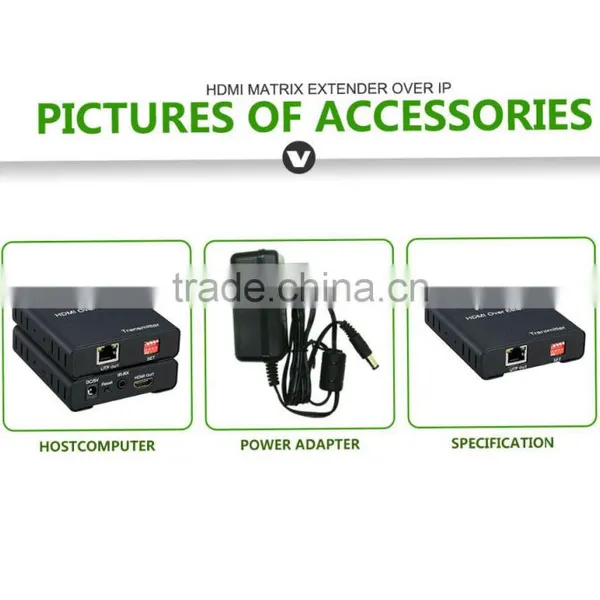
3.Package Contents
Before attempting to use this unit, please check the packaging and make sure the
following items are contained in the shipping carton:
1) one piece of HDMI transmitter
2) one piece of HDMI receiver
3) Two pieces of DC 5V power supply
4) One pair of IR transmitter and receiver
5) User’s Manual
4.Physical interface diagram
HDMI Transmitter
5.Connection and operation
1) Connect the HDMI source to the HDMI Transmitter with HDMI cable
2) Connect the HDMI receiver to the HDTV display with HDMI cable.
3) Use one Cat5e/6 cable up to 120m to connect the Sender and Receiver.
4) Connect the “IR receiver “into “IR-TX” port on transmitter, and “IR transmitter ” into the “IR-RX” on receiver, and make sure the IR transmitter aim at IR receiver of the controlled device if you need the IR control function.
5) Connect two pieces of 5V power supply to the transmitter and receiver, power supply for the equipment and the LED indicator light on. When status lamp on and flicker, equipment starts normal.
6) Multipoint to multipoint match setting: when multipoint to multipoint connecting and multiple TX and multiple RX connect to the switch , the IP extender can match based on “SET” setting (eg: “SET” of TX is 0001, “SET” of RX is 0001).
Port |
Function |
DC/5V |
Supply power for the transmitter |
RESET |
Hold down the key,the model will re-start |
IR-TX |
Connect IR transmitter to this port |
HDMI IN |
Connect HDMI source to this port |
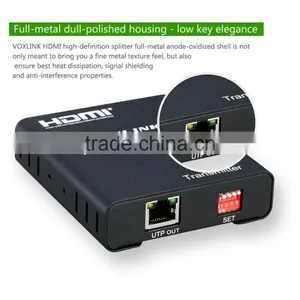
UTP OUT |
Cat5e/6 cable out |
SET |
Multipoint to multipoint match setting |
HDMI Receiver
Port |
Function |
DC/5V |
Supply power for the receiver |
RESET |
Hold down the key,the model will re-start |
IR-RX |
Connect IR receiver to this port |
HDMI OUT |
Connect HDTV to this port |
UTP IN |
Cat5e/6 cable in |
SET |
Multipoint to multipoint match setting |
5.Connection and operation
1) Connect the HDMI source to the HDMI Transmitter with HDMI cable
2) Connect the HDMI receiver to the HDTV display with HDMI cable.
3) Use one Cat5e/6 cable up to 120m to connect the Sender and Receiver.
4) Connect the “IR receiver “into “IR-TX” port on transmitter, and “IR transmitter ” into the “IR-RX” on receiver, and make sure the IR transmitter aim at IR receiver of the controlled device if you need the IR control function.
5) Connect two pieces of 5V power supply to the transmitter and receiver, power supply for the equipment and the LED indicator light on. When status lamp on and flicker, equipment starts normal.
6) Multipoint to multipoint match setting: when multipoint to multipoint connecting and multiple TX and multiple RX connect to the switch , the IP extender can match based on “SET” setting (eg: “SET” of TX is 0001, “SET” of RX is 0001)
6.Application diagrams
Application 1: point to point application
Application 2: multipoint to multipoint application
Note: For multipoint to multipoint application, you’d better choose the gigabit switch with IGMP Multicast function
MCAP0002
1.we offer various options including DHL,TNT ,UPS,EMS,FEDEX etc,and it would be beneficial for large orders by sea.
2.If you have a shipping account or shipping forward,it could be better,but if you don't have,then we can help you to choose the best way to ship the goods.
OEM/ODM:
· Your Brand--OEM logo and custom Packing (4 color printing box, blister) will be no problem
· Your pantone color --no problem, MOQ 1000pcs
· Usually MOQ--500pcs, please ask us if we have order of other client, MOQ can be less, like 100,200pcs
Warranty & After-sale service:
· all of our products give 1 year warranty
· man-made destroy will be exception
· After the warrantee time, if we still in cooperation, we will give cost repairrment if still can repair.
· for reducing the cost of our customers, we can supply the materials or tech support to them, help them fix the problems in their hands
How could I get samples?
We can provide samples if you have?a Fedex or DHL account or other courier freight collectable account and agree?to pay the courier freight.or,you send us the samples charge together with the courier cost by T/T.
How much the courier freight will be for the samples?
Courier freight depends on the quantity, weight and carton size and your area.
How can I get your price list?
Please send us your email or fax for our price list and order information.
Can we have our logo or company name to be printed on your products or the package?
Yes, you can. We can print your Logo and company name etc in our products by silk screen printing according to your artwork design, and the minimum quantity for silk screen printing is 2000 units per logo. You can send us the artwork by email in JPG, TIF, AI, EPS, TIFF or CorelDraw formats.
What's your usual payment term for orders?
We accept terms of T/T in advance or L/C at sight, and T/T preferable under US$20,000.

Send Inquiry to This Supplier

You May Also Like
-
Audio Video CableNegotiableMOQ: 2400 Pieces
-
AV Cable for WiiNegotiableMOQ: 10 Pieces
-
2015 New Arrival Wireless Usb Transmitter Receiver Bluetooth TransmitterUS$ 11.5 - 15MOQ: 1000 Pieces
-
Wifi Music Receiver Wireless Usb Stereo Audio Transmitter Receiver Bluetooth Music Receiver For Smart Phone MP3 MP4 PCUS$ 5.3 - 5.3MOQ: 100 Units
-
HDMI Cable VK2-0022US$ 2.5 - 5.5MOQ: 1000 Pieces
-
Trolley Speaker With USB/SDUS$ 49 - 51MOQ: 20 Sets
-
Video Wall ControllerUS$ 100 - 250MOQ: 2 Sets
-
DIN Cable Assembly 8-pin Mini DIN Plug to 4 x RCA Jack and 3.5 Stereo PlugUS$ 1.5 - 2MOQ: 500 Pieces
-
EL Flashing Audio LineUS$ 7.5 - 10MOQ: 500 Pieces
-
5 PINs JACK/RCA JACK PlugUS$ 0.01 - 0.05MOQ: 1000 Pieces


