








 Contact Platform Support
 Help Center
Scanning and Packing Management Software



Related Products
-
 Welding Machine Voltage and Current CollectionNegotiableMOQ: 0 Set
 -
Welding Machine Group Control Management SystemNegotiableMOQ: 0 Set
-
Wire Feeding Speed SensorNegotiableMOQ: 0 Unit
-
Welding Informatization SystemNegotiableMOQ: 0 Set
-
Welding Machine Networked Group Control SystemNegotiableMOQ: 0 Set
1. Project Overview
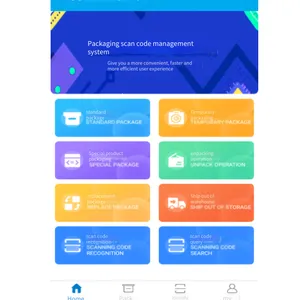
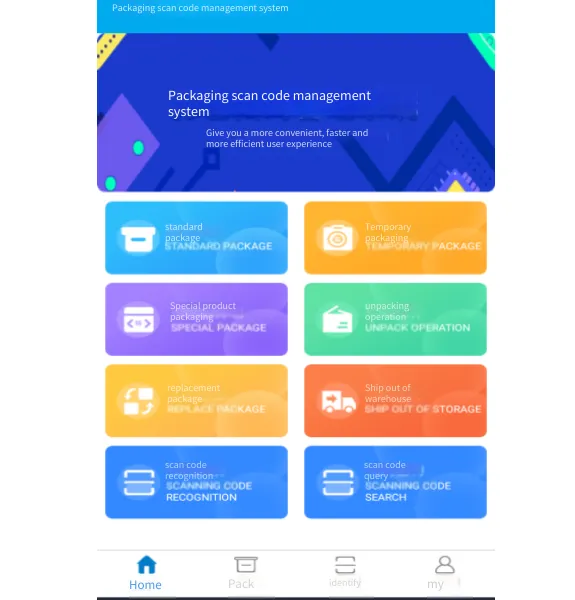
Currently, the informatization of the production and packaging process in the factory is relatively backward. The certificates of conformity are filled out manually during packaging, which is not only error-prone but also inconvenient for statistics. The packaging scanning management system can realize the informatization management of the packaging, warehousing, and outbound processes. It can quickly and conveniently perform operations such as scanning for packaging, scanning for warehousing, and scanning for outbound. It can also accurately identify human errors and reduce the probability of errors, thereby improving work efficiency.
By realizing the informatization of these processes, it is also possible to trace the packer and the status of each package in real-time, and even trace the codes of the products included in each package.
This system also facilitates statistical work, such as the total number of products packed within a certain period, the number of products warehoused within a certain period, and the number of products packed by a certain person during a certain period, etc.
2. Technical Architecture
In view of the actual situation of the factory system, after in - depth discussions on advanced technologies, we have decided to adopt the BS architecture + APP model.
The specific architecture design diagram is as follows:
Network Architecture Diagram
This system requires an application server to load the program. The server can be a cloud server or a hardware server.
The PDA handheld device supports wireless networks. Wireless networks need to be deployed in the areas of the workshop where the handheld devices are used. The PDA handheld devices will upload information such as packaging, outbound, and warehousing to the server in real - time.
The printer used to print the certificates of conformity can be directly placed in the workshop. After the PAD completes the packaging, it can directly connect to the printer via Bluetooth to print the certificates of conformity. If you need to print reports, the printer needs to be connected to a computer for printing.
3. System Process
1. QR code scanning and packing process:
2. Unpacking process
IV. Technical requirements
1. Hardware configuration:
1.1. PDA
Configuration: PDA handheld scanning terminal, data collector, Android handheld printing all-in-one machine with 1D/2D scanning and Bluetooth. System: Android 8.0
1.2. Printer
Configuration: TSC TE244 ribbon label printer, supporting Bluetooth
1.3. Printing paper (Sticker: It is not easy to fall off after sticking, and the printed characters are not easy to wear, shed powder, and are waterproof/oilproof, etc.)
Configuration: 100MM*180MM*300 sheets (Logistics warehouse shipping label, with dotted lines)
2. Identification of error information in the coding system
2.1. Duplicate code
2.2. Blank manufacturer
2.3. Product type
The above three types of information error reporting processes have a sound prompt function.
2.4. Packaging quantity (Single-pack quantity. Normal products need to meet the requirements of the whole-pack quantity, while special products do not need to meet the requirements of the whole-pack quantity). When maintaining the product type, the packing quantity should be set.
3. By scanning the QR code, digital information (part number, serial number, supplier code) can be identified.
4. An ID (part number + blank code + year-month-day + natural serial number) is established for each package of goods and associated with the products inside the package.
5. By scanning the QR code, the identified information can be associated with the packaging date, personnel, product name, and the ID of each package of goods and stored.
6. Replacement of packaged workpieces: Discard the whole package (the original data is invalidated, and the duplicate code screening does not include the discarded data); Replace single/multiple pieces (the data of the replaced pieces is invalidated, and the data of the replacement pieces is added to the packaging data group, and the packaging ID number remains unchanged), and reprint the certificate of conformity.
7. Distinguish between normal products and special products (test/verification pieces, etc.).
7.1. Special products: The certificate of conformity shows the words "Special Product".
7.2. Normal products: The certificate of conformity does not show the words "Special Product".
8. Loading for outbound delivery
8.1. Verify the consistency with the shipping requirements by scanning the ID of a single package of goods.
8.2. The ID of a single package of goods is associated with the serial number, and the shipping status (whether shipped, shipping date) is displayed and retained.
8.3. A single package of goods is associated with the train number.
9. Data management
The packaging data (including each product) and the outbound data are displayed on the same platform and are relevant (distinguish between formal packages and temporary packages).
10. Workpiece search (physical)
Search for the physical entity in the warehouse. By entering the serial number and scanning the packaging ID, you can know whether the searched piece is in the retrieved package.
11. Real-time display of the quantity of each product in stock (distinguish between formal packages and temporary packages).
12. A total of two modules are established above, one is for temporary packaging and the other is for formal packaging.

Send Inquiry to This Supplier


You May Also Like
-
Welding Data CollectionNegotiableMOQ: 0 Set
-
Welding Information Acquisition and Control SystemNegotiableMOQ: 0 Set
-
Da-500 Intelligent Data Acquisition InstrumentNegotiableMOQ: 0 Unit
-
Intelligent Supervision Module for Electric and Gas WeldingNegotiableMOQ: 0 Piece
-
Welding Safety Management SystemNegotiableMOQ: 0
-
Welding Fire Permit Management SystemNegotiableMOQ: 0 Set
-
Welding Machine Data Acquisition SystemNegotiableMOQ: 0
-
Welding Control SystemNegotiableMOQ: 0 Set
-
Welding Process Analysis SystemNegotiableMOQ: 0
-
Welding Machine Networking SystemNegotiableMOQ: 0


