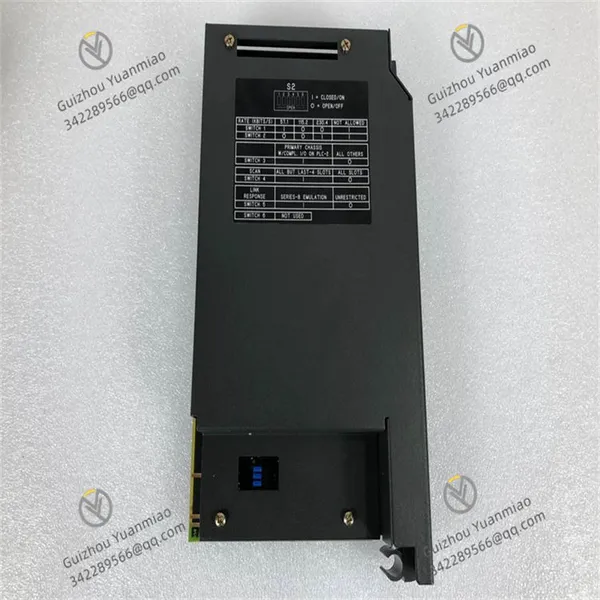
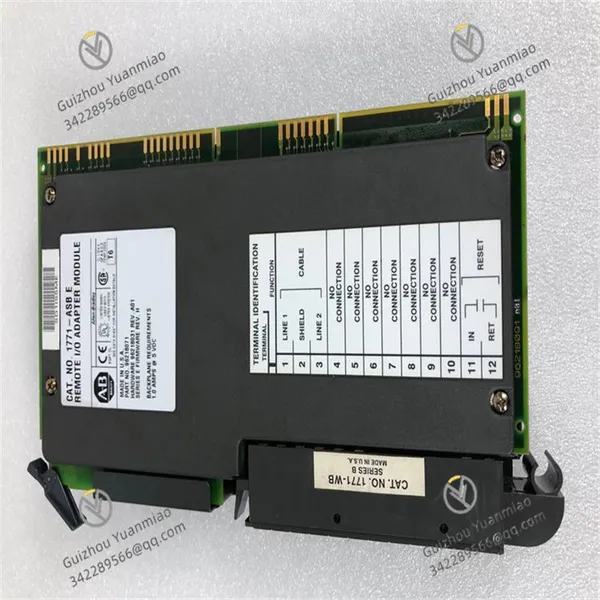
Home > Electrical & Electronics > Electrical Control System > Allen-Bradley 1771-ASB Remote I/O Adapter Module

Allen-Bradley 1771-ASB Remote I/O Adapter Module
Allen-Bradley 1771-ASB Remote I/O Adapter Module photo-1
Allen-Bradley 1771-ASB Remote I/O Adapter Module photo-2
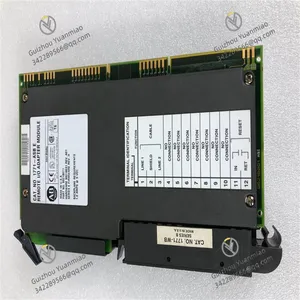
Allen-Bradley 1771-ASB Remote I/O Adapter Module photo-3
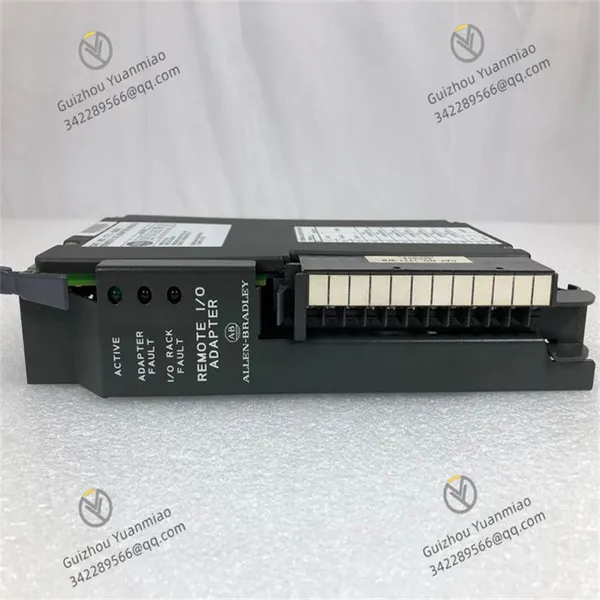
Negotiable MOQ: 1 Unit (Price negotiable depending on order volume and customization)
Key Specifications
Get Latest Price
Material:
Other, Global universal model
Condition:
Other, Global universal model
Task:
Other, Global universal model

Payment & Shipping
Payment Methods:
Port of Shipment:
China
Delivery Detail:
Delivery time depends on order quantity.
Material Other, Global universal model
Condition Other, Global universal model
Task Other, Global universal model
Mathematical Model Other, Global universal model
Signal Other, Global universal model
Customized Non-Customized
Structure Other, Global universal model
Operating temperature 0℃ to 60℃
Humidity 5% - 95% (non - condensing)
Operating Voltage 24V DC

I. Product Overview


The Allen-Bradley 1771-ASB module is a remote I/O adapter module in the PLC-5 series, playing a key role in data transmission between remote I/O devices and the main controller in industrial automation systems. With the continuous expansion of industrial production scale, equipment layouts have become increasingly decentralized, and the demand for remote control and data acquisition has become more prominent. The 1771-ASB module emerged as the times require. It can effectively connect distributed remote I/O systems with the main PLC controller, realizing long-distance data interaction and providing strong support for the stable operation of industrial automation systems.


This module adopts a compact and robust design, with dimensions suitable for 1771 series I/O enclosures, making it easy to install in industrial control cabinets. The shell is made of industrial-grade durable materials, with good anti-vibration and anti-impact performance, and can work stably in industrial environments with strong vibrations such as machinery manufacturing workshops and metallurgical plants. At the same time, it has certain dust-proof and moisture-proof capabilities, and can adapt to dusty and humid industrial on-site environments, ensuring the continuity and reliability of data transmission under complex conditions.


1771-ASB (3)


II. Performance Parameters


(1) Electrical Characteristics
Power requirement: The 1771-ASB module needs to obtain power from the backplane of the 1771 I/O enclosure during operation, usually requiring +5V DC power supply, with a typical current consumption within a certain range to ensure the power support required for the stable operation of the module. The reasonable power design allows it to share power with other modules in the enclosure, eliminating the need for an additional independent power supply, thus reducing the complexity and cost of the system.


Communication distance: It supports long-distance communication, and with the use of appropriate cables, the maximum communication distance can reach 1000 meters (3280 feet). This feature enables it to meet the communication needs between remote I/O devices and the main controller in large industrial plants, without worrying about data transmission attenuation or interruption caused by excessive distance.


Communication rate: The communication rate can be set according to actual needs, with common rates including 125kbps. It can select an appropriate rate according to the communication load and distance requirements of the industrial site to ensure the efficiency and stability of data transmission.


(2) Interface Characteristics
Remote I/O interface: Equipped with a standard remote I/O interface, usually a circular connector, which is used to connect cables of the remote I/O network, realizing the connection with devices such as remote I/O adapters and I/O modules, and building a channel for remote data transmission.


Local interface: It communicates with the local PLC processor or other modules through the backplane connector of the 1771 I/O enclosure, realizing local data interaction and ensuring that the main controller can timely obtain data from remote I/O devices and issue control commands.


(3) Environmental Adaptability
Operating temperature: It can operate stably within a temperature range of 0°C to 60°C (32°F to 140°F), and can adapt to common temperature changes in industrial production workshops. Whether it is a high-temperature metallurgical workshop or a low-temperature storage area, it can ensure the normal operation of the module without affecting data transmission.


Storage temperature: In the storage state, it can withstand extreme temperatures from -40°C to 85°C (-40°F to 185°F), ensuring that the internal components of the module will not be damaged even in harsh temperature conditions during transportation, storage and other links, thus guaranteeing the stable performance of the module.


Anti-electromagnetic interference: It meets industrial-grade electromagnetic compatibility standards and has certain anti-electromagnetic interference capabilities. It can resist electromagnetic interference generated by equipment such as motors and frequency converters in industrial sites, ensuring the accuracy of data transmission and avoiding data errors or communication interruptions caused by interference.


1771-ASB (1)


III. Functional Characteristics


(1) Remote Data Transmission
The core function of the 1771-ASB module is to realize data transmission between remote I/O devices and the main PLC controller. It can transmit input signals from remote I/O stations (such as pressure, temperature, position and other data detected by sensors) to the main controller in real time, and at the same time accurately transmit control commands from the main controller to output devices of remote I/O stations (such as solenoid valves, motors, etc.), realizing precise control of remote devices. In large industrial production lines, such as multiple scattered workshops in automobile manufacturing plants, this module can effectively connect I/O devices in each workshop with the main PLC in the central control room, realizing centralized monitoring and control.


(2) Diagnosis and Status Indication
The module is equipped with multiple status indicators, such as power indicator, communication indicator, fault indicator, etc., which can intuitively reflect the operating status of the module. The power indicator being on indicates that the module is powered normally; the communication indicator flashing or being on can show whether the communication is proceeding normally; the fault indicator being on indicates that there is a fault in the module. These indicators provide convenient basis for operators and maintenance personnel to judge the status, facilitating the quick discovery and troubleshooting of problems. In addition, the module can also send diagnostic information to the main controller through the communication network, including its own fault status, communication status of remote I/O stations, etc., further improving the maintainability of the system.


(3) Network Expansion Capability
The 1771-ASB module supports the expansion of multiple I/O stations in the remote I/O network. Through cascading and other methods, it can connect multiple remote I/O adapters and I/O modules to meet the control needs of a large number of distributed devices in industrial automation systems. This expansion capability makes the system have good flexibility and scalability. When the production scale expands or the equipment layout is adjusted, the system can be easily expanded by only adding corresponding remote I/O devices and modules, without large-scale transformation of the main controller.


(4) Redundancy and Reliability
In some industrial scenarios with high requirements for system reliability, the 1771-ASB module can support redundant configuration. By setting redundant communication paths or redundant modules, when the main communication link or module fails, the system can automatically switch to the standby link or module, ensuring uninterrupted data transmission, improving the reliability and fault tolerance of the entire industrial automation system, and reducing production downtime caused by equipment failures.


1771-ASB (2)


IV. Installation and Use


(1) Installation Steps
Preparation before installation: Before installation, check whether the appearance of the module is intact, whether there is damage or deformation, and confirm that the accessories are complete. At the same time, ensure that the installation environment meets the working conditions of the module, away from strong electromagnetic interference sources, heat sources and corrosive substances. Prepare the required installation tools, such as screwdrivers, wrenches, etc., and disconnect the power supply of the 1771 I/O enclosure to ensure installation safety.


Determine the installation position: The 1771-ASB module should be installed in the designated slot of the 1771 I/O enclosure, usually in accordance with the module installation sequence of the enclosure, to ensure that the module is correctly docked with the enclosure backplane connector. The installation position should be convenient for observing the indicator status and performing subsequent maintenance operations, and at the same time ensure good ventilation in the enclosure to facilitate heat dissipation of the module.


Module installation: Align the module with the guide rails and slots in the enclosure, push it in smoothly until the module is in close contact with the backplane connector, then use screws to fix the module on the enclosure to prevent the module from loosening in a vibrating environment. During installation, care should be taken to avoid excessive force damaging the module or the enclosure connector.


Cable connection: According to the system design, connect the remote I/O communication cable. Connect one end of the cable to the remote I/O interface of the module, and the other end to other devices or terminals in the remote I/O network. When connecting, ensure that the plug is tightly matched with the interface, and tighten the fixing screws to prevent poor contact. At the same time, check whether the connection between the module and the enclosure backplane is firm to ensure normal local communication.


Installation inspection: After the installation is completed, carefully check the fixing of the module and whether the cable connections are correct and firm. Only after confirmation, can the I/O enclosure be powered on.


(2) Usage Methods
Initialization and configuration: After the module is powered on, it will automatically perform the initialization process. After the self-inspection is passed, the status indicator will show the normal operating status. Configure the module through programming software (such as RSLogix 5), set parameters such as communication rate, module address, and number of remote I/O stations, to ensure that the communication parameters of the module, main controller and remote I/O devices are consistent, so as to realize normal data interaction.


Data monitoring: During the operation of the system, operators can view the remote I/O device data transmitted by the 1771-ASB module in real time through the monitoring interface of the main controller or the human-machine interface (HMI), such as the detection values of various sensors and the working status of actuators. At the same time, control commands can be issued to remote I/O devices through the main controller, which are transmitted to the target devices through the module to realize remote control.


Fault handling: When the fault indicator of the module is on or the main controller receives fault diagnosis information, operators should conduct fault Investigation according to the indicator status and diagnosis information. Common faults include communication interruption, power failure, module damage, etc. If it is a communication interruption, check whether the communication cable connection is loose, whether the communication parameters are correct, and whether the remote I/O device is normal; if it is a power failure, check whether the enclosure power supply is normal. For faults that cannot be solved by oneself, contact professional maintenance personnel for repair or replacement of the module in time.


Daily maintenance: Maintain the module regularly, including cleaning dust on the surface of the module, checking whether the cable connections are loose, and observing whether the indicator status is normal. At the same time, avoid the module being affected by severe vibration, impact, high temperature, humidity and other harsh environments to ensure the long-term stable operation of the module.
Product Tags: 1771-ASB

Send Inquiry to This Supplier

* Message
0/5000

Want the best price? Post an RFQ now!
Verified Business License
Business Type
Trading Company
Year Established
2014
Factory Size
1,000-3,000 square meters
Product Certifications
SA8000