Home > Electrical & Electronics > Electrical Control System > ABB PDD205A1121 3BHE025335R1121 Digital Input Module

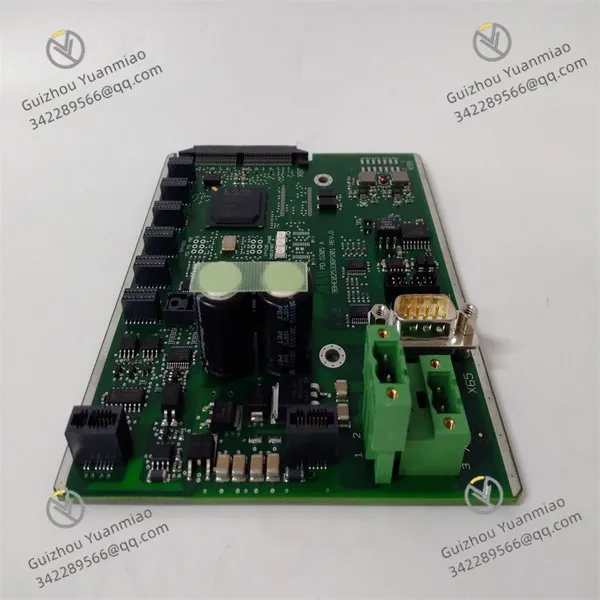
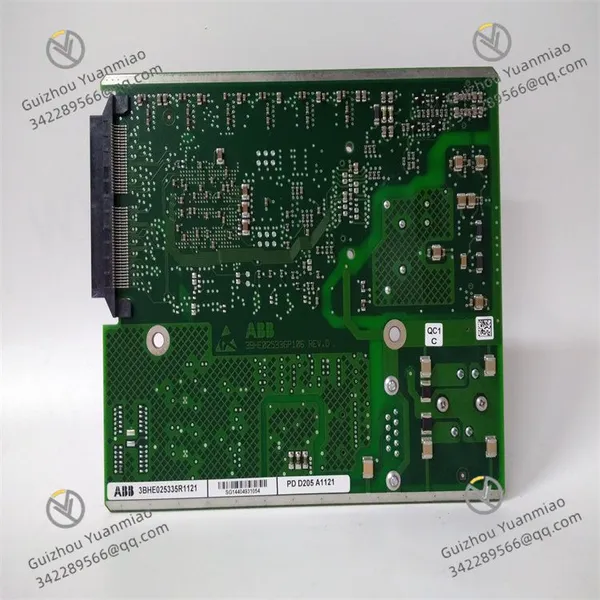
ABB PDD205A1121 3BHE025335R1121 Digital Input Module
ABB PDD205A1121 3BHE025335R1121 Digital Input Module photo-1
ABB PDD205A1121 3BHE025335R1121 Digital Input Module photo-2
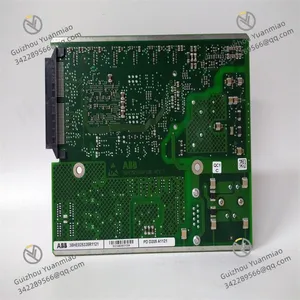
ABB PDD205A1121 3BHE025335R1121 Digital Input Module photo-3
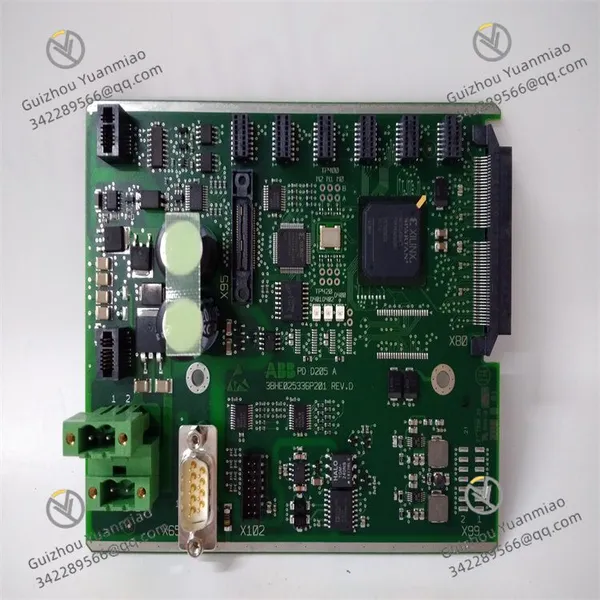
Negotiable MOQ: 1 Piece (Price negotiable depending on order volume and customization)
Key Specifications
Get Latest Price
Material:
Other, Global universal model
Condition:
Other, Global universal model
Task:
Other, Global universal model

Payment & Shipping
Payment Methods:
Port of Shipment:
China
Delivery Detail:
Delivery time depends on order quantity.
Material Other, Global universal model
Condition Other, Global universal model
Task Other, Global universal model
Mathematical Model Other, Global universal model
Signal Other, Global universal model
Customized Non-Customized
Structure Other, Global universal model
The ABB PDD205A1121 3BHE025335R1121 is a digital input module for the ABB Ability™ System 800xA automation platform. Its working principle is as follows:
Working Principle1. Signal Acquisition
The module connects to field digital signal sources (such as switches, buttons, and digital outputs of sensors) through its 16 input channels. When the status of external devices changes (e.g., switch closure or opening), the module senses the voltage level change on the corresponding channel and acquires it as a digital signal.
2. Optoelectronic Isolation
To protect the module from external electrical interference and prevent external circuit failures from affecting internal circuits, the PDD205A1121 adopts optoelectronic isolation technology. Each input channel uses an optocoupler to isolate external input signals from the module's internal electronic circuits, ensuring stable internal operation and accurate signal transmission even under strong electromagnetic interference, voltage fluctuations, or short circuits.
3. Signal Processing and Encoding
The acquired digital signals are processed internally, converted into a format suitable for internal communication, and encoded. The encoded signals represent different states of external devices (e.g., 0 for switch open, 1 for switch closed).
4. Communication Transmission
Processed digital signals are transmitted to the main controller or related devices via the module's communication interface, following specific protocols (e.g., those used by the ABB Ability™ System 800xA platform). The main controller performs logical operations and decisions based on these inputs to achieve automated control of industrial processes.
Technical SpecificationsCommunication
  • Protocol: Ethernet for data interaction with other devices.

  • Module Type: Ethernet FCI module, operating as a slave device with redundant configuration support for high-reliability communication.

  • Hot-swapping: Enables module replacement and maintenance without system shutdown.

Functions
  • I/O Systems Supported: Select I/O and S800 I/O systems, connecting up to 12 single or redundant S800 I/O modules or 192 Select I/O channels to meet diverse I/O requirements.

  • Power Monitoring: Compatible with single or redundant 24V power supplies, featuring built-in power voting and monitoring for Power A and Power B to ensure stability.

  • Other Functions: Built-in cabinet temperature measurement, diagnostic functions, and support for HART v7 and HART pass-through for comprehensive field device monitoring.

Electrical Characteristics
  • Operating voltage: 220V. The term "output frequency AC 800M" mentioned likely refers to a related controller or system rather than the module's output frequency parameter.

PDD205A1121 3BHE025335R1121 (4)

PDD205A1121 3BHE025335R1121 (2)

PDD205A1121 3BHE025335R1121 (1)

Common Faults and Solutions1. Communication Failure
  • Symptoms: Interrupted communication, unstable data transmission, or error codes.

  • Solutions:

    • Check communication cables for secure connection, damage, or open circuits.

    • Inspect interfaces for looseness or oxidation; clean and tighten if needed.

    • Verify communication parameters (baud rate, data bits, stop bits, parity) match other devices.

    • Check the status of protocol converters or gateways if used.

2. Power Failure
  • Symptoms: Module fails to start, indicator lights are off, or abnormal restarts/crashes occur.

  • Solutions:

    • Measure input voltage to ensure it is within the rated range; repair or replace the power supply if voltage is unstable.

    • Check power lines for short circuits, open circuits, or poor contact; repair or replace lines.

    • Inspect the power module for overheating, unusual odors, or smoke; replace the module if internal components are damaged.

3. I/O Failure
  • Symptoms: Inaccurate input signal acquisition, failed output signal drive, or unstable signals.

  • Solutions:

    • Check I/O wiring for correctness, security, and short circuits.

    • For inputs, verify signal source functionality and compatibility; for outputs, check load normality and drive capability.

    • Use a multimeter to measure I/O signal voltage/current. If a channel fails, compare it with normal channels to determine if the fault is internal or external; replace the module if the channel is defective.

4. Overheating
  • Symptoms: Excessive module surface temperature, overheat protection activation, or performance degradation.

  • Solutions:

    • Ensure good ventilation around the module and keep away from heat sources.

    • Install the module in a control cabinet with sufficient cooling space.

    • Clean dust and debris from the module and its surroundings.

    • Check cooling fans for normal operation; replace faulty fans.

    • Optimize system configuration to reduce module load if running under high load for extended periods.

5. Module Damage
  • Symptoms: Hardware failures (e.g., burnt chips, shorted circuit boards, damaged components) preventing normal operation.

  • Solutions:

    • Contact ABB official after-sales or suppliers for repair/replacement if under warranty.

    • For out-of-warranty modules, seek professional electronic repair agencies with qualifications and good reputation, and request detailed repair reports.

    • Replace the module if damage is severe, unrepairable, or uneconomical to repair.

6. Configuration Error
  • Symptoms: Module fails to function as expected, with ineffective parameter settings or abnormal functions.

  • Solutions:

    • Review configuration parameters against the user manual to ensure correctness and alignment with application requirements.

    • Check software version compatibility with the module and fix any bugs; update software if necessary.

    • Re-initialize module configuration to default values and reconfigure, ensuring settings are saved and downloaded correctly.

Product Tags: PDD205A1121 , 3BHE025335R1121

Send Inquiry to This Supplier

* Message
0/5000

Want the best price? Post an RFQ now!
Verified Business License
Business Type
Trading Company
Year Established
2014
Factory Size
1,000-3,000 square meters
Product Certifications
SA8000