








 Contact Platform Support
 Help Center
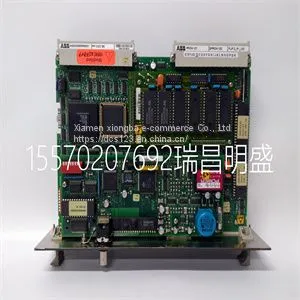
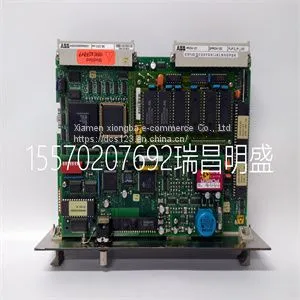
Module Spare PartsPPCC322BE HIEE300900R0001



Related Products
-
 Module Spare PartsPPD113 PPD103B101 3BHE020455R0101 3BHE023784R2630US$ 1 - 100000MOQ: 1 Piece
 -
Module Spare PartsPQM-T20-C-AUS$ 1 - 100000MOQ: 1 Piece
-
Module Spare Parts PR6423002-001-CNUS$ 1 - 100000MOQ: 1 Piece
-
Module Spare Parts PR9268201-000US$ 1 - 100000MOQ: 1 Piece
-
Module Spare Parts PR9376010-011 9200-00097US$ 1 - 100000MOQ: 1 Piece
Focus on DCS, PLC, robot control system and large servo system.
Main products: various modules / cards, controllers, touch screens, servo drivers.
Advantages: supply of imported original products, professional production parts,
Fast delivery, accurate delivery time,
The main brands include ABB Bailey, Ge / fuanc, Foxboro, Invensys Triconex, Bently, A-B Rockwell, Emerson, ovation, Motorola, xyvom, Honeywell, Rexroth, KUKA, Ni, Deif, Yokogawa, Woodward, Ryan, Schneider, Yaskawa, Moog, prosoft and other brands
| PPCC322BE HIEE300900R0001 |
Compact Flash cards of type I and II are supported by the operator panels. Recommended Compact Flash memory cards are SiliconSystems SiliconDrive, SanDisk Industrial Grade and Cactus 203-, 302-, 303-series. Installation Perform the following steps to install an internal Compact Flash card in the operator panel: 1. Turn off the power to the panel. 2. Remove the back cover on the operator panel, using a torx screwdriver (T10*50). 3. Flip the back cover; the CPU board is mounted inside the back cover. Observe precautions for handling electrostatic sensitive devices. Caution - If the CPU card and power card is disconnected from each other for a longer period of time, the panel may not boot when it is reassembled again. To remedy this problem, a hardware reset needs to be performed by setting the mode switch no. 4. 1 4 Torx Screws Internal Compact Flash Memory Card Section 3 Installation 20 3BSE043446R501 4. Insert the Compact Flash memory card in its slot on the CPU board. 5. Re-attach the back cover to the operator panel. 6. Turn on the power to the operator panel. 7. When the operator panel starts up, you will be asked if you like to move the files to the internal card; select YES to this question. Settings in Panel Builder 800 The size of the internal memory card must be entered in the configuration tool for the operator panel. 1. Select Setup/Terminal Options. 2. Enter the size of the internal memory card under Memory card settings/Internal.

Send Inquiry to This Supplier


You May Also Like
-
Module Spare Parts PR937620US$ 1 - 100000MOQ: 1 Piece
-
Module Spare Parts PTQ-PDPMV1US$ 1 - 100000MOQ: 1 Piece
-
Module Spare Parts PU515A 3BSE032401R1US$ 1 - 100000MOQ: 1 Piece
-
Module Spare Parts PU516 3BSE013064R1US$ 1 - 100000MOQ: 1 Piece
-
Module Spare Parts PXAH401 3BSE017235R1US$ 1 - 100000MOQ: 1 Piece
-
Module Spare Parts REF542plus 1VCR007346 G0012US$ 1 - 100000MOQ: 1 Piece
-
Module Spare Parts REF615C-D HCFCACABANB2BAN1XDUS$ 1 - 100000MOQ: 1 Piece
-
Module Spare Parts REX010 HESG324426R0001 HESG324389US$ 1 - 100000MOQ: 1 Piece
-
Module Spare Parts REX-B871NN-CS1B1US$ 1 - 100000MOQ: 1 Piece
-
Module Spare Parts SA811F 3BDH000013R1US$ 1 - 100000MOQ: 1 Piece


