








 Contact Platform Support
 Help Center
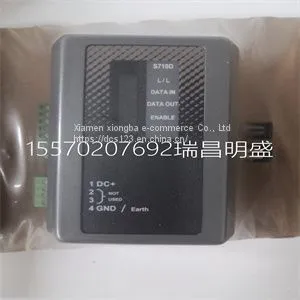
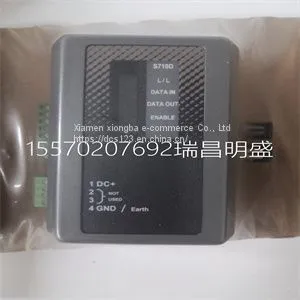
Module Spare Parts S710D-EST2



Related Products
-
 Module Spare Parts R901325866US$ 1 - 100000MOQ: 1 Piece
 -
Module Spare Parts REXROTH R911335435 CSH01.1C-SE-EN2-NNN-NNN-NN-S-XP-FWUS$ 1 - 100000MOQ: 1 Piece
-
Module Spare Parts RF533 3BSE014227R1US$ 1 - 100000MOQ: 1 Piece
-
Module Spare Parts RV33-1US$ 1 - 100000MOQ: 1 Piece
-
Module Spare Parts S710D-EST2US$ 1 - 100000MOQ: 1 Piece
Focus on DCS, PLC, robot control system and large servo system.
Main products: various modules / cards, controllers, touch screens, servo drivers.
Advantages: supply of imported original products, professional production parts,
Fast delivery, accurate delivery time,
The main brands include ABB Bailey, Ge / fuanc, Foxboro, Invensys Triconex, Bently, A-B Rockwell, Emerson, ovation, Motorola, xyvom, Honeywell, Rexroth, KUKA, Ni, Deif, Yokogawa, Woodward, Ryan, Schneider, Yaskawa, Moog, prosoft and other brands
| S710D-EST2 |
The NI 435X is a completely software-configurable, Plug and Play device. The Plug and Play services query the device and allocate the required resources; then, the operating system enables the device for operation. Complete the following steps to configure and test the NI 435X: 1. Launch Measurement & Automation Explorer (MAX) from the computer. Note You may want to first refreshin MAX. 2. Expand Devices and Interfaces. 3. Right-click the NI 435X device and select Properties. In the System window, note the Device Number that was assigned. Use this device number when you program the device. © National Instruments Corporation 11 Where to Start with the NI 435X 4. From the System window, click Test Resources to test the NI 435X resources. A dialog box appears and indicates whether the resource test was passed. 5. In the Accessory window, select the accessory, if any, attached to the NI 435X device. Note Selecting the accessory allows NI-DAQ to make use of accessory features, such as a cold-junction compensation channel. 6. From the System window, click Run Test Panels to run functional test panels. 7. Connect a signal to an input channel on the attached accessory. 8. Select the Channel, Input Limits, and Sensor Type settings. If the sensor type is a thermocouple, select the correct option in CJC Info. The NI 435X device immediately starts acquiring data. 9. When you finish testing, click Close and then OK in the Configuring Devices window. When you finish configuring and testing the NI 435X, you can use Logger Soft Front Panel from within MAX. Use the Logger Soft Front Panel to control the NI 435X without doing any programming. Refer to the Logger Soft Front Panel Note to Users for a list of the available features. Refer to the Getting Started with VI Logger to learn how to use the available features of the Logger Soft Front Panel. If you want to program in LabVIEW, refer to the NI-DAQ VI reference within LabVIEW Help and the NI 435X NI-DAQ examples for programs and examples for the NI 435X product. To access LabVIEW Help from within LabVIEW select Help»VI, Function, and How-To Help. To program with Measurement Studio LabWindows/CVI, Visual Basic, Visual C/C++, or a third-party software, install the NI 435X instrument driver available on the CD. Technical Support Resources NI Web Support NI Web support is your first stop for help in solving installation, configuration, and application problems and questions. Online problem-solving and diagnostic resources include frequently asked questions, knowledge bases, product-specific troubleshooting wizards, manuals, drivers, software updates, and more. Web support is available through the Technical Support section of

Send Inquiry to This Supplier


You May Also Like
-
Module Spare Parts Schneider 140CPU67160US$ 1 - 100000MOQ: 1 Piece
-
Module Spare Parts SCM-1US$ 1 - 100000MOQ: 1 Piece
-
Module Spare Parts SCXI-1001US$ 1 - 100000MOQ: 1 Piece
-
Module Spare Parts SCXI-1102US$ 1 - 100000MOQ: 1 Piece
-
Module Spare Parts SCXI-1102BUS$ 1 - 100000MOQ: 1 Piece
-
Module Spare Parts SCXI-1104CUS$ 1 - 100000MOQ: 1 Piece
-
Module Spare Parts SCXI-1121US$ 1 - 100000MOQ: 1 Piece
-
Module Spare Parts SCXI-1140US$ 1 - 100000MOQ: 1 Piece
-
Module Spare Parts SCXI-1141 182610D-01US$ 1 - 100000MOQ: 1 Piece
-
Module Spare Parts SCYC51010 58052515GUS$ 1 - 100000MOQ: 1 Piece


