








 Contact Platform Support
 Help Center
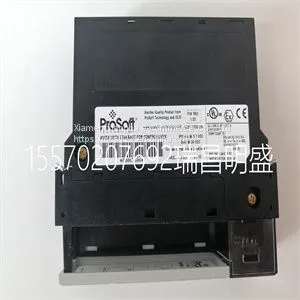
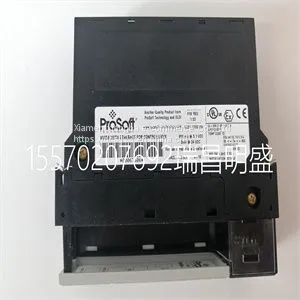
Module Spare Parts PROSOFT MVI56-MNETR



Related Products
-
 Module Spare Parts PROSOFT MVI56-PDPMV1US$ 1 - 100000MOQ: 1 Piece
 -
Module Spare Parts PROSOFT MVI94-GSCUS$ 1 - 100000MOQ: 1 Piece
-
Module Spare Parts PROSOFT PTQ-PDPMV1US$ 1 - 100000MOQ: 1 Piece
-
Module Spare Parts PROSOFT RLX2-IHNF-AUS$ 1 - 100000MOQ: 1 Piece
-
Module Spare Parts PROSOFT PTQ-PDPSUS$ 1 - 100000MOQ: 1 Piece
Focus on DCS, PLC, robot control system and large servo system.
Main products: various modules / cards, controllers, touch screens, servo drivers.
Advantages: supply of imported original products, professional production parts,
Fast delivery, accurate delivery time,
The main brands include ABB Bailey, Ge / fuanc, Foxboro, Invensys Triconex, Bently, A-B Rockwell, Emerson, ovation, Motorola, xyvom, Honeywell, Rexroth, KUKA, Ni, Deif, Yokogawa, Woodward, Ryan, Schneider, Yaskawa, Moog, prosoft and other brands
| PROSOFT MVI56-MNETR |
.Carefully remove the laminated film over the operator panel display, to avoid static electricity that could damage the panel. Mode Switches All mode switches must be in OFF position during operator panel use. The mode switches should not be touched unless by qualified personnel. The operator panel has four mode switches (DIP switches) located on the back of the operator panel. RS422/RS485 24V DC 24V DC 1 CF CARD B A C D RS232 Controller Power Ethernet Section 3 Installation Mode Switches 3BSE043449R501 17 The drawing below shows where the switches are located. Enter the desired mode in the following steps: 1. Disconnect power from the operator panel. 2. Set the mode switches. 3. Reconnect power to the operator panel. 1 24V DC CF CARD RS485 RS422 COM 1 10/100 RS232 COM 2 EXPANSION BUSY MODE 1234 ON DIP MODE 1234 ON DIP Mode Switches Section 3 Installation 18 3BSE043449R501 The mode switches have the following functions: (1=ON, 0=OFF, each letter in “MODE” has a corresponding Mode Switch) Table 1. Mode Switches With Functional Description MODE 1234 Description 0000 Run mode, normal operation. 0010 System Restore, resets the file system and registry & re-installs the system program (OPsys_bxxx.CAB). Restores the operator panel to factory settings. Note: It is possible that the system program in the operator panel has been updated after production (for example in stock or by an integrator). This update/newer version of the system program will be deleted and replaced with the version that was used in production if the operator panel is restored to the factory settings with this System Restore function. However, the system program in the operator panel can be updated again to the latest version by using the Update Operator Panel System Program function in the configuration software for the operator panels. 0100 Image Load mode, allows upgrading of the complete software package in the operator panel. Note: All files including the file system in the operator panel will be deleted when upgrading with Image Loader. 1000 Service Menu mode, the service menu for the system program is shown. Allows the user to set IP configuration, erase the project and calibrate the touch screen. 1110 Self-test. xxx1 Hard reset ( f

Send Inquiry to This Supplier


You May Also Like
-
Module Spare Parts PROSOFT AN-X2-AB-DHRIOUS$ 1 - 100000MOQ: 1 Piece
-
Module Spare Parts PXI-4351 185450D-01US$ 1 - 100000MOQ: 1 Piece
-
Module Spare Parts PXI-4461 186900T-11LUS$ 1 - 100000MOQ: 1 Piece
-
Module Spare Parts PXI-4462 188261H-11LUS$ 1 - 100000MOQ: 1 Piece
-
Module Spare Parts PXI-6527 185633D-01US$ 1 - 100000MOQ: 1 Piece
-
Module Spare Parts PXI-6608 185745H-02US$ 1 - 100000MOQ: 1 Piece
-
Module Spare Parts R901325866US$ 1 - 100000MOQ: 1 Piece
-
Module Spare Parts REF542PLUSUS$ 1 - 100000MOQ: 1 Piece
-
Module Spare Parts REF615C-D HCFFAEAGABC2BAA1XDUS$ 1 - 100000MOQ: 1 Piece
-
Module Spare Parts RELIANCE WR-D4007US$ 1 - 100000MOQ: 1 Piece


