








 Contact Platform Support
 Help Center
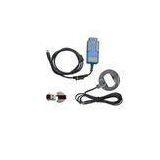
BMW Multi Tool V5.8 Automotive Key Programmer OBD2 CAS1-3+


Related Products
-
 MB IR Plus Automotive Key Programmer For Mercedes BenzNegotiableMOQ: 1 Piece
 -
BMW EWS / CAS AK90 Automotive Key Programmer , Newest V3.19 SoftwareNegotiableMOQ: 1 Piece
-
2-in-1 Automotive Key Programmer Renault + Nissan Key ProgUS$ 208 - 208MOQ: 1 Piece
-
BMW CAS AK300 Automotive Key Programmer V1.5 Duplicating Key MakerNegotiableMOQ: 1 Piece
-
Online Update Automotive Key Programmer Super Key Tool V3.9US$ 115 - 115MOQ: 1 Piece
Certification:CE / ISO
Newest BMW Multi Tool V5.8 OBD2 CAS1-3+ Key Programmer
BMW Multi Tool latest software V5.8
Powerful than AK300!!!
BMW Multi Tool V5.5 Update tips:
1.Support prepare CAS4 dealer key for XEP100 (5M48H mask)(Need CAS4 antenna support). You must choose the same type for the car. The dealer key may not start engine if the car isn\'t in the support list.
2.Add detail support list in user manual for CAS4.
3.Normal bugfix
BMW Multi Tool V5.5 Update tips:
1.Fix bug while prepare dealer key for some version of ISTAP, lost all working key
2.Normal bug-fix
BMW Multi Tool V4.7 Update tips:
BMW multi tool V5.5 Description:
1. OBD II CONNECTOR: Connects the tool to the vehicle\'s Data Link connector (DLC).
2. Dongle: USB dongle.
3. USB CONNECTOR: Connects the tool to the PC/Laptop through USB Cable.
4. Programmer: Program keys.
5. Programmer Female Pin: Connects programmer to device.
6. Programmer Male Pin: Connects programmer to device.
BMW multi tool V5.5 Specifications:
1. Operating Temperature: -20 to 70 °C ( -4 to 158 °F )
2. Storage Temperature: -40 to 85 °C ( -40 to 185 °F )
3. Diagnostic Interface: 16 PIN
4. USB Interface: USB 2.0
5. Power: DC 5 V - 12 V
6. Consumption: 1 W
7. Dimensions: Length 95 mm, Width 49 mm, Height 28 mm
BMW multi tool supported immobilizer type and function
BMW MULTI TOOL V5.5 supported function including:
1. Car access sytem dentification
2. Read/Write CAS EEPROM(OBDII)
3. Read/Write KM stored in CAS system(OBDII)
4. Read/Write synchronization codes stored in CAS system(OBDII)
5. Synchronize DME and CAS(OBDII)
6. Synchronize CAS and ELV(OBDII)
7. Prepare dealer key for CAS1/CAS2/CAS3/CAS+(support latest CAS3 verison)(OBDII)
8. Read/Restore CAS KEY information(OBDII)
9. Disable/Enable key with working key(OBDII)
10. Clear DTC and Shadow (OBDII)
11. Prepare dealer key with CAS eeprom dump
12. Unlock dealer key prepared with our software with CAS eeprom dump or KEY information
13. Change KM in CAS and instrument dashboard with file dump
14. Have key programmer, you can programm dealer key directly.
Pay attention to the function: Help->Device update. You can get the latest software version and firmware verion when you can access to internet.
1. Menu:
- Tool: you can choose language here, support \"English\" and \"Chinese Simplified\" Restart software to apply your settings.
- File Make Key: you can prepare dealer key with EWS and CAS EEPROM dump.
- Help: Device update. You can get your device and dongle id version and update it.
2. Protocal type:
Now BMT support there type of protocol: KWP-CAN BUS 100Kbps, KWP-CAN BUS 500Kbps, KWP-2000. \"Auto Detect \" function can help you to choose the right protocol. After choose protocol okay, then press \"Connect\". If connected success. All CAS info will display in CAS Identific

Send Inquiry to This Supplier

You May Also Like
-
Actived Charcoal Filter CylinderNegotiableMOQ: 20 Sets
-
5L Hospital ECG Medical Ultrasound Coupling GelUS$ 0.1 - 1.1MOQ: 1 Carton
-
Animal Ultrasonic Detection Sets for Cow, Horse, Pets Etc. Palm ScannerNegotiableMOQ: 1 Set
-
U Fence Staples for Wooden Posts - 1.5 Inch Leg Length, Hot-Dip Galvanized, China FactoryNegotiableMOQ: 5 Tons
-
99 Cent Store Stationary China Product Cheap Plastic GlobeUS$ 0.05 - 0.3MOQ: 200 Pieces
-
High Quality Disposable Wooden Custom Medical Tongue Spatula DepressorUS$ 18 - 28MOQ: 10 Cartons
-
Needle Punched Qdsanhong and EVA Material Car Floor MatsUS$ 8.65 - 15MOQ: 1000 Pieces
-
Mini Coil With ROHS GEM008US$ 0.5 - 0.8MOQ: 1000 Pieces
-
Safety HammerUS$ 0.65 - 4.5MOQ: 1000 Pieces
-
YSSY-500 High Performance Low Price Hospital Medical Infusion PumpNegotiableMOQ: 1 Set


