








 Contact Platform Support
 Help Center
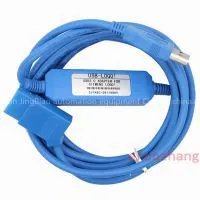
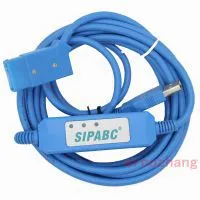
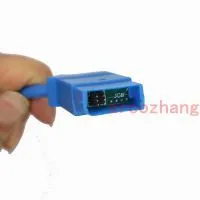
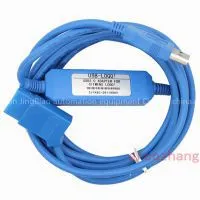
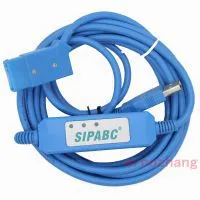
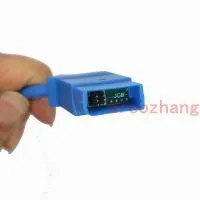
2011 NEW Smart Optical Isolated USB-LOGO Programming Cable for Siemens LOGO! USB Version PLC,6ED1 057-1AA01-0BA0



Related Products
-
 PC-LOGO,LOGO Programming, Programming Cable for LOGO!Factory Direct SaleNegotiableMOQ: 1 Piece
 -
6ES7901-3CB30-0XA0 RS232 to Siemens S7-200 PLC Cable PC PPI+NegotiableMOQ: 1 Piece
-
6ES7 972-0CA23-0XA0 PC-MPI Adapter S7-300 400NegotiableMOQ: 1 Piece
-
New Pattern PC Adapter USB Programming Cable for Siemens S7-200/300/400 PLC DP/PPI/MPI,6ES7 972-0CB20-0XA0,5MNegotiableMOQ: 1 Piece
-
Wholesale USB-1747-CP3, Usb Programming Cable for Slc500 Series USB 1747 CP3,support Online SaleNegotiableMOQ: 1 Piece
2011 NEW PLC CABLE NOW AVAILABLE! NEW FEATURES! MORE RELIABLE!
Power LED indicator, appearing white when in optical isolated status and yellow when not non-isolated status.
SIEMENS LOGO USB-LOGO Isolated Cable 6ED1 057-1AA00-0BA0 PLC CABLE
Descriptions:
LOGO! USB-CABLE
is a programming cable which use the USB interface to achieve the serial
connection and the conversion of peripheral port signal.Cable
programming is provided theough the USB interface connecter and serial
peripherals signal converter programming,under the control of computer
operation,simulating the computer?s USB interface to traditional
serial(commonly known as COM port),thus using the current programming
software,communicating software and monitoring software.The work power
of the cable comes from USB port and programming port of LOGO
controller.
USB-LOGO! CABLE is photoelectric isolated,can
be applied to LOGO Controller,especially the industrial fields with
greater interference and easily damaged communication port. All kinds of
protection measures in the circuit give promission to the safe
operation of the system.
Features
Support SIEMENS LOGO COMFORT 6.0 and above. (for newest LOGO!, please use V6.1 soft)
Support Win7/Windows 2000/Windows XP (WinNT4/95/98/Me/DOS NOT SUPPORTED).
Smart LED indicator. Auto identification of optical isolation status.
baud rate: 300 bps ~ 1Mbps automatically adaptive.
USB bus-powered, with current consumption of 50 mA
Each PC Support multiple cables
Working temperature -20~+75°C
Support UART data format: Data bit: 7,8, stop bit: 1, 2, Parity: odd / even / no parity
Compatible with USB V1.1 and V2.0
Reliable performance & reasonable price
Usage:
USB device drivers should be installed before using programming cable, which are available on the CD-ROM sold together with the cable. And for the specific installation steps, please refer to the instruction files on the CD-ROM drivers, and details are not necessarily listed here.
After completing Driver installation, the corresponding COM port for the programming cable will be displayed in the Device Manager of Window. The step next is just to choose this COM port in the programming software and other application software and keep other communication parameters as in the Default settings. And the following steps are exactly the same as in the traditional programming cables with RS232 interfaces.
Package info
1 x USB-LOGO! PLC Programming Cable
1 x Software CD

Send Inquiry to This Supplier

You May Also Like
-
Free Shipping Discounted PC-PPI (PCPPI) Programming Cable for S7-200 PLCNegotiableMOQ: 1 Piece
-
PC-TTY PC TTY Programming Cable for Siemens S5 PLC (6ES5734-1BD20)NegotiableMOQ: 1 Piece
-
Hot!PC Adapter USB Programming Cable for Siemens S7-200/300/400 PLC DP/PPI/MPI,6ES7 972-0CB20-0XA0,3MNegotiableMOQ: 1 Piece
-
USB-MPI+ PC Adapter USB for Siemens S7-200/300/400 PLC,MPI/DP/PPI Programming Cable Suppert Win7NegotiableMOQ: 1 Piece
-
USB/MPI PC Adapter USB for Siemen S7-200/300/400 PLC,MPI/DP/PPI Programming Cable Suppert Win7NegotiableMOQ: 1 Piece
-
Upgrade PC Adapter USB Programming Cable for Siemens S7-200/300/400 PLC DP/PPI/MPI,6ES7 972-0CB20-0XA0,3MNegotiableMOQ: 1 Piece
-
USB/MPI PC Adapter USB for Siemens S7-200/300/400PLC,MPI/DP/PPI ProgrammingNegotiableMOQ: 1 Piece
-
USB-LOGO Programming Cable for Siemens LOGO! USB Version PLC 6ED1 057-1AA01-0BA0NegotiableMOQ: 1 Piece
-
NEW Smart TSXPCX3030-C Programming Cable for Schneider Modicon TSX PLC,USB 2.0, Support WIN7NegotiableMOQ: 1 Piece
-
USB-SC09-FX PLC Programming Cable for Mitsubishi MELSEC SC-09 SC09 FXNegotiableMOQ: 1 Piece


