








 Contact Platform Support
 Help Center
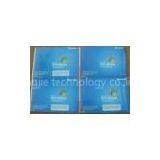
Microsoft Windows XP Professional SP3 Full OEM For Computer Utility Software


Related Products
-
 Server 2008 Standard W/5 CALs Microsoft Windows System SoftwareNegotiableMOQ: 1 Set
 -
Microsoft Windows System Software Windows Server 2008 Standard W/5 CALsNegotiableMOQ: 1 Set
-
Microsoft Windows 8 Professional Retail Box Microsoft Windows System SoftwareNegotiableMOQ: 1 Kilogram
-
Microsoft Windows XP Professional SP3 Full OEMNegotiableMOQ: 1 Piece
-
Windows 7 Ultimate Microsoft Windows System SoftwareNegotiableMOQ: 1 Kilogram
Quick Detail:
Hot Selling Microsoft Windows XP Professional SP3 Full OEM Computer Utility Software
Product Features:
1.Full Brand new OEM software from factory, if you are not familiar with OEM software, please refer to below basic knowledge.
2. Package contain CD+COA+Manual, you can choose 32bit or 64bit CD to buy accroding to your request.
2.1>. Internal pack with original key code sticker from Microsoft, it can be register, activated and update online.
2.2>. Outer pack COA label contain producing area with\"Made In USA\", \"Made In HK\", \"Made In Singapore\" and so on. But please notice this COA is different with Retail version, it\'s just a white sticker contain P/N, but Retail COA with blue color and SKU code.
3. Accepting more kinds of OEM software customize for you, provide good quality and discount software sales. We are your best chooice for microsoft oem utility software supplier
Description:
What is OEM software?
Before you buy OEM software, please ensure you are clear to below basic knowledge for OEM
1. OEM means \"Original Equipment Manufacturer\".
2. Sold to computer manufacturer directly, or distributed for smaller system integrators and system builder hobbyists for \"clone\" or no-name computers (to end user like you).
3. Electronic help manual built-in to the software or a small getting-started manual. When retail box version pack with printed manual & with fancy retail box.
4. Software CD contains the same programs as the Retail Box version, but it does not included Microsoft free tech support since it\'s intent for user with in-depth knowledge to install operating system.
5. OEM Microsoft software include a COA, which is a Certificate Of Authenticity label or sticker from the manufacturer, plus key code for you to key in during installation, and for your system to be activated/registed with Microsoft in order to receive Windows Update Such as Internet Explorer 7, Windows Defender, Media Player 11, and so on.
System Requirements :
|
Min Hard Drive Space |
1.5 GB |
|
Min Processor Speed |
233 MHz, 300 MHz Recommended |
|
Min Processor Type |
Pentium |
|
Min RAM Size |
64 MB |
|
Peripheral Interface Devices |
CD-ROM, SVGA monitor, Mouse or compatible device |
Windows XP Professional offers the best savings on a new installation of XP. Windows XP Professional is designed for productivity with improved networking and remote access tools. Windows XP Professional is built on the core used in Windows 2000 and Windows NT. This code, known as the NT kernel, makes Windows XP more powerful, secure, and stable.
With the dependable new Windows XP Professional architecture you get:
Superior operating system technology, including preemptive multitasking, fault tolerance, and system memory protection, which work together to prevent and resolve problems. The ability to recover your work in many cases, if your program crashes before you can save your work. System memory protection to help prevent poorly written software from making your computer unstable. In addition, when you install new software, you usually do not need to reboot Windows XP, as was often required with earlier versions of Windows. Advanced File and Folder Management: Windows XP provides several new ways for you to arrange and identify your files when viewing them in folders such as My Documents. When a folder is open, you can access each of the following view options on the View menu. You can change views in context, so you do not have to close the folder and re-open it to see the changed view. Group your files in Windows XP by any detail of the file, such as name, size, type, or date modified. Thumbnails view displays the images a folder contains on a folder icon so you can quickly identify the contents of the folder. Filmstrip view is available in picture folders. Your pictures appear in a single row of thumbnail images. Icons view displays your files and folders as icons. The file name is displayed under the icon; however, sort information is not displayed. List view displays the contents of a folder as a list of file or folder names preceded by small icons. This view is useful if your folder contains many files and you want to scan the list for a file name. In Details view, Wind
Send Inquiry to This Supplier

You May Also Like
-
2016 NEWEST Bitcoin Miner S9 Bitmain Antminer S9 SHA-256 BTC Asic Bitcoin Miner 11.85TH/s Antminer S9 BTCUS$ 1,999 - 1,999MOQ: 1 Piece
-
COMPUTER CASEUS$ 7.1 - 7.5MOQ: 1400 Sets
-
Raspberry PI Transparent Acrylic Custom Computer Case Fabricatio Enclosure Computer Box + Heat Sink KitUS$ 1 - 100MOQ: 100 Units
-
Metal Parts for ComputerUS$ 0.01 - 100MOQ: 1 Piece
-
Aluminum Computer CaseUS$ 2,500 - 3,500MOQ: 1 Ton
-
Oem Rackmount Computer Case in ChinaUS$ 10 - 260MOQ: 1 Set
-
ARTSHOW Luminous Computer Case, Wave LED Strip Front Panel, ARGB Light Effect,Support Water-cooled RadiatorNegotiableMOQ: 100 Pieces
-
4U 5U 6U Industrial Rackmount Computer Chassis Supports ATX or Micro-ATX MotherboardNegotiableMOQ: 1 Piece
-
4U Industrial Control Chassis Embedded Industrial Control Host Low-power Windows Fanless ComputerUS$ 568 - 570MOQ: 1 Unit
-
8 Port HDMI Splitter HDMI2.0 8K 1*8 Hdmi SplitterNegotiableMOQ: 10 Units


