








 Contact Platform Support
 Help Center
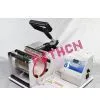
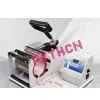
Mug Heat Press Transfer Printing Machine Printing Machine for Mug


Related Products
-
 Mug Heat Transfer Printing MachineUS$ 55 - 55MOQ: 1
 -
Combo Heat Transfer Printing Press Machine Printing Machine for MugUS$ 89 - 89MOQ: 1
-
Diy t Shirt Printing Machine t Shirt Heat Transfer Press MachineNegotiableMOQ: 1
-
Multifunction Combo Heat Press Machine Heat Transfer Press Printing MachineNegotiableMOQ: 1
-
High Quality Sublimation Mug Coated Mug White MugNegotiableMOQ: 1 Piece
Detailed Product Description
Mug heat press machine
High quality assurance.
After-sale service
Mug heat press machine
How to print your digital photo onto mug:
Take a digital photo
Print it out on sublimation paper with sublimation ink in your printer Cut the paper image to about 3" x 8" size
Wrap the image facing in the sublimation coated mug Place the mug in the mug press cup holder
Set temperature to 180 C to 200 C Set the desired time (varies from 45 sec. to 2 minutes.
Longer time leads to darker impression)
Take the mug out when timer buzz Your customized mug is done!
Very Simple :)
Size 11oz, 8.1x9.5 cm Carton size 38x34x33cm/pcs G.W. 8kg
The mug press machine is a digital swing-away press machine, it can work perfectly for commercial use or family use. It is good for making promotion products, ad gifts, and souvenirs for companies ,factories, hotels, restaurants, shops and schools.
Furthermore, it can help you to make lots of unique style items you may want to use dye sublimation for. Perfect DIY gifts for Birthday or Festival, such as New Year's Day, Saint Valentine's Day, Mother's Day, Father's Day, Halloween, Thanksgiving Day, Christmas and so on.
THE MUG PRESS MACHINE INTRODUCTION
1. Plug into the power, open the power. (The machine rated voltage is 220V, the rated input power is 350W)
2. Set the operation procedure :( the temperature shows F degree)
1).The original temperature: Press the MODE SET KEY once, the set indication light will be on, Press the key+ or key - to set original temperature.
2).The Max temperature: Press the MODE SET KEY the second time, the temperature indication light will be on,press the key + or key -to set the max temperature .
3).The max bake temperature: Press the MODE SET KEY the third time, the time indication light will be on,press the key + or key -to set the max bake time .
4).Execution mode: Press MODE set key the fourth time, the machine will go into waiting execution state..
Att: the original time setting range 200~380 degree, the Max temperature setting range 200~430 degree.
The max baking temperature time setting range: 0~999 seconds.
The machine has the function of temperature setting self-locking, so if the original temperature is 340 degree, the machine will control the max temperature range 340~430 degree . Conversely, if the max temperature set 250 degree, then the machine will control the original temperature 200~250 degree.
3. Heat transfer printing
Baking slowly: put the products into the mug press, press down the pressure handle, open the power, so the temperature will go up .When the temperature raise to the original setting temperature,
the machine will send out short stridulation, press the execution key once ,till the machine send out dah (long voice). Press the execution key again to finish the heat printing. Take out the product, the temperature will come back the original temperature gradually.
Baking fastly: under the original temperature state, fix the object, press down the pressure handle, press the execution key once, until the machine send out dah, press the execution key again , finish the heat transfer printing . Take out the object, the temperature will come back to original temperature.
4. The question prompt for the failure printing.
A. the color is lighter: The temperature is too slow, or the pressure is not even, or the time is too short .
B. the design is indistinct: the time is too long and lead to ink diffusing
C. the design has no luster: the pressure is too high or temperature too high.
D. part of design is indistinct: heat printing zone or the heating is not even.
E. Scar on the design: Heat printing time is too long.
F. dept of color is not the same: pressure not even or the coating is not even.
G. paper stick to the object: The temperature is too high, or the coating of the object is not good.
Any colorful photos, scenery pictures can be transferred printing into coated column items like mug, glass mug, metal bottle and other column objects which are particularly suitable for advertising, gifts, promotion, personalized products etc.
1.High quality assurance,3 times QC testing before ex-factory
2.responsible and thoughtful after-sale service
3.100% guarantee and 1:1 replacement for defecktive goods
4.Competitive prices,for larger quantity prices are consultable
5.Fast delivery

Send Inquiry to This Supplier

You May Also Like
-
Heat Transfer EquipmentNegotiableMOQ: 2500 Sets
-
Shenghua 2016 New Desktop Logo Heat Press MachineUS$ 90 - 150MOQ: 1 Unit
-
U Type Heat ExchangerUS$ 500 - 60,000MOQ: 1 Set
-
DZ Series Single-effect External Circulation EvaporatorUS$ 230,000 - 890,000MOQ: 1 Set
-
2500tpd Suspension Preheater Used in Cement Production LineNegotiableMOQ: 1 Unit
-
Mini Heat Press Machine Tshirt Logo Heat Press Transfer Printing Machine All in One Auto Heat Press/Combo Auto Heat PressUS$ 150 - 230MOQ: 10 Pieces
-
Heat Transfer EquipmentNegotiableMOQ: 1 Set
-
Hongmei Conical Cup Heat Transfer Machine Hot Stamping Machine Printing MachineNegotiableMOQ: 1 Set
-
Markem - Imaje TTO Thermal Transfer PrinterNegotiableMOQ: 1 Piece
-
Graphite Block Heat ExchangeUS$ 300 - 500MOQ: 10 Square Meters


