








 Contact Platform Support
 Help Center
Home > Health & Medicine > Medical Supply > Disposable Medical Supplies > SKYPE Bluetooth Keyboard With Telephone for IPad/iPad 2
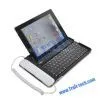
SKYPE Bluetooth Keyboard With Telephone for IPad/iPad 2
Negotiable
MOQ: 1 Kilogram (Price negotiable depending on order volume and customization)
Key Specifications
Get Latest Price
Brand Name:
Place of Origin:
China
Model Number:
T-iP4G-7282
Payment & Shipping
Payment Methods:


Port of Shipment:
China
Delivery Detail:
7 days
Related Products
-
 IPad 2 Aluminum Case Holder With Wireless Bluetooth Keyboard IPad 2NegotiableMOQ: 1 Piece
 -
Luxury Wallet Leather Cover Case for IPhone/Samsung/Blackberry/HTC/Nokia/LG (With Card Slots)-redUS$ 6.39 - 6.39MOQ: 1 Unit
-
Wallet Style Leather Case for IPhone 4/iPhone 4S With Card Slots(White)NegotiableMOQ: 1 Piece
-
Winter Gloves Universal Touch Screen Gloves for IPhone/iPad (Red)NegotiableMOQ: 1 Piece
-
Skull Heads Hard Back Cover for IPhone 4SNegotiableMOQ: 1 Piece
Place of Origin
China
Model Number
T-iP4G-7282
SKYPE Bluetooth Keyboard with Telephone for iPad/iPad 2
This product is design for Ipad, Bluetooth function, and it also could use as a Telephone for calling or video chat. Easy carry and practicality.
- 1:Design like a notebook keyboard, good outlooking and feeling good.
- 2:Built-in high-capacity rechargeable lithium battery, long standby time. More durable.
- 3:With USB interface. Connect the device to PC through USB connecting cable or iPad / iphone power adapter to charge the keyboard.
- 4:Charging Time is 2 hours, it could use 40 hours after fully charged.
- 5:Compatible for Iphone3G,4G,iPad1/iPad2.
- 6:With a number of shortcut keys make the operation more convenient.
Standard Accessories
- USB charging cable (big 4pin turn to a small 5pin long 1000mm) 1pcs
- 3.5mm audio adapter cable 1pcs
User Manual
- 1.1 Turn on power switch, Bluetooth keyboard sync indicator lights on and flash slowly, that has entered the Bluetooth searching state, and the indicator light turns off automatically after 3 seconds.
- 1.2 IPad console settings menu, the 'Bluetooth' option to select the 'Open' state, and press keys FC on the keyboard 2 seconds will turn flash light on the code that has been entered on the keyboard code state , the keyboard and the host will automatically iPad code, the code will be successful iPad console connection prompt, and asked to enter matching password, then enter the iPad host the 6-digit code displayed, press the ENTER key to confirm the keyboard that smooth connection with the console.
- 1.3 When user want to use the telephone, just take up the headphone. If user want to stop telephone, just press the ring off button.
- 1.4 when the iPad system enter into power saving mode , press any key to wake the keyboard.
- 1.5 When user does not use the keyboard, just the power switch to OFF at the can.
- 1.6 Keyboard with low-voltage alarm function, when battery power is low, the power indicator light flashes ,it expressed the keyboad need to be charged,at this time you could use the USB cable connected to PC to charge the keyboard. When charging, the power indicator light red,when the keyboard is fully charged, the indicator will turn blue.

Send Inquiry to This Supplier

* Email
Want the best price?
Post an RFQ now!
Business Type
Trading Company
Total Employees
101 - 200 People
Main Markets
North America, South America, Eastern Europe
Location
Tai'an, Shandong, China
You May Also Like
-
Actived Charcoal Filter CylinderNegotiableMOQ: 20 Sets
-
Animal Ultrasonic Detection Sets for Cow, Horse, Pets Etc. Palm ScannerNegotiableMOQ: 1 Set
-
Disposable Medical ConsumablesNegotiableMOQ: 2500 Boxes
-
U Fence Staples for Wooden Posts - 1.5 Inch Leg Length, Hot-Dip Galvanized, China FactoryNegotiableMOQ: 5 Tons
-
99 Cent Store Stationary China Product Cheap Plastic GlobeUS$ 0.05 - 0.3MOQ: 200 Pieces
-
High Quality Disposable Wooden Custom Medical Tongue Spatula DepressorUS$ 18 - 28MOQ: 10 Cartons
-
Needle Punched Qdsanhong and EVA Material Car Floor MatsUS$ 8.65 - 15MOQ: 1000 Pieces
-
Mini Coil With ROHS GEM008US$ 0.5 - 0.8MOQ: 1000 Pieces
-
Safety HammerUS$ 0.65 - 4.5MOQ: 1000 Pieces
-
YSSY-500 High Performance Low Price Hospital Medical Infusion PumpNegotiableMOQ: 1 Set


