








 Contact Platform Support
 Help Center
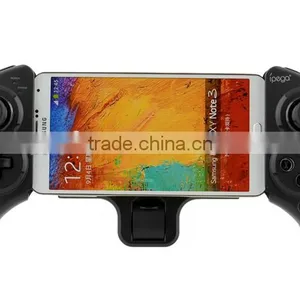
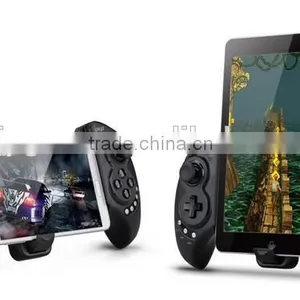
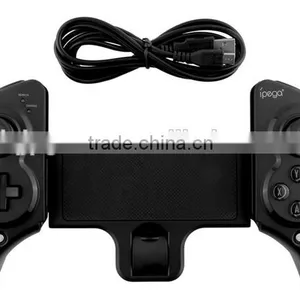
IPega Bluetooth Game Controller For Ipad Ios Black Extension-type


Related Products
-
 New HBS-730 Stereo Wireless Bluetooth Headset for IPhone Samsung S6 S5 LG HTCUS$ 5 - 7MOQ: 50 Pieces
 -
HV-800 Wireless Stereo Bluetooth Headphone Headset Neckband In-Ear Earphone With Microphone for IPhone Samsung CellphonesUS$ 5 - 7MOQ: 50 Pieces
-
5V 2A Micro USB Wall Charger for Samsung Galaxy S3 S4 S5 Note3US$ 0.2 - 1MOQ: 50 Pieces
-
Ipega PG-9021 Wireless Bluetooth Gaming Game Controller Gamepad Gamecube Joystick for Android Phone Tablet PC Laptop TV BOXUS$ 13 - 20MOQ: 10 Pieces
-
IPEGA PG-9025 Bluetooth Wireless Game Controller Gamepad Joystic for Phone/Android Phone/Tablet PCUS$ 12 - 15MOQ: 10 Pieces
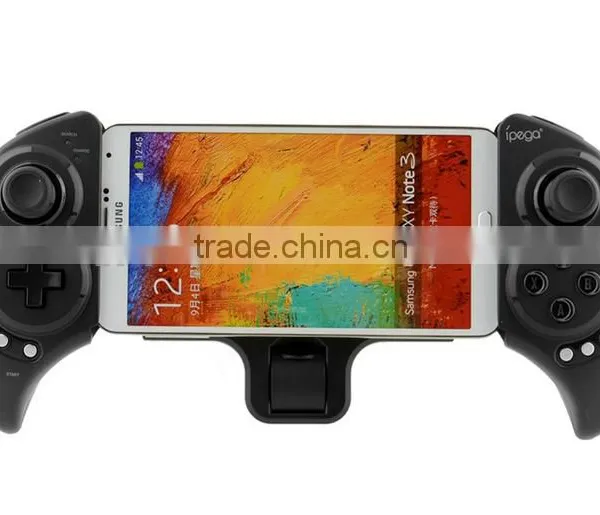
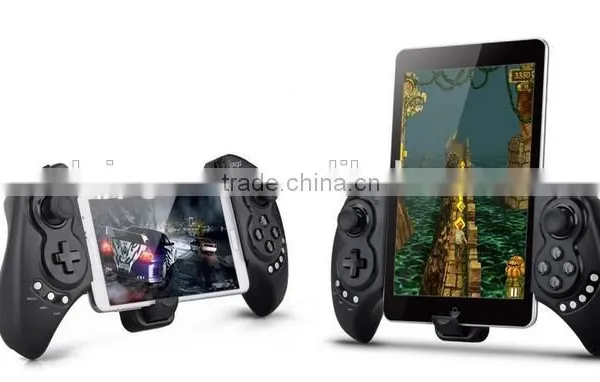
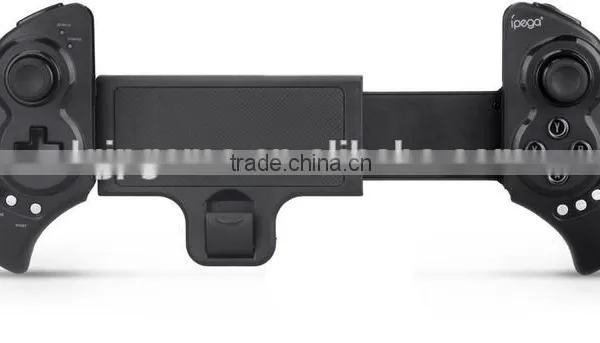
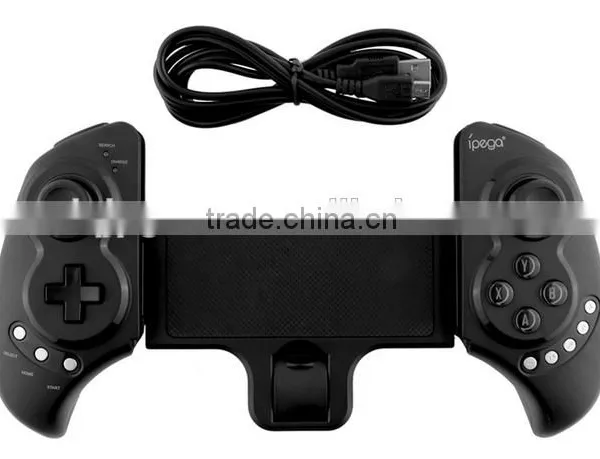
IPega Bluetooth Game Controller For Ipad Ios Black Extension-type
This product is a new wireless Bluetooth controller which supports different android/ ios/ PC games.
1.It can be used when connected with the Bluetooth mobile phone and without any drivers.
2.Exclusive gaming application platform, the classic hand travel under control (ipega game lobby only for Android platform).
3.Built-in lithium battery (380mAh). After charging, it can be sustainable for 20 hours. Safe and stable.
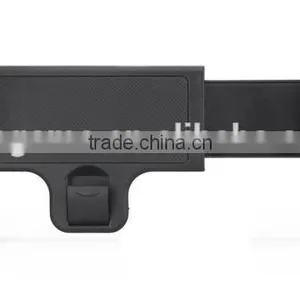
4. With telescopic stand. Mobile phone or tablet can be placed in the bracket (support 5-10 inch devices).
5. With "volume +, -,"last ","next ""Play / Pause" , total 5 multimedia function keys (This function is imcompatible with Y key mode.)
6.Bluetooth 3.0 wireless transmission can support 6-8 meters wide range of control from the operation.
7.User-friendly software designed to enter the power saving mode with no connection state.
8.Support android 3.2, ios 4.3 above system.
9.Compatible with iPod/iPhone/iPad as well as the vast majority of android tablet PCs.
Game Support Description:
Under Android system, it supports the vast majority of games and simulator games (such as MC4, Wild blood, Dungeon Hunter, Zombie, FC simulator, GBA emulator, arcade emulator, SFC simulator, N64 emulator, Shadowgun, Sonic CD, Cordy, soulcraft, Zenonia4, 9 Innings 2013, Riptide GP, etc.)
Download method of games that are compatible: Enter itunes and App Store to search for "iCade". The handle can be compatible with the vast majority of games, such as Gunman Clive, Helium Boy, League of Evil League of Evil 2, Muffin Knight Free Stardash, Temple the Run and so on.
User Manual:
X.GamePad Mode: Only Android 3.2 + versions supports this mode. When the handle is turned off, first press the "X" key, then
press the HOME key. Bluetooth LED indicator flash. The handle enter into the pairing mode and turn on the phone and search
Bluetooth devices "Ipega Extending Game Controller" for pairing. LED indicator light is on after the successful pairing.
A.Keyboard Mode: : (For Android system and support various types of simulators) When the handle is turned off, first press the "A" key, then press the HOME key. The Bluetooth LED indicator flash and the handle enter into pairing mode. Turn on the phone and search Bluetooth devices "Ipega Extending Game Controller" for pairing. LED indicator light is on after the successful pairing.
B.iCade modes: When the handle is turned off, first press the "B" key, then press the HOME key. The Bluetooth LED indicator
flash, and the handle enter into the pairing mode. Turn-in the phone and search for Bluetooth devices "Ipega Extending Game Controller" for pairing. LED indicator light is on after the successful pairing.
Y.Y key has two modes: 1.SPP Mode (for systems with virtual keys of the game), 2.ipega gaming desktop (see appendix)
1.SPP Mode: When the handle is turned off, first press the "Y" key, then press the HOME key. LED lights flash and the handle
entre into the pairing mode. If the pairing is successful, the LED indicator is keeping bright. The handle is in the SPP
mode; SPP mode requires corresponding Android APP software to complete the relevant key mapping function.
SPP use:
1 Go to Settings → Language and input → Select Input Method "GHTouch IM" (Figure 1)
2 Open the application "GHTouch" → Choose device "ipega Extending Game Controller" → check "virtual screen buttons"
→ Select Input Method "GHTouch IM" → The device will automatically connect with the handle, after the
connection is completed , the LED indicator light (Figures 2, 3)
3 After entering the game, press the volume up on the device or handle "Select" button, the button icon onto
the screen corresponding to the position (Note: Double-click the icon to set the size), press return or click on
the device handle "Select", icon hidden, complete the setup.
About input method seting: Using the controller to play game should set the phone or notebook input method to be default as English language input (For the ios system, be sure to switch the input method, and then pairing. If not, the handle does not work properly.)
Charging controller: Accessing the controller to 5V power supply for charging (PC device or mobile phone power adapter). In the process of charging, the charge indicator light of handle is orange and LED is off after fully charged.
Switch on/off the controller: Press "HOME" button for 3 seconds until the Bluetooth LED is off, it means shutdown is successful. If the phone is not unpair connection when controller shutdown. Just do it again
Press the "HOME" button for about five seconds, until the LED red light flashes slowly. It means that the handle is turned on (the default the last boot mode), the boot handle will automatically paired with the phone connection. If the connection fails, the handle will automatically shut down.
Connect the PC: Open the device's Bluetooth PC program, and select the "X, A" in either mode can be paired with(and does not have a Bluetooth PC devices need to use the Bluetooth receiver).
Note: To change the controller function mode, please turn off the controller firstly and cancel the bluetooth pairing , then in accordance with the operation mode to replace the steps.
Attention:
1. When the controller can't operate normally, please use the papperclip to touch the reset switch on the left corner of the grip back when the grip cannot shut down or crash.
2. Please do not put this product in wet or hot place for storage.
3. Do not hit, beat, piercing or attempt to disassemble the product to avoid unnecessary damage.
4. Do not discard the built-in battery with garbage.
5. Do not use near fire or other heat source to recharge the battery.
Item |
IPega Bluetooth Game Controller For Ipad Ios Black Extension-type |
Quality: |
All be tested before delivery by our professional QC team. |
Packing: |
Anti-static bags/bubble bag + foam box + outer cartons |
Payment: |
T/T, Western Union, Escrow,paypal |
Delivery Time: |
1-3 days after payment confirmation |
Shipping |
Express courier -DHL ,UPS,FEDEX,TNT- 3-5 Days EMS,China Post ,Hong Kong post - 10-20 Days Air cargo - 5-10 Days Sea cargo - 15-30 Days |
Warranty: |
Most products offer 3-6 month warranty but it depends on the merchandise in question (please read specific note on the PI). |
Returns |
All returned parts are requested to be packaged as originally delivered, and original labels marked by us must not be removed, nor can any of the parts have been used or damaged deliberately. |
Samples: |
Samples for quality test are available, but we kindly ask you to pay for samples and the freight. |
Serivice: |
All questions response in 24 hours. Latest information will be updated to you |

Send Inquiry to This Supplier

You May Also Like
-
for PS1 Wire Controller (original New)NegotiableMOQ: 10 Pieces
-
NEW USB Charging Cable USB Charger For Xbox 360 Wireless Game ControllerUS$ 1 - 100MOQ: 100 Pieces
-
Accessory Set for New 3DS LL / New 3DS LLUS$ 0.05 - 5MOQ: 3000 Pieces
-
i8 Mini 2.4GHz Wireless Touchpad Keyboard Air Mouse for PC, PAD, XBox 360, PS3, Android TV Box, HTPC, IPTVUS$ 9.7 - 9.7MOQ: 100 Pieces
-
Phase Controller Module S-073N 3BHB009884R0021US$ 458 - 894MOQ: 1 Bag
-
Gs5 Pro Game Station 64 Bit Retro Tv Video Game Console Built In 15000 Games Hd Output Classic Gaming Console For Ps1/nesUS$ 29.5 - 30.6MOQ: 10 Pieces
-
Mini Wireless Bluetooth Game Controller Joystick Gamepad Joypad for Ipad Iphone 5 5s 4 4s 3 3gUS$ 9.68 - 16.82MOQ: 10 Pieces
-
Mini Bluetooth Game Controller for Google Carboard 3D GlassesUS$ 1 - 4.8MOQ: 500 Pieces
-
Wholesale Usb Joystick Drivers Welcome, Joypad, Joystick pcUS$ 24.17 - 25.17MOQ: 100 Pieces
-
Nintendo Game Controller Wireless Vibration Body Sense Switch Handle TransparentUS$ 16 - 17MOQ: 200 Pieces


