








 Contact Platform Support
 Help Center
Home > Electrical & Electronics > Telecommunication & Broadcasting > VoIP Products > SMTSEC SVC-HD388-DSYC-k2 10X Optical ZOOM 2.0 Megapixel Full HD Camera 1080p Video Conference Camera
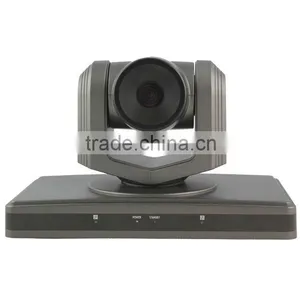
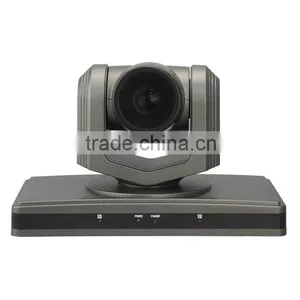
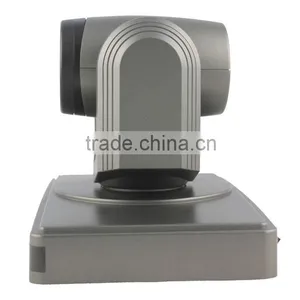
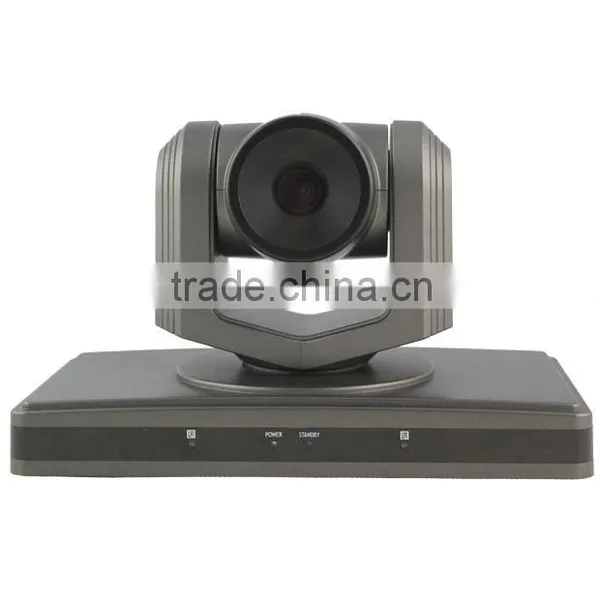
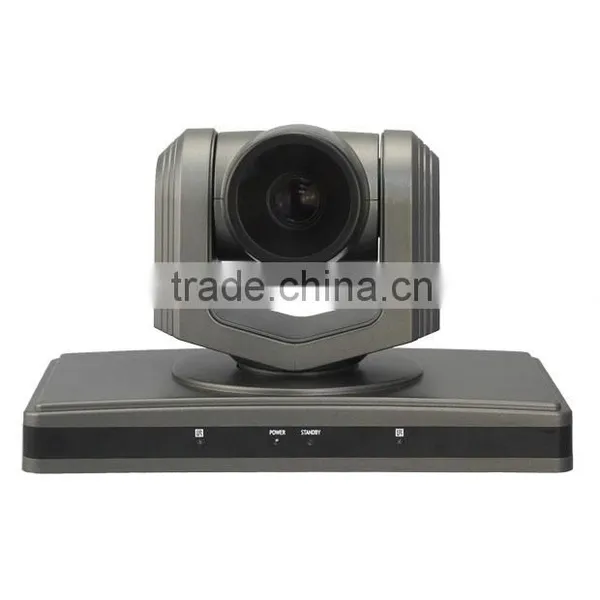
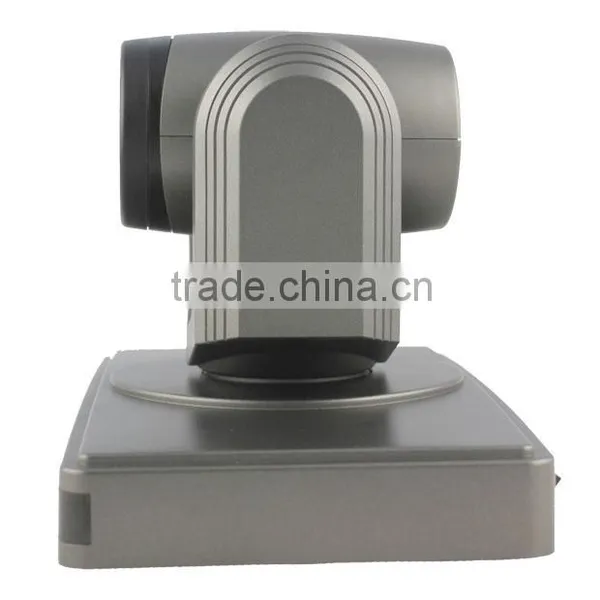
SMTSEC SVC-HD388-DSYC-k2 10X Optical ZOOM 2.0 Megapixel Full HD Camera 1080p Video Conference Camera
Negotiable
MOQ: 1 set (Price negotiable depending on order volume and customization)
Key Specifications
Get Latest Price
Place of Origin:
Guangdong, China
Brand Name:
SMTSEC
Model Number:
SVC-HD388-DSYC-k2
Payment & Shipping
Payment Methods:


Port of Shipment:
China
Delivery Detail:
Delivery time depends on order quantity.
Related Products
-
 SMTSEC SVC-HD652 Low Cost High Performance 2.0 Megapixel HD Color Video Camera USB2.0 1080p Video Conference CameraNegotiableMOQ: 1
 -
480TVL 64 Preset 10 Optical Zoom Color Video PTZ Conference Camera(SVC-HA02-CN)NegotiableMOQ: 1 Piece
-
New Products 3D Joystick Visca Keyboard Controller Conference Camera System (SK-CV03)NegotiableMOQ: 1 Piece
-
High Performance 600TVL CCTV Color Video PTZ Video Conference Camera for Video Conference System(SVC-HA01)NegotiableMOQ: 1
-
30 Optical Zoom 2.14 Megapixel Full HD Color Video PTZ Pan Tilt Zoom Camera USB 3.0 Video Conference Camera System(SVC-HDD17)NegotiableMOQ: 1 Piece
Place of Origin
Guangdong, China
Brand Name
SMTSEC
Model Number
SVC-HD388-DSYC-k2
Type
Other, video conference camera
SMTSEC SVC-HD388-DSYC-k2 10X Optical ZOOM 2.0 Megapixel Full HD Camera 1080p video conference camera
Product Description
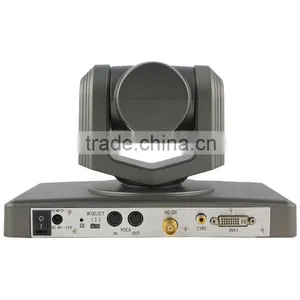
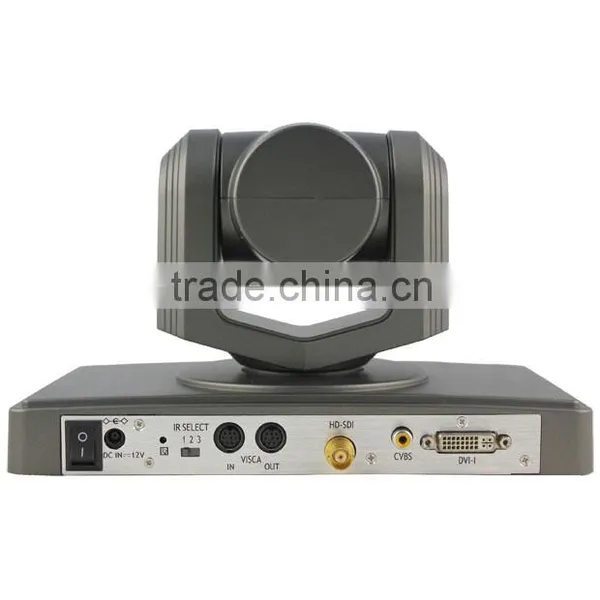
| 2.0 Megapixel Full HD Camera experience 1080i@60 vivid images, equipped with 10x optical zoom lens, enhancing your video conferencing, distance learning, training meeting, courtrooms or remote medical with natural and smooth video images. Multi-connector is suited for hardware Codec conferencing system application, along with HD-SDI,HDMI,DVI,CVBS,YUV interface which provide high-quality video display.It supports HD-SDI Video output for further distance transmission. | ||
| Features: | ||
| Private Tooling design High Definition PTZ camera | ||
| Fast and smooth video handling | ||
| Power ON-OFF switch | ||
| Work & Standby LED indicator | ||
| Speed Match | ||
| Auto/Manual focus/brightness/WB | ||
| RS-232C/VISCA Protocol | ||
| Lens/Dome OSD menu | ||
| Boundary scanning | ||
| Standby & wakeup status | ||
| Swap video format button | ||
| DVI/HD-SDI/CVBS Video output | ||
| Performance: | ||
| 1920x1080 pixels progressive @30fps | ||
| 10x optica zoom | ||
| F=5-50 mm F2.0-2.8 | ||
| HOV 5.86° ~51.8° degree | ||
| 1/3” CMOS 2.1 Megapixel | ||
| Pan ±175° | ||
| Tilt ±45° | ||
| 64 preset positions | ||
| 4 cruise lines | ||
| DC 12V, 2A | ||
| Dimension: | ||
| L 124mm x W 120mm x H145mm | ||
| 220x175x220mm (Package) | ||
| N. Weight: 1.4kgs | ||
| G. Weight: 1.7kgs | ||
| Installation: | ||
| Desktop | ||
| Ceiling mount | ||
| Standard Tripod accessory | ||
| Model | SVC-HD388-DSYC-k2 | |
| Image | Sensor | 1/3” model, primary color CMOS, 2.1 M compatible |
| Sensor | Minimum Scene Illumination | 0.1Lux |
| White Balance | AUTO/Manual | |
| Gain Control | AUTO | |
| Back-light compensation | ON/OFF | |
| Electronic shutter | 1/30~1/10000S | |
| S/N Ratio | >50db | |
| Lens | Focus | AUTO |
| Iris | AUTO/Manual | |
| Zoom | 10X Optical ZOOM | |
| 1/3.6model f=5-50mm | ||
| Video Output | HD-SDI/CVBS/DVI | |
| Video format | 1080P@30,1080P@25,1080I@60, 1080I@50,720P@60,720P@50 | |
| Control Decoder | EIA/RS-485 | |
| Communication | EIA/RS-232(Bidirectional) | |
| PTZ Control Protocol | VISCA,PELCO-P,PELCO-D | |
| Baud Rate | 4800/9600 bps | |
| Patrol tours | 4 | |
| Preset | 64 | |
| Save status after Power off | Support | |
| Speed Matching Function | Support | |
| OSD Menu | Support | |
| Image Auto Flip | Support | |
| Pan Speed | 0-100 degrees/s | |
| Tilt Speed | 0-80 degrees/s | |
| Pan Rotation Angle | 359degrees | |
| Tilt Rotation Angle | +45, -45 degrees | |
| Auto Pan Scan | Support | |
| Boundary Scan | 0-359degrees(Programmable) | |
| Remoter Control | IR Wireless remote control P/T/Z | |
| Power | DC12V ±10% 1.2A | |
| Operation Temperature | -10℃~60℃ | |
| Environmental humidity | 0-95%RH(non-condensation) | |
| Length X width X high | 250mm x 140mm x 145mm | |
| Weight | 900g/2600g(NET/PACKAGE) | |
| SMTSEC Video conference camera FAQ | ||
| Symptom | Cause | Remedy |
| The power of the camera is not turned on. | The supplied AC power adaptor is not connected to the DC IN 12V jack firmly, or the AC power cord is not inserted firmly into the AC power adaptor or the AC outlet. | Insert the power cord firmly as far as it will go. |
| Not Turn On the Power switch as “ON”. | Turn On the Power switch as “ON”. | |
| Insufficient frame rate detected | Cannot recognize USB 3.0 connection, but the USB 2.0 speed. | Make sure you connected USB 3.0 Cable, USB 3.0 connect, and firmly connect to USB 3.0 interface. |
| Pan,tilt or zoom cannot be operated. | Any menu is displayed on the monitor screen. | Press the “Dome OSD” OR “Lens OSD” on the Camera remote control Unit to turn off the menu from the monitor screen. |
| The panning or tilting range is limited | Pan/Tilt movement range is ± 45 degree. | |
| The Remote Commander does not work. | The Camera Select button you pressed on the Remote Commander does not match the number set with the IR SELECT switch on the camera. | Press the Camera Select button corresponding to the IR SELECT SWITCH setting on the Camera. |
| Used out of battery | Change new battery (AA x 2) | |
| The VISCA control is not available with a computer connected to the camera. | The computer is not correctly connected to the camera. | Make sure the connection between the computer and camera is made correctly. |
| Check that the VISCA control setting (RS-232C or RS-422) and the baud rate setting (9600 bps or 38,400 bps) are properly made with the BOTTOM switch on the bottom of camera and the COM Port which configured in your computer. | ||
| The camera cannot be operated at all. | Pull out the plug of the power cord from the AC outlet, then reinsert it into the AC outlet after a while. | |
Packaging & Shipping
China Post (10-30 days)
EMS (5-15 working days)
DHL (3-5 working days)
UPS (3-5 working days)
•The most reliable, affordable way of shipping method deponds on your address.
•Online tracking number will be emailed to buyer through email.
•We dont take any responsibility for any custom delay.
Our Services
•All products have been checked and packaged in good condition before dispatch.
•All products have 1 year warranty.

Send Inquiry to This Supplier

Business Type
Manufacturer, Trading Company
Year Established
2014
Factory Size
1,000-3,000 square meters
Total Employees
101 - 200 People
You May Also Like
-
Usb GatewayUS$ 13 - 15MOQ: 1000 Pieces
-
The Most Popular Sms Controller GSM RTU Gateway S270 With IOS Android APP 2DIN 2DO 2AIN 1TempUS$ 10 - 10MOQ: 1 Unit
-
GSM Gprs 32 Sim Card Moblie Recharge Bulk Sms Activate Sim Card Modem PoolUS$ 480 - 1,100MOQ: 1 Piece
-
USB VOIP PHONE(USB2.0MiNI TV STICK)NegotiableMOQ: 1 Piece
-
Corded P/T Trimline Phone,wall Mounted Trimline PhoneUS$ 2.15 - 2.35MOQ: 5000 Pieces
-
SIP Circuit Board SIP Main PCB Cards VoIP PCB Board IP IntercomUS$ 40 - 100MOQ: 10 Cases
-
Android VoIP Phone Support 6 SIP Camera Video ConferenceUS$ 145 - 165MOQ: 1000 Pieces
-
Ejoin 16 Ports 64 SIMs VoIP Gateway ACOM516L-64 SIP GoIP ModemNegotiableMOQ: 1 Combo
-
Good Price for 2G M26 SK8-32 Ports 8 SIms 32 Voip Gateway Change IMEI Bulk SMS Call Center Router Sim BoxUS$ 620 - 629MOQ: 1 Piece
-
SIP-T46UNegotiableMOQ: 1 Piece


