








 Contact Platform Support
 Help Center
Car Gps Trackers/ Sim Card Car Gps Tracker/ Gps Tracker for Vehicle




Related Products
-
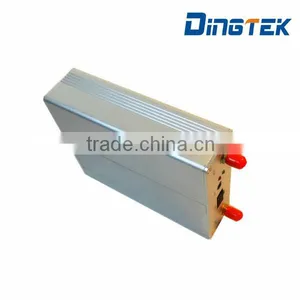
 A200E GPS GPRS GSM Vehicle Tracker/truck Gps Tracker Anti-theft and Location TrackingUS$ 80 - 85MOQ: 1 Piece
 -
A200E GPS/ GPRS Vehicle Tracker/car Gps Tracker/ Gps Tracking Chip Work With Fuel Level SensorUS$ 75 - 80MOQ: 1 Piece
-
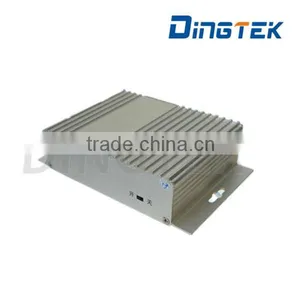
A200E GPS GPRS GSM Gps Vehicle Tracker / Car Gps Trackers Anti-theft and Tracking LocationUS$ 80 - 85MOQ: 1 Piece
-
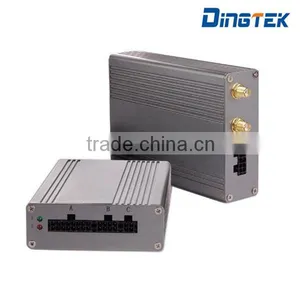
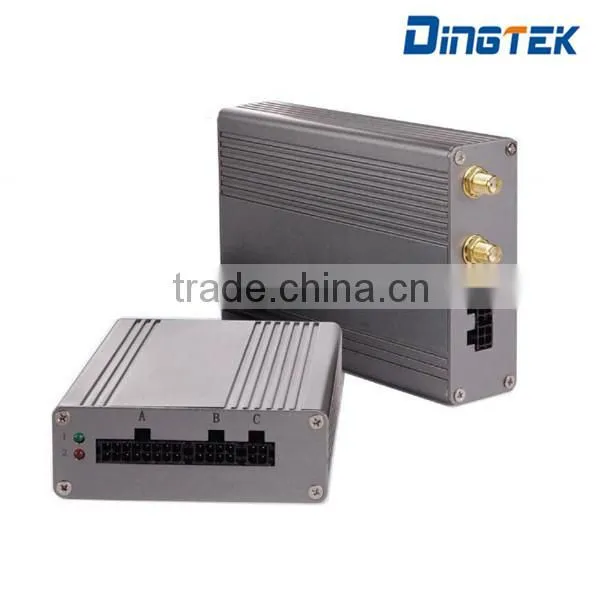
A300 China Manufacturer Cheap Vehicle Mini Tracker Waterproof GPS TrackerUS$ 78 - 85MOQ: 20 Pieces
-
A300 Latest Live Real Time GPS TrackerUS$ 78 - 85MOQ: 5 Pieces
car gps trackers/ sim card car gps tracker/ gps tracker for vehicle
Standard GPS/GPRS car/trauck/bus tracker. It's can apply any vehicle.
Real time monitoring, you can know your love car where it is any time, and anti theft.
this car tracker is available to historic tracking, oil cut, SMS configuration and etc
The GPS Tracker A400 can connect with 3 RS232 device, such as phone handle, TTS, Camera, level sensor, temperature sensor and etc. Also, it can work with cement drum sensor to realize cement drum rotation detection.
Furthermore, it can stop fuel pump or starter to stop the vehicle. Of course, you should connect the tracker into the fuel pump line or starter line with relay while installation.
The tracker can real time monitoring and query historic data by our platform.
Dimension |
145*95*36mm |
GPS |
UBlox |
Weight |
600g |
GSM/GPRS |
EM310 |
Current |
120MA@12VDC |
Voltage |
9-32VDC |
Backup Battery |
Yes, 2 hours |
ACC Detection |
Yes |
SOS |
Yes |
Fuel pump stop/starter stop |
Yes |
RS232 |
3, for phone handle, camera , level sensor, TTS or LCD, temperature sensor |
Working temperature |
-20~+70℃ |
System Diagram
Interface Definition
1. Pin Definition
Main I/O port
Pin 1: Thick Red, VCC (9-36VDC)
Pin 2: Thin Black, ACC
Pin 3: Black Green, Self-defined High level trigger input.
Pin 4: Brown Green, Self-defined Low level trigger input I.
Pin 5: While, Self-defined Low level trigger input II.
Pin 6: Thick Black, GND
Pin 7: Orange, SoS button.
Pin 8: Purple, Oil cut.
Pin 9/10: Reserved.
Main I/O port
directly connect with the phone handle or dispatch panel.
RS232 port
Pin 1: RX 232
Pin 2: TX 232
Pin 3: GND
Pin 4: 5V output.
2. Connection with F300 Level Sensor
F300 wire:
Red wire--------VCC
Black wire------GND-----A400 Pin3 of the 4 pin connector GND
Yellow wire RS232 TXD-------A400 Pin1 of the 4 pin RS232 connector RS232 RX
Green wire RS232 RXD-------A400 Pin2 of the 4 pin RS232 connector RS232 TX
3. Connection with F330 Level Sensor
F330 wire:
Red wire--------VCC
Black wire------GND-----A400 Pin3 of the 4 pin connector GND
Yellow wire RS232 TXD-------A400 Pin1 of the 4 pin RS232 connector RS232 RX
Blue wire RS232 RXD-------A400 Pin2 of the 4 pin RS232 connector RS232 TX
4. Connection with F500 Level Sensor
F500 wire:
Red wire--------VCC
Black wire------GND-----A400 Pin3 of the 4 pin RS232 connector GND
Yellow wire RS232 TXD-------A400 Pin1 of the 4 RS232 pin connector RS232 RX
Blue wire RS232 RXD-------A400 Pin2 of the 4 pin RS232 connector RS232 TX
5. Connection with F550 Level Sensor
F550 wire:
Red wire--------VCC
Black wire------GND-----A400 Pin3 of the 4 pin RS232 connector GND
Blue wire RS232 TXD-------A400 Pin1 of the 4 pin RS232 connector RS232 RX
Yellow wire RS232 RXD-------A400 Pin2 of the 4 pin RS232 connector RS232 TX
6. Connection with Fuel Pump/Starter
Relay wire:
Red wire--------VCC
Black wire------GND---------------A300 purple wire pin8 in the 10pin connectors .
Green wire insert into the fuel pump line, one end to power, one end to fuel pump.
Notes: 12v relay only for car. 24v relay only for truck.
7. Connection with Camera
If user connect the camera from us with our A400 tracker, just connect the 4 pin connectors together.
part list
NO. |
Item |
Quantity |
Remark |
1 |
GPS Tracker Body |
1 |
Silver |
2 |
GPS Tracker SIM Card Cover |
1 |
Usually already screwed with the body |
3 |
Screw |
4 |
Usually already screwed with the body |
4 |
Power Cable |
1 |
3 pin |
5 |
GPS Antenna |
1 |
|
6 |
GSM/GPRS Antenna |
1 |
|
7 |
Double side stick |
1 |
|
8 * |
Relay |
1 |
Optional |
9* |
4 pin connector |
1 |
Optional for RS232 connection |
Installation steps
Before installation, please check the part list. Make sure that you already have the total package of our tracker and one sim card which is enabled with GPRS data and sms.
Notes:The sms function is used to debug while tracker failed to be online, such as set the apn/user name/password.
1. Find Position to Install
Before installation, please check the vehicle to find the appropriate position to install the gps tracker body. Usually the tracker should be install under the dashboard which is hide to the driver or passenger. But make sure that the gps antenna should not be masked by metal and the side with label is facing to ground, otherwise gps will not be fixed.
The fuse box is one option for power to the gps tracker. But make sure that the inserting of gps tracker does not change the behavior of the fuse box. Please make sure the gps tracker power supply do not interfere with the security and safety system.
2. Insert SIM Card
Before insert or remove sim card, please make sure power off
1. Open the cover.
2. Unlock sim card slot.
3. Insert sim card. (The SIM card should be enabled with GSM/GPRS business.)
4. Lock sim card slot.
5. Restore the cover.
Notes: please make sure that the tracker is enabled with gprs data and sms function.
3. Wire Connection
Connect GPS antenna.
Connect GSM antenna.
Connect power line with GPS tracker.
Connect power line with battery or other power supply (12V or 24VDC).
Red wire: pin 1, +VCC (12/24VDC)
Black Thick wire: pin 6, GND
Black Thin wire: pin 2, vehicle ACC line.
(for test purpose or vehicle which is not easy to connect with ACC, please connect white wire to +VCC)
4. Check LED Status
After power on, please wait for about 1 mintue later, then watch the led status.
If red led slow flash, please send sms message to set ip, port ,apn.
If yellow led slow flash, please put gps antenna to opensky.
If any led always on or off, please power off and check sim card and antenna. If still same problem, please contact us for maintainance.
LED |
Function |
Status |
|||
always off |
always on |
slow flash (1s on, 3s off) |
quick flash (1s on, 1s off) |
||
Red |
GSM/GPRS |
Failure |
Failure |
GSM ok, GPRS fail |
GSM ok, GPRS ok |
Yellow |
GPS |
Failure |
Failure |
GPS not fixed |
GPS fixed |
5. SMS Configuration
Only if red led slow flash, sms configuration can be helpful.
Please make sure sim card is enabled with sms and gprs business.
Below format is the standard SMS to configure server, port, apn, tracker id and etc.
<SPBSJ*P:BSJGPS*T:174.142.053.069,6690*U:174.142.053.069,6688*N:14999640937*A:apnname, apnuser, apnpassword>
< and > is included in the sms. Please make sure it is in the input mode of english. No space in the SMS.
- Ø T for TCP, U for UDP.174.142.053.059 is the server ip, , 6690/6688 is the port. If not 3 digital in the ip, please add 0 or 00 to make it 3 digital.e.g. 53->053. 9->009.
- Ø 14999640937 is the tracker id in 11 number.
- Ø A for user sim card apn info. In some country, GPRS need apn, user, name to login.
- Ø In some country, only apn is ok. In such case, no need to input apn user, apnpassword. "," after apn name also no need to input.
- Ø After about 1 mintues of sending sms, the sender will get reply. If ok, the new setting will reply. Otherwise, error reply.
The tracker replied as below:
<BSJ*T:xxx.xxx.xxx.xxx,pppp*U:yyy.yyy.yyy.yyy,uuuu*A:apn*N:13412345678*GP:V*CGREG:S*CSQ:B*AO:T1*AF:T2*CS:H*TH:00*GPS:N*ER:%>
We use * to divide each part, use <> to stands for the head and the tail
BSJ: stands for the fixed format head
T:TCP IP and port
U:UDP IP and port
A: stands for the APN parameter, such as CMNET
N: stands for the terminal No. such as 13800000000
GP: stands for whether online, V=OK stands for online,V=NO stands for offline
CGREG:stands for GPRS register status, S=1 or 5 stands for registered
CSQ:stands for the signal intensity B=0~31(31 the strongest signal) or 99( n signal)
AO: stands for fixed time upload position data’s time interval when ACC open, T1=3-65535 unit: second
AF: stands for fixed time upload position data’s time interval when ACC close, T2=1-255 unit: minute
CS: stands for over-speed threshold H=0-255 Unit: km/h
TH: stands for call limit
GPS: stands for receiving satellite numbers N=0-16
ER: stands for the last error code of the car terminal
6. Wire Routing and Restore
After installation, please restore the vehicle cover, use stick to fix the gps tracker with vehicle. And make sure that the gps antenna side with label is facing to ground. And the gps antenna is not masked by metal. Plastic or glass does not matter.
If you can monitor it on the tracker platform, then the installation is done.
7. GPS Platform
Usually the user account and password is send to you while we send out the package. If not, please contact with our sales agent or engineer about this info.
8. Fuel Info Configuration
If fuel level sensor is connected, the user should create the table between the fuel level and analog of tracker get, such as 0v--0liter, 1v---20 liter, 3v-50 liter.
Then input into the gps platform, after that the platform will show the fuel info.
Why do you choose our company?
We thrive to provide customers with high quality produce.
Our quality management system including:
1. Quality control of local production and supplier
2. Assurance of quality on the production line
3. Supplier quality management
4. Failure analysis of products
Our team and factory
Warranty
Limited One Year Warranty
We warrants this quality product to be free of defects in material and workmanship for a period of one year from the date of purchase. During the period, we will repair or replace the product at no charge for parts or labor. But the shipment fee will be shared by the buyer (one party 50%).
TIME PERIOD OF THIS WARRANTY
The time period of this warranty starts from the date of the original purchase and expires on the first anniversary date of purchase.
WHAT IS NOT COVERED BY THIS WARRANTY
No express or implied warranty is made for any defects in this product which result from accident, abuse, misuse, failure to operate the product in accordance with relevant instructions, neglect, immersion in or exposure to chemicals or liquids, extremes of climate, fungus, excessive wear and tear/cosmetic damage and defects resulting from other extraneous causes such as
unauthorised disassembly, repair or modification.
This warranty shall not extend to any incidental or consequential damages arising from the purchase, use or inability to use this product even if Vivitar has been advised of such damages.
The laws of some countries and some States thereof do not allow the limitation of incidental or consequential damages, so the above limitation or exclusion may apply to you.

Send Inquiry to This Supplier

You May Also Like
-
Original SMC IP200-120 Cylinder Positioner New Original AuthenticNegotiableMOQ: 1 Piece
-
GPS NavigatorNegotiableMOQ: 2500 Pieces
-
Alarm Monitoring Center Software for Navigation & GPSUS$ 5 - 55MOQ: 1 Piece
-
Analog Capacitive Level Sensor With Stainless Steel ProbeUS$ 40 - 80MOQ: 1 Piece
-
RION-BD982 High Positioning Accuracy GPS Navigation,Can Provide Position Information of Carrier (longitude, Latitude, Height)...NegotiableMOQ: 1 Set
-
GPS+GSM (850/900/1800/1900/2100MHz) / 3dBi GSM, 28dBi GPS Gain GSM/GPS AntennaUS$ 3.5 - 4.5MOQ: 10 Pieces
-
Speed Governor 3098693US$ 1 - 90MOQ: 1 Piece
-
Gps Tracker Key Chain Gps TrackerUS$ 1 - 3MOQ: 500 Pieces
-
Child Aviation Restraint System for Airplane TravelEUR 3 - 7MOQ: 200 Pieces
-
Globalsat BU-353 BU353 Android Tablet USB GPS Receiver Linux SIRF III Navigation Micro USB GPS Receiver BlackUS$ 1 - 100MOQ: 100 Pieces
