








 Contact Platform Support
 Help Center
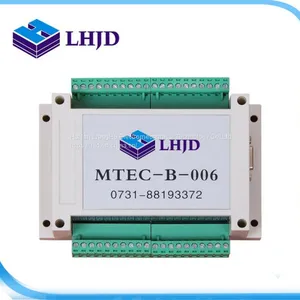
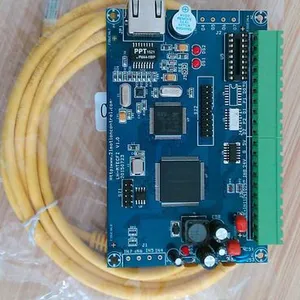
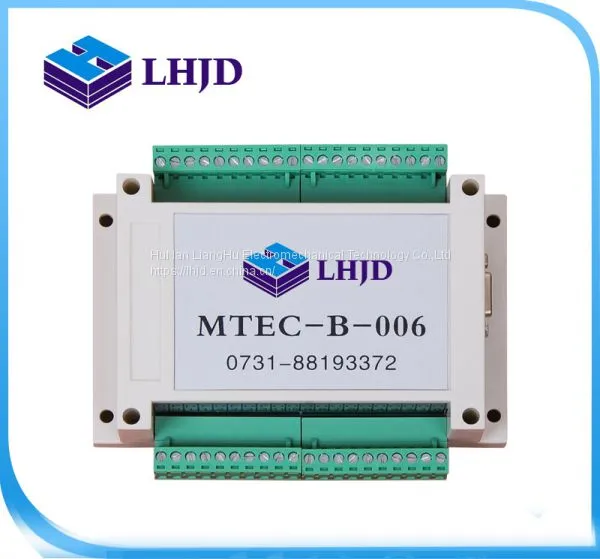
Bead-making Machine Control Card

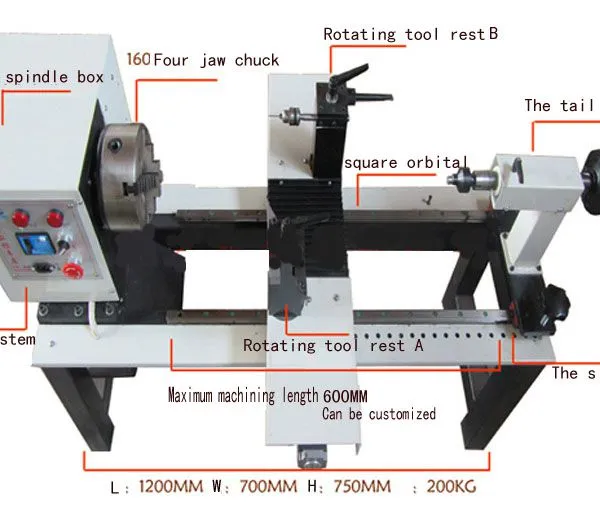
Product Spotlights
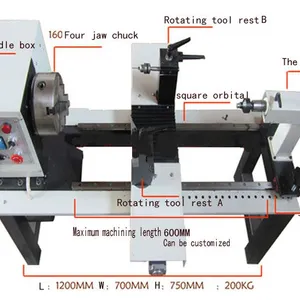
Motor power: 1.1 kw (spindle) 220V
L:1030mm W:700mm H:750mm
number of revolutions:2800
Diameter of spindle hole:35mm
Precision of the spindle:0.01-0.03mm
Chuck diameter:130mm
maximum stroke: The transverse (X-axis)265mm
Machine data:
The longitudinal:(y-axis)180mm
Packing size:L:1180 W:800 H:970
Net weight:150KG
Gross weight:170KG


Related Products
Before using the equipment, check and connect all cables first: the control box power cord, the machine spindle motor power cord, the connecting cable between the machine and the control box (the motor control cable, the aviation plug). And connect the control box and the computer for control with a network cable, and turn on the red power switch in front of the control box.
When use the CNC Buddha beads machine to machine beads, the operating steps are as follows:
Network connection
Set the IP address:
Operate and set the IP address according to the steps in the picture. Set the IP address to the specific data displayed on the picture. Enter into the program for network connection ------ click the network connection icon to get connected.
Set up the safe position:
Set the X-axis travelling stroke (to prevent the cutter’s collision with the chuck) to open the cutter towards the direction of the chuck, stop it when it’s about 5 mm away from the chuck (take care not to hit the chuck to prevent the tooling damage) and click Settings --- X Stroke - Click Get Coordinates.
Set the limits: first open the window --- debug the panel. Move the X-axis limit switch manually; when 11 turns red, it’s normal. Move Y-axis. When 10 turns red, it’s normal. Then click Settings --- IO Settings --- Return to Zero Settings - Limit Port-11 for X-axis -10 for Y-axis
Equipment cutter setting (to obtain the distance between the cutter tip and the spindle axis):
Dimension control of cutting diameters by the CNC lathe is strictly based on the relative position between the cutter tip and the spindle axis. Therefore, the equipment cutter setting is the key to guaranteeing the precision of cutting dimensions. The software provides a simple and accurate cutter setting method:
Before the cutter setting, be sure that “Return to zero operations for all axes" have been done
Clamp a piece of wood on the chuck (it is recommended that its size be similar to that of the wood to be processed in normal production); start the spindle motor to rotate.
Use the Up, Down, Left and Right keys on the computer keyboard to control the cutter movement to cut a column manually. Note that the cut depth can’t exceed the cutter edge size of the tooling used. The wood can be cut layer by layer, until the four corners are removed to form the column; the cut column length can be about 5 mm. Users can control at the convenience of their measurement. You can press down the "slow" button and then use the Up, Down, Left and Right keys to drive the cutter. The surface is better at the low speed cutting.
Press the Right Arrow on the keyboard to move the cutter out of the wood (Note: To get the data of the cutter setting, you can only move to the right.
Stop the spindle rotation and measure the diameter of the column with a caliper;
Click Cutter Settings --- Outside Cutter (soft wood cutter or hard wood cutter) to enter this diameter into the maximum diameter. Then click – Cutter Setting - OK. The way to enter is shown as below: if the measurement diameter is 22.1 mm, then enter 22.1, click Cutter Setting, OK

Send Inquiry to This Supplier


You May Also Like
-
 1-6 Axis Control CardUS$ 200 - 500MOQ: 1 Combo
 -
Engraving Machine Control CardNegotiableMOQ: 1 Combo
-
Bead-making Machine Control CardUS$ 200MOQ: 1 Combo
-
High Speed HDPE Plastic Spiral Hollow Wall Pipe Making Machine With Automatic ControlNegotiableMOQ: 1 Piece
-
FOXBORO IIA Series DCS Card Module for Process Control SystemsNegotiableMOQ: 1 Piece
-
Electric Remote Control Crop Sprayer Machine for Orchard Farm and Field Pest ControlUS$ 2600 - 2700MOQ: 1 Set
-
Access Control CardNegotiableMOQ: 2000 Pieces
-
Numerical Speed Control Cream Making Machine 220v/110vUS$ 500 - 2000MOQ: 1 Unit
-
Fruit Juice/Jam Making Machine With PLC ControlUS$ 15000.00 - 15800.00MOQ: 1 Set
-
Industrial BBQ Charcoal Making Machine With 15kW Motor and PLC ControlUS$ 1860MOQ: 1 Piece


