








 Contact Platform Support
 Help Center
Fault Indicator Remote Controller PDA



Related Products
-
 Fault Indicator Remote Controller PDAUS$ 1 - 60MOQ: 1 Set
 -
Control PDA for Fault Locator In Transmission LinesUS$ 1 - 60MOQ: 1 Set
-
Control PDA for Fault Locator In Transmission LinesUS$ 1 - 60MOQ: 1 Set
-
Intelligent Multifunctional Remote Control PDAUS$ 1 - 60MOQ: 1 Set
-
Intelligent Multifunctional Remote Control PDAUS$ 1 - 60MOQ: 1 Set
Intelligent Multifunctional Remote Control PDA
Description
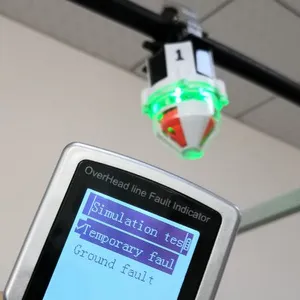
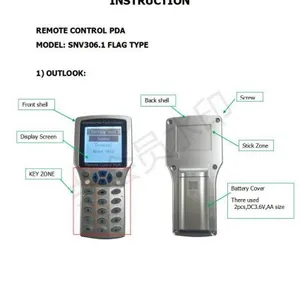
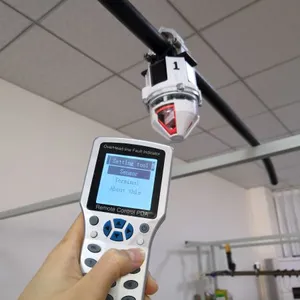
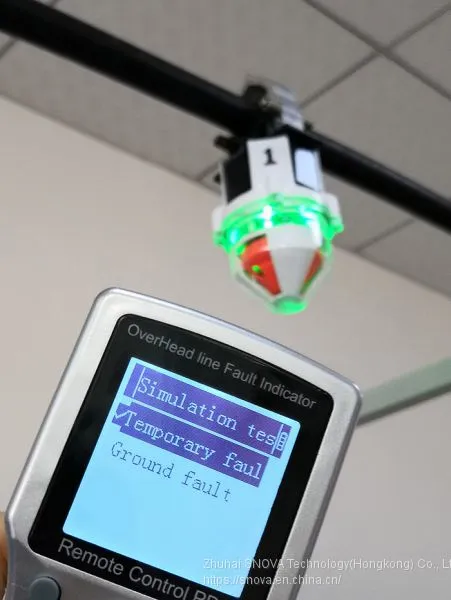
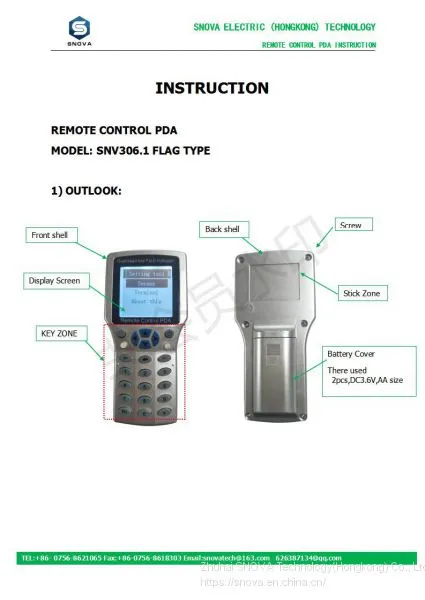
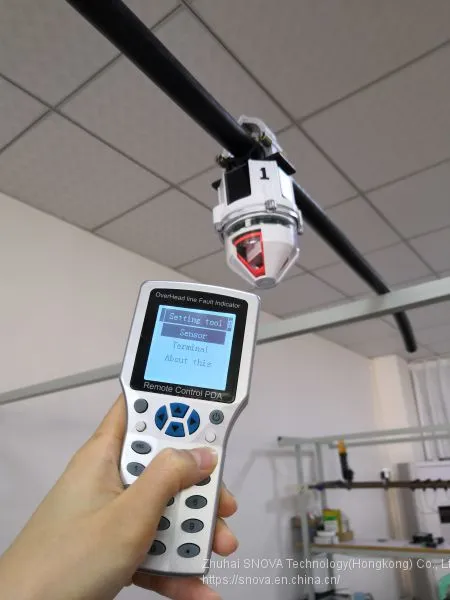
Remote Control PDA(SNV306.1) is a Tool that used for communication between user and Fault indicator(SNV308.1) and communication terminal (SNV309.1). It communicate basing on wireless 433M.
When remote Control PDA successfully connected with fault indicator, then user can read and change indicator’s parameter setting. At same time, user read indicator’s real time data, indicator battery voltage, real time current of conductor line. Etc.
Operation instruction
1. short press “power on/off” key, Open the remote control PDA.
2. go into the “setting tool” interface.
3. On the “setting tool” interface, there are three Item:
Setting tool |
Sensor |
Terminal |
About this |
*Sensor menu: there is for operating for fault indicator
* Terminal menu: it is for operating for communication terminal
* About this: it is for operating for remote control PDA
4. How to operate: Sensor
On the “setting tool” interface, choose the “sensor” item, and press “enter key”. Then go into the a new interface, “ Sensor setting”. This interface include the below Item.
Sensor setting |
Sensor select |
Basic parameter |
Working parameter |
Online test |
Reset sensor |
*Sensor select. It is for wake up indicator sensor. and searching indicator sensor. Then choose indicator. Note: “wake up” means to open indicator sensor 433M port, make it into communication state. “search indicator” means make indicator establish communication. Only when searched indicator’s ID number, then user can operate this indicator.
*Basic parameter. It is display the indicator’s basic parameters. Tips: Please do not change it.
*Working parameter. It means indicator will use this parameter to calculate , analyze and judge fault.
*All parameter. It display all parameter of the indicator, including basic parameter and working parameter.
4.1 How to operate : sensor select
*on the “sensor setting” interface, choose the “sensor select”, then go into a new interface, “sensor select”. It include the below 3 items.
Setting select |
Wake up |
Sensor list |
Single find |
4.1.1 Wake up:
choose “wake up”, and press enter key. Then go to wake up operating.
|

Send Inquiry to This Supplier


You May Also Like
-
Intelligent Multifunctional Remote Control PDAUS$ 1 - 60MOQ: 1 Set
-
Intelligent Dehumidifier Device For Electric CabinetUS$ 50 - 70MOQ: 1 Set
-
Intelligence Overhead Type Short Circuit &Ground Fault LocatorUS$ 1 - 2MOQ: 1 Set
-
How to Install Overhead Line Fault IndicatorUS$ 1 - 2MOQ: 1 Set
-
Flag Type Overhead Type Short Circuit &Ground Fault IndicatorUS$ 1 - 2MOQ: 1 Set
-
Flag Type Overhead Type Short Circuit &Ground Fault IndicatorUS$ 1 - 2MOQ: 1 Set
-
Fault Locator of Electric Power AssociatriesUS$ 1 - 60MOQ: 1 Set
-
Flag Type Overhead Type Short Circuit &Ground Fault IndicatorUS$ 1 - 2MOQ: 1 Set
-
Flag Type Overhead Type Short Circuit &Ground Fault IndicatorUS$ 1 - 2MOQ: 1 Set
-
Overhead Line Cable Fault LocatorUS$ 1 - 2MOQ: 1 Set


