








 Contact Platform Support
 Help Center
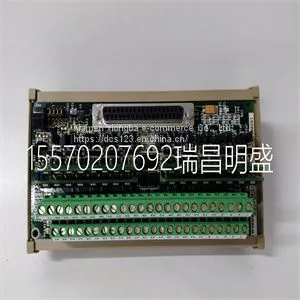
Module Spare PartsIS200DTAIH1ACC IS210DTAOH1AA



Related Products
-
 Module Spare Parts IS200DTAOH1ABA IS210DTAOH1AAUS$ 1 - 100000MOQ: 1 Piece
 -
Module Spare Parts IS200EPSMG1ABBUS$ 1 - 100000MOQ: 1 Piece
-
Module Spare Parts IS200HSLAH2ADEUS$ 1 - 100000MOQ: 1 Piece
-
Module Spare PartsIS200SAMBH1ABAUS$ 1 - 100000MOQ: 1 Piece
-
Module Spare Parts IS200STCIH6AEDUS$ 1 - 100000MOQ: 1 Piece
Focus on DCS, PLC, robot control system and large servo system.
Main products: various modules / cards, controllers, touch screens, servo drivers.
Advantages: supply of imported original products, professional production parts,
Fast delivery, accurate delivery time,
The main brands include ABB Bailey, Ge / fuanc, Foxboro, Invensys Triconex, Bently, A-B Rockwell, Emerson, ovation, Motorola, xyvom, Honeywell, Rexroth, KUKA, Ni, Deif, Yokogawa, Woodward, Ryan, Schneider, Yaskawa, Moog, prosoft and other brands
| IS200DTAIH1ACC IS210DTAOH1AA |
Chapter 5 – Fault Tracing This chapter gives step-by-step diagnostics information for finding out the causes and corrections to the most common problems with the adapter. Take advantage of the group 52 diagnostic counters. If necessary, use parameter 9902 APPLIC MACRO to restore the parameter settings of the ACS 140 to their default values and then reconfigure the drive. Power LED of the adapter is illuminated, but Receive (RxD) and Transmit (TxD) LEDs are not blinking • The master device is not transmitting. • The cable is not correctly connected to connector X2/X3 (in RS485 mode) or X4 (in RS232 mode). • Operation mode (RS485 or RS232) of the adapter is not correct: Check jumper S4. Receive LED blinks but there is no response from the ACS 140 (Transmit LED is not blinking) • The master device is not using the same communication settings as the ACS 140. • The ACS 140 is using the communication settings of the control panel: Turn power off and then on again. Receive and Transmit LEDs are blinking, but the drive does not follow commands given by the master device • The drive is not in remote control mode. • The drive parametering is incorrect: Control commands are not accepted from the serial communication channel. Receive and Transmit LEDs are blinking, but the responses ACS 140 sends are not intelligible • DIP switch S1 and parameter 5202 COMM SPEED do not have the same speed setting. • Ambient noise level is too high. The ACS 100-PAN control panel is not operating and panel display blinks • Panel is not properly connected to the drive. • The drive is using different communication settings from the panel: Connect the panel and then turn power off and then on again. Group 52 is not visible on the control panel • Make full parameter set visible by selecting menu function -LG- and pressing and holding ENTER button down until display blinks.10 Motor overtemperature 11 Motor stall alarm

Send Inquiry to This Supplier


You May Also Like
-
Module Spare Parts IS200TBCIH1CCDUS$ 1 - 100000MOQ: 1 Piece
-
Module Spare Parts IS200TBCIS2CCDUS$ 1 - 100000MOQ: 1 Piece
-
Module Spare Parts IS200TDBTH6ACDUS$ 1 - 100000MOQ: 1 Piece
-
Module Spare Parts IS200TPROS1CBB IS230TSPRH1CUS$ 1 - 100000MOQ: 1 Piece
-
Module Spare Parts IS200TPROS1CBB IS230TSPRH1C MRP680538US$ 1 - 100000MOQ: 1 Piece
-
Module Spare Parts IS200TREAH2AEDUS$ 1 - 100000MOQ: 1 Piece
-
Module Spare Parts REXROTH KE 310 Typ 0680830240 KE310US$ 1 - 100000MOQ: 1 Piece
-
Module Spare Parts SR 750-P1-G1-S1-HI-A20-GUS$ 1 - 100000MOQ: 1 Piece
-
Module Spare Parts T35E00HAHF8FH6AM8HP6EUXXWXXUS$ 1 - 100000MOQ: 1 Piece
-
Module Spare Parts UR6DHUS$ 1 - 100000MOQ: 1 Piece


