








 Contact Platform Support
 Help Center
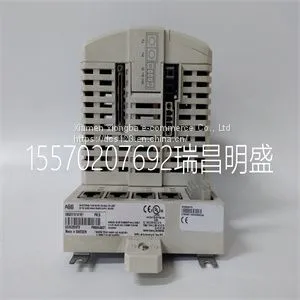
Module Spare Parts PM864AK01 3BSE018161R1



Related Products
-
 Module Spare Parts PM866K01 3BSE050198R1US$ 1 - 100000MOQ: 1 Piece
 -
Module Spare Parts PMC422FPUS$ 1 - 100000MOQ: 1 Piece
-
Module Spare Parts PP49283-8 T8846US$ 1 - 100000MOQ: 1 Piece
-
Module Spare Parts PP826 3BSE042244R1US$ 1 - 100000MOQ: 1 Piece
-
Module Spare Parts PP836A 3BSE042237R2US$ 1 - 100000MOQ: 1 Piece
Focus on DCS, PLC, robot control system and large servo system.
Main products: various modules / cards, controllers, touch screens, servo drivers.
Advantages: supply of imported original products, professional production parts,
Fast delivery, accurate delivery time,
The main brands include ABB Bailey, Ge / fuanc, Foxboro, Invensys Triconex, Bently, A-B Rockwell, Emerson, ovation, Motorola, xyvom, Honeywell, Rexroth, KUKA, Ni, Deif, Yokogawa, Woodward, Ryan, Schneider, Yaskawa, Moog, prosoft and other brands
Basic functions Router with intelligent firewall and VPN for 10 tunnels (up to 250 supported with optional additional license), CIFS Integrity Monitoring (as an option), metal housing, slot for SD memory card, extended temperature range, high-performance firewall/VPN: up to 124 Mbps/40 Mbps Supported browsers HTTPS support required Processor 330 MHz Status and diagnostic indicators Link/activity per port Security functions Dynamic Host Configuration Protocol (DHCP) support Server or Relay Agent Network Time Protocol (NTP) client Client Link Layer Discovery Protocol (LLDP) As per protocol 802.2 Remote Syslog Logging On externals server Virtual private network (VPN) throughput max. 42 Mbps (Router) max. 27 Mbps (Stealth mode, VPN bidirectional throughput) Number of VPN tunnels 10 (up to 250 tunnels with additional license as an option) Encryption methods DES, 3DES, AES-128, -192, -256 Internet Protocol Security (IPsec) mode ESP tunnel / ESP transport Authentication X.509v3 certificates with RSA or PSK Data integrity MD5, SHA-1, SHA 256, SHA-512 1:1 Network Address Translation (NAT) in the VPN Supported Firewall data throughput max. 130 Mbps (Router mode, default firewall rules, bidirectional throughput) max. 61 Mbps (Stealth mode, default firewall rules, bidirectional throughput) Firewall rules Configurable stateful inspection firewall with full scope of functions Filtering MAC and IP addresses, ports, protocols Protection against IP spoofing, DoS and Syn Flood Protection Routing Standard routing, NAT, 1:1-NAT, port forwarding
for instant use in the office or when traveling.
The FL MGUARD SMART2 is a further development of the FL MGUARD SMART.
Figure 1-2 FL MGUARD SMART2
FL MGUARD PCI4000 The FL MGUARD PCI4000 has the design of a PCI-compatible plug-in board.
The FL MGUARD PCI4000 is suitable for distributed protection of industrial and panel PCs,
individual machines, or industrial robots. It has a configuration memory in the form of a
replaceable SD card, which can be easily accessed on the front.
Figure 1-3 FL MGUARD PCI4000
FL MGUARD DELTA TX/TX The FL MGUARD DELTA TX/TX is ideal for use in desktop applications, in distribution
compartments, and other environments close to production process with low requirements
for industrial hardening.
Individual devices or network segments can be safely networked and comprehensively
protected. The FL MGUARD DELTA TX/TX can be used as a firewall between office and
production networks as well as a security router for small and medium-sized workgroups.
Figure 1-4 FL MGUARD DELTA TX/Green ON Power supply 1 is active
P2 Green ON Power supply 2 is active (FL MGUARD RS2000: not used)
STAT Green Flashing Heartbeat. The device is correctly connected and operating.
ERR Red Flashing System error. Restart the device.
– Press the Rescue button (for 1.5 seconds).
– Alternatively, briefly disconnect the device power supply and then connect it
again.
If the error is still present, start the recovery procedure (see Page 324) or contact your
dealer.
STAT+ ERR Flashing
alternately: green
and red
Boot process. When the device has just been connected to the power supply. After
a few seconds, this LED changes to the heartbeat state.
SIG – (Not used)
FAULT Red ON The alarm output is open due to an error (see “Installing the FL
MGUARD RS4000/RS2000” on page 20).
(The alarm output is interrupted during a restart.)
MOD Green ON Connection via modem established
INFO Green ON The configured VPN connection has been established.
Flashing The configured VPN connection is being established or aborted.
LAN Green ON The LAN/WAN LEDs are located in the LAN/WAN sockets (10/100 and duplex LED)
Ethernet status. Indicates the status of the LAN or WAN port. As soon as the device
is connected to the relevant network, a continuous light indicates that there is a
connection to the network partner in the LAN or WAN. When data packets are
transmitted, the LED goes out briefly

Send Inquiry to This Supplier


You May Also Like
-
Module Spare Parts PP875US$ 1 - 100000MOQ: 1 Piece
-
Module Spare Parts PP881US$ 1 - 100000MOQ: 1 Piece
-
Module Spare Parts PPC902CE101 3BHE028959R0101US$ 1 - 100000MOQ: 1 Piece
-
Module Spare Parts PPT VISION 661-0337 PPT5200US$ 1 - 100000MOQ: 1 Piece
-
Module Spare Parts REF542PLUSUS$ 1 - 100000MOQ: 1 Piece
-
Module Spare Parts REF615C-D HCFFAEAGABC2BAA1XDUS$ 1 - 100000MOQ: 1 Piece
-
Module Spare Parts RELIANCE WR-D4007US$ 1 - 100000MOQ: 1 Piece
-
Module Spare Parts SCYC51010 58052515GUS$ 1 - 100000MOQ: 1 Piece
-
Module Spare Parts SCYC55830 58063282AUS$ 1 - 100000MOQ: 1 Piece
-
Module Spare Parts SEW DFS56L-TF-RH1M-KKUS$ 1 - 100000MOQ: 1 Piece


